
Creative Lab's Nomad Muvo TX - Best of the micro MP3 players
- Posted in
- Smartphones
- Mobile
Creative's Nomad Muvo TX - Windows Support
Voice recordings on the drive are excluded from the normal playmode of the Muvo TX, by designation in the "Voice" folder. The voice folder will be visible in the skip folder menu, if and only if there are MP3s or WMAs in the folder. WAV files are not accessible by the music playback function. However, they can be played back in the voice sub-menu, even if they are renamed or not recorded on the Muvo TX.
Click to enlarge.
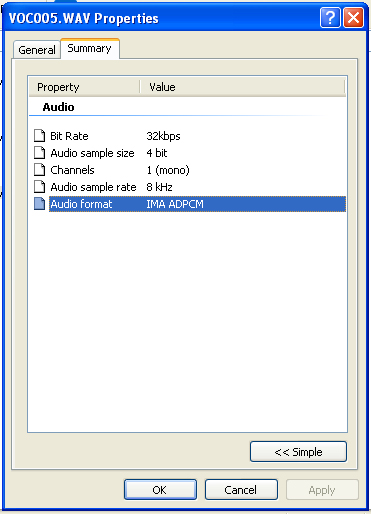
Recordings made on the Muvo TX will only be recorded in the following setting: 32kbps, 4 bit, 1 channel (it comes from a small direction mike after all), 8 kHz, and WAV format. The sound quality of the recordings is "so-so". Basically, if you are out to just record a few personal reminders, that should be fine, since it needs to be held about 6 inches from your mouth. If you plan to record a lecture or something at a greater distance than a foot, you are out of luck. The microphone is insanely small, and because of that, there is a limit of recording distance/quality.
Originally published at https://www.anandtech.com/show/1332 (Wayback Machine).