
MSI K8N Neo Platinum: First nForce3-250Gb
- Posted in
- Motherboards
BIOS: MSI K8N Neo Platinum
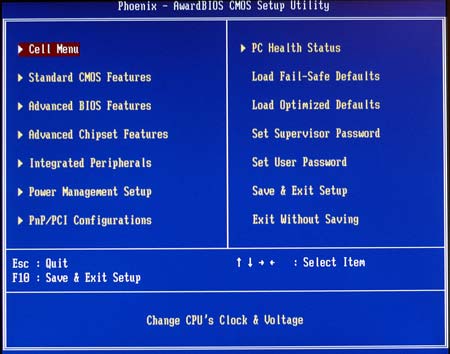
The K8N Neo uses Phoenix-Award BIOS, so navigation will be familiar for most users. The last few generations of MSI's top boards have promoted Core Cell overclocking, and their BIOS has sported a complete range of overclocking options.
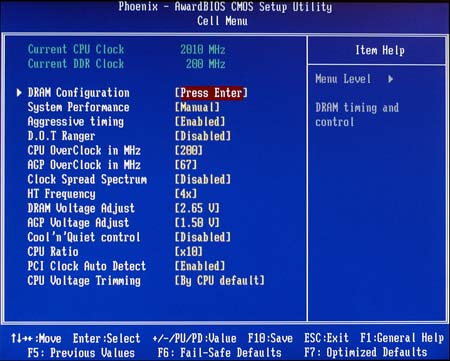
Most of the options of interest to overclockers are contained in the Cell Menu. Two easily overlooked options here are worth mentioning. "Aggressive Timings" can be enabled or disabled, and if your memory can handle it, the aggressive timings do improve performance. The other item is AMD "Cool'n'Quiet", which can be enabled or disabled here. Cool'n'Quiet is designed to protect the CPU and system from damage due to overheating and also to run the fans at the lowest and quietest speeds needed for proper operation.
Most of the commonly used adjustments are submenus under the Cell Menu.
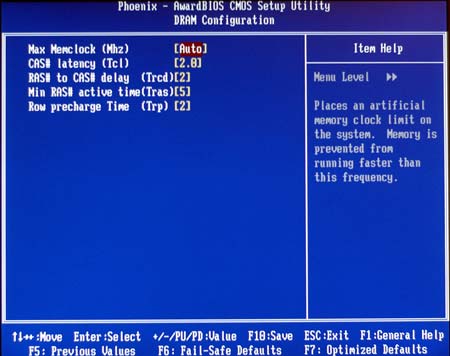
This includes a decent selection of memory timing adjustments.
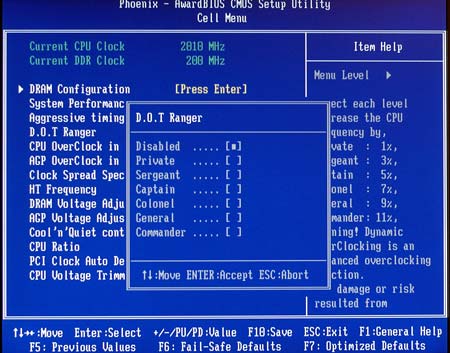
MSI has the option of using an automatic overclocking system called D.O.T. for those who are intimidated by manual adjustments. The help in the BIOS and in the manual explains how it is used to provide optimized overclocks from 1% to 11%. The industry seems to think that everyone who overclocks is a gamer and 14 years old with all the cute names they use, like Sergeant and Commander on MSI and Street Racer from Abit. We personally don't like this trend, but clearly some do. The most important thing to us was that D.O.T. worked very well, and will be useful for those intimidated by the whole idea of BIOS settings. You can still reach higher overclocks with manual settings, but the D.O.T settings are well-balanced tweaks.
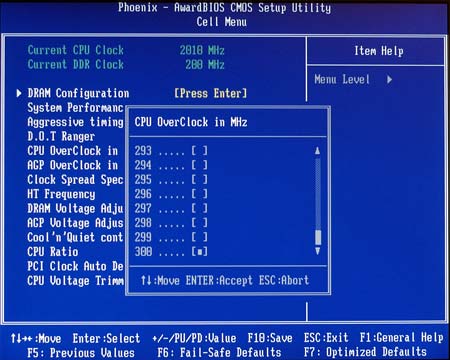
FSB can now be adjusted to 300 in the BIOS. After testing the board, a range to 350 would actually be useful on the K8N Neo - something we are finally pleased to be talking about on an Athlon 64 motherboard.
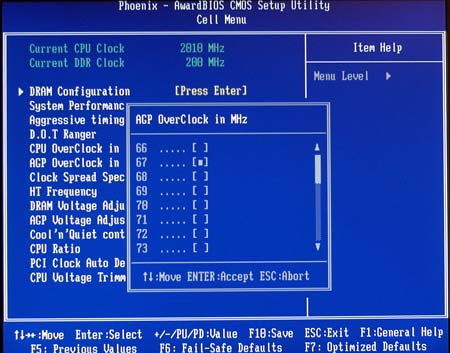
Yes, the AGP locks on the MSI K8N Neo, confirming nVidia's claim that we would see working locks on this generation. With a 300 FSB range instead of the 250 on the nVidia Reference Board, we can also confirm that the lock also works in the 250 to 300 range.
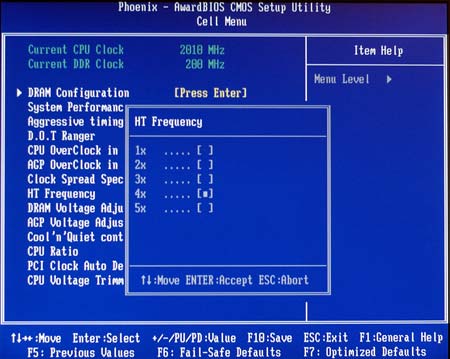
MSI uses the nF3-250Gb chipset, and therefore, offers HyperTransport adjustments to 5X (1000 HT). This is a much wider and more useful range than what we saw on the nF3-150 boards, but we do wish half multipliers had also been included. The 0.5X adjustments are very useful for getting the best performance in overclocking.
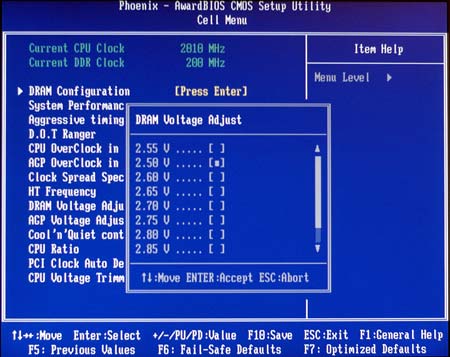
Memory Voltage can be adjusted to 2.85V, which is a useful range. Abit and Epox have provided ranges to 3.0V to 3.2V and that would be welcomed for use with the high-speed, higher-voltage memory currently on the market.
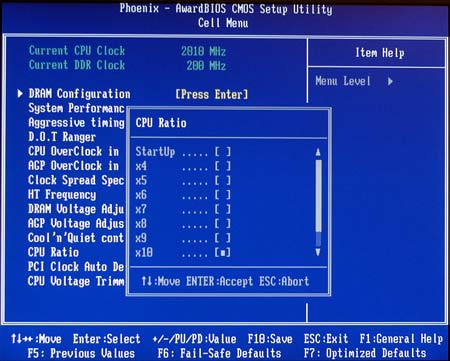
The other part of high FSB clocking is CPU ratios or multipliers. The K8N Neo provides a full range from the CPU default down to 4. We confirmed that the lower ratios do work on the MSI. Some recent boards did not work at ratios below 9, but the MSI worked at every ratio that we could select.
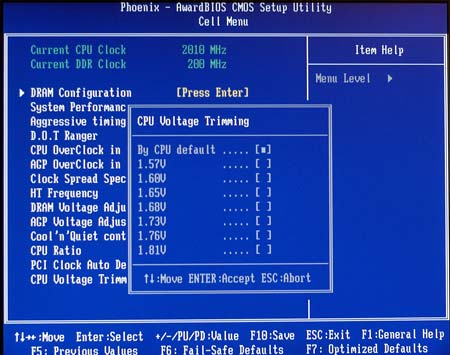
Instead of Core Voltage, MSI calls the CPU voltage adjustment "CPU Voltage Trimming". The adjustments appear to be based on percentages instead of absolute values, so they will likely shift with lower voltage CPUs. For a stock 1.5V 3400+ adjustments were available to 1.81V. This is a useful range and extends a bit beyond AMD's recommended maximum of 1.7V.
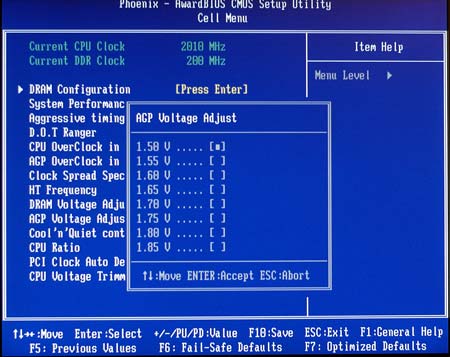
AGP voltage adjustment covers a very broad range from 1.5V to 1.85V in fine 0.05V increments. This adjustment usually makes very little difference in overclocking, but sometimes it is also the adjustment for chipset voltage, where a wide range and fine adjustments are very useful.
All of these settings are in Cell Menu, but there are many other options in the K8N Neo BIOS.
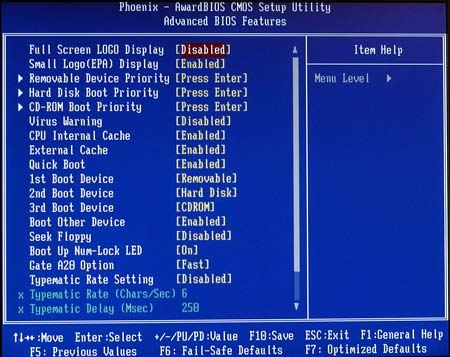
Advanced BIOS features allow control of boot devices and boot order.
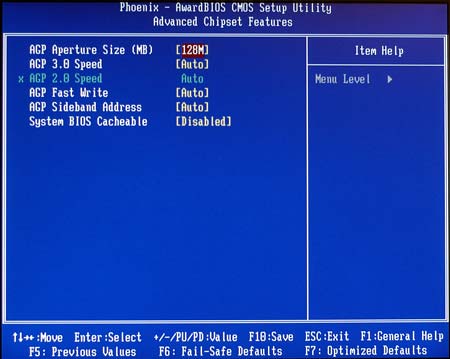
With so many of the most used adjustments under Cell Menu, the Advanced Chipset menu is mainly AGP aperture size, timings, and shadowing control.
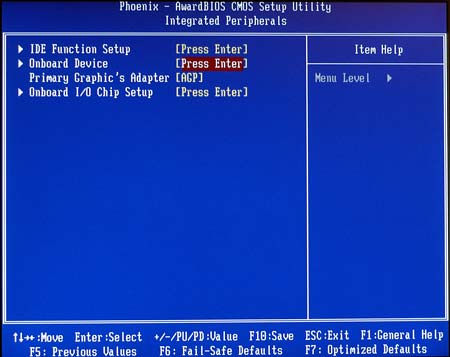
The nForce3-250Gb supports many integrated features. Most of these are controlled in the Integrated Peripherals menu.
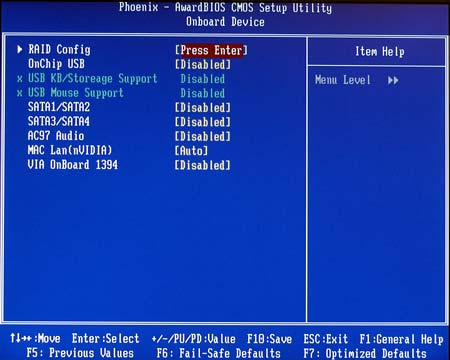
This includes a Device submenu where setup and adjustments are made to the flexible nVidia RAID for SATA and IDE drives.
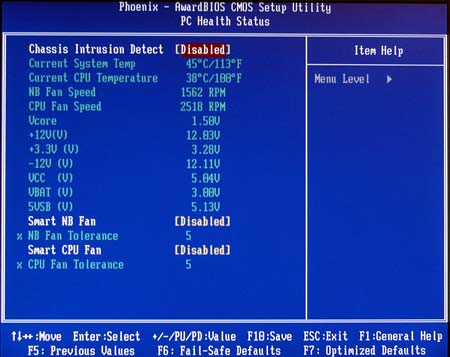
BIOS monitoring of Temperatures and Fan Speeds can be adjusted in the PC Health Menu.
Originally published at https://www.anandtech.com/show/1306 (Wayback Machine).