
MSI K8N Neo Platinum: First nForce3-250Gb
- Posted in
- Motherboards
Board Layout: MSI K8N Neo Platinum
It is very clear that MSI had their own ideas about the layout of the K8N Neo.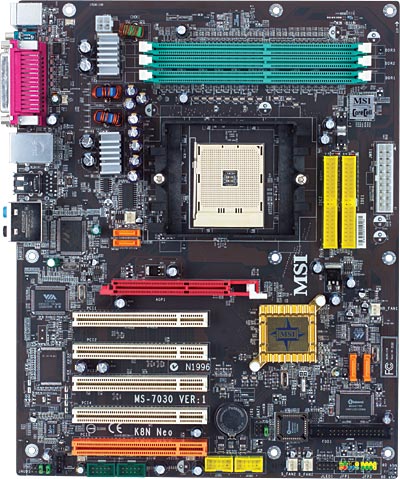
The K8N Neo has a very different layout than the nVidia nF3-250 Reference Board. All-in-all, we find the MSI layout to be excellent. Memory at the top of the board works fine in most case designs, and it does keep the DIMM sockets clear of interference from the AGP slot.
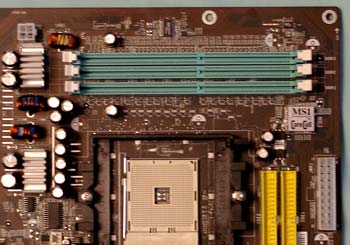
The ATX 20-pin and the 4-pin 12V connector are separated in the K8N Neo, but the locations work well nonetheless. The bulky ATX connector is on the far right edge on the upper half of the board. The 4-Pin connector is on the opposite side of the CPU, at the very top edge of the K8N Neo. Both locations are clear of other connectors and should not interfere with air flow.
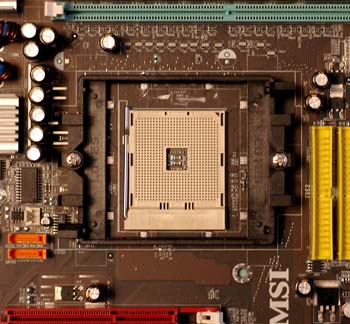
The CPU socket is in the center of the board just above midline. PCI slots are below the socket and memory is above it. There is plenty of room around the Socket 754, so just about any Heatsink/Fan should work fine. We had no problems mounting a Zalman 7000 on the K8N Neo.
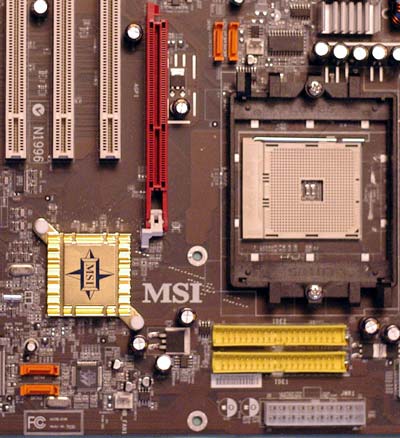
The IDE connectors are in our preferred upper right edge of the motherboard, where they rarely interfere with other connectors. SATA connectors mirror the nF3-250 Reference Board in that 2 are between the AGP slot and the CPU and 2 are near the lower right edge of the board. The arrangement looks worse than it functions, since the SATA cables are very small. However, SATA connectors are still far too fragile for our liking and anything that gets them away from "high-traffic"" areas of the board is preferred. You need to be extremely careful while changing a video card or replacing a HSF, to avoid pushing and breaking off the SATA connectors between the AGP and CPU. The other 2 SATA connectors are better located near the right edge so that they are out of harm's way.
We would not be complaining about this if SATA connectors were more durable. We have never broken a big, bulky IDE connector, but with board testing, we have broken SATA connectors off 2 drives and 2 boards. Whoever came up with this fragile design for connecting hard drives should be forced to review motherboards or test memory and CPUs. They would then learn quickly that the SATA connector needs to be stengthened.
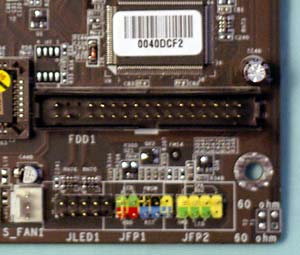
Unfortunately, the floppy connector is located on the lower right of the board. This will work fine in some case designs, but it will be a difficult reach in tower cases. It is also a location that makes neat cabling difficult in most cases.
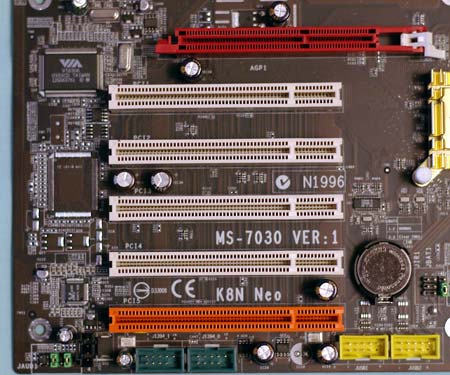
The K8N Neo has 5 PCI slots. The bottom PCI is configured as a dedicated communications slot and is identified by a different color. The AGP slot uses the common "push to release" lever that works fine with most cards, but can be a real pain with very large top end cards like the nVidia 5950U. MSI placed all the headers along the lower edge of the board, which really helps when you are trying to do a neat cable arrangement in a window case. The downside is that if you use audio cables with optical drives in a tower case, they probably won't reach the 4-pin connectors in the lower left corner of the board. Like the disappearing floppy, audio cables are rarely required any more, but if you need them, this location can be a challenge in some case designs.
While there are improvements that could be made to the K8N Neo layout, it is clear that a lot of thought went into the MSI layout. Overall, the board was a joy to set up, with the exception of the SATA 1/2 and Audio connectors.
Originally published at https://www.anandtech.com/show/1306 (Wayback Machine).