
AOpen AK89 Max: From Ugly Duckling to Swan
- Posted in
- Motherboards
AOpen AK89 Max: BIOS
The AK89 Max uses Award BIOS with a layout that will be familiar to most users. AOpen also includes a full set of tweak options, generally located under the Advanced Chipset Features and Frequency/Voltage Control tabs.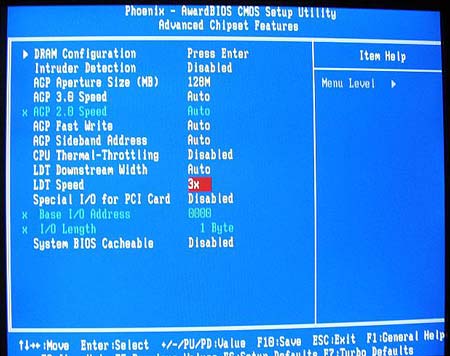
Advanced Chipset Features has submenus for Dram and Hypertransport timings.
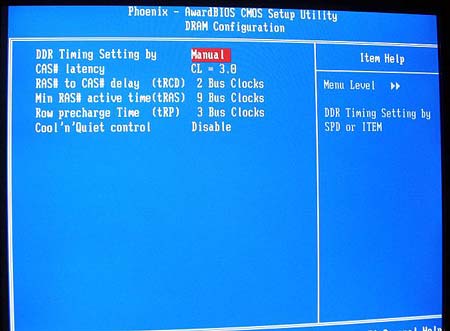
AOpen provides a very complete selection of memory timing adjustments in the Dram submenu.
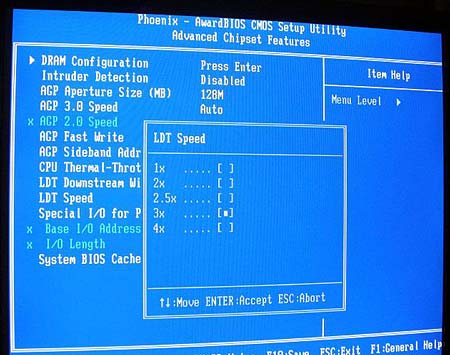
There are also settings to adjust HT frequency. This becomes very important in extreme overclocking. While we were surprised to see a 4X option (the 150 is specified as 600HT), we did not find the 4X setting very stable or useful.
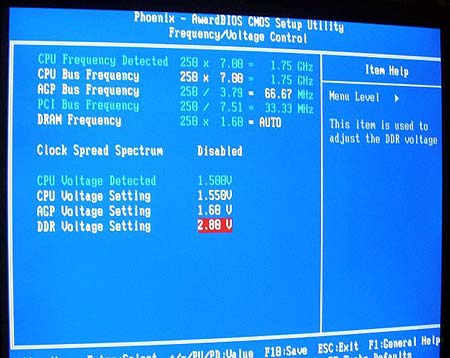
Frequency and Voltage adjustments are in this submenu.
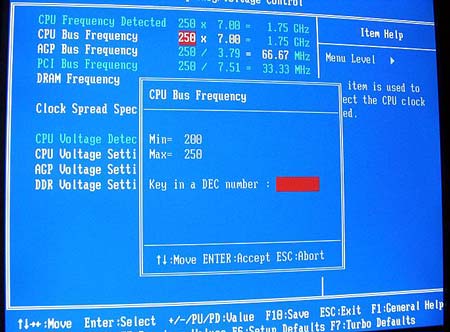
This includes FSB and Ratios below the CPU default. While the FSB range is only to a disappointing 250, we found ways around this as you will see in our Extreme Overclocking report.
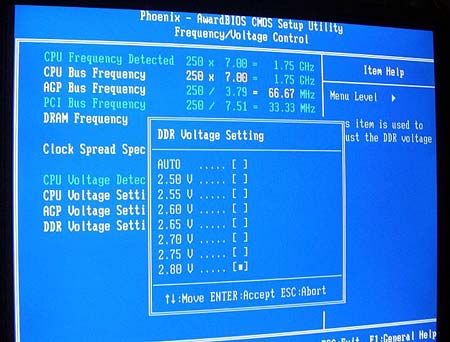
The vDIMM range to 2.8V is acceptable, but we would have preferred settings to 3.0V to 3.1V.
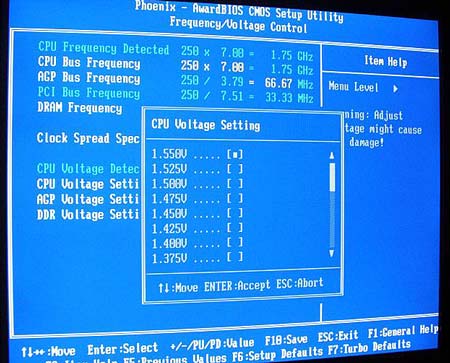
The CPU voltage can only be adjusted to a very disappointing 1.55V. To be fair, we have not seen higher vcores do much to increase overclocking on Athlon 64 processors, but those who use water or phase-change cooling will want a much higher range at the top.
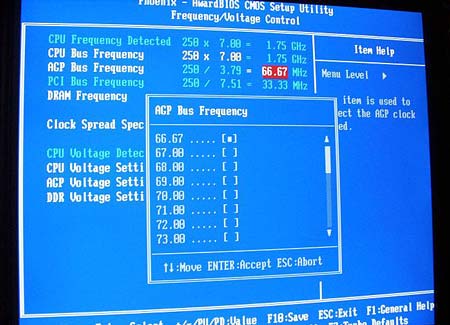
Probably the one thing that we have most wished for on nForce3-150 boards is a working AGP lock. In this case, the adjustments are there from 66.67 to 100 in 1 MHz increments. More important, with BIOS version 1.06M, the PCI/AGP lock really works on this board. How do we know? How about a maximum overclock of 347 with a multiplier of 6.0?
Originally published at https://www.anandtech.com/show/1303 (Wayback Machine).