
The ASUS ROG Maximus X Apex Review: X Marks the Spot, Literally
Conclusion
If someone is looking for a high-end motherboard like the ROG Maximus X Apex, this at least hints at the user being an enthusiast and wanting the most out of their system - perhaps even with a bit of style. Hardcore gamers and overclockers (especially sub-ambient overclocking) require a motherboard which can support these activities. While nearly all Z370 boards across all vendors are able to handle gaming and some overclocking, all except a few were designed with overclocking as one of their primary functions. The Apex covers that aspect well. From the use of two DRAM slots instead of four, large heatsinks to cool power delivery, condensation sensors, and the all the buttons and switches on the top-right corner of the board specifically designed to make overclocking and troubleshooting (which goes hand in hand) easier. Overall the board is well rounded offering most users enough storage, superior integrated water cooling and monitoring capabilities, gaming and plenty of features to help with overclocking the CPU, especially when using extreme cooling methods.
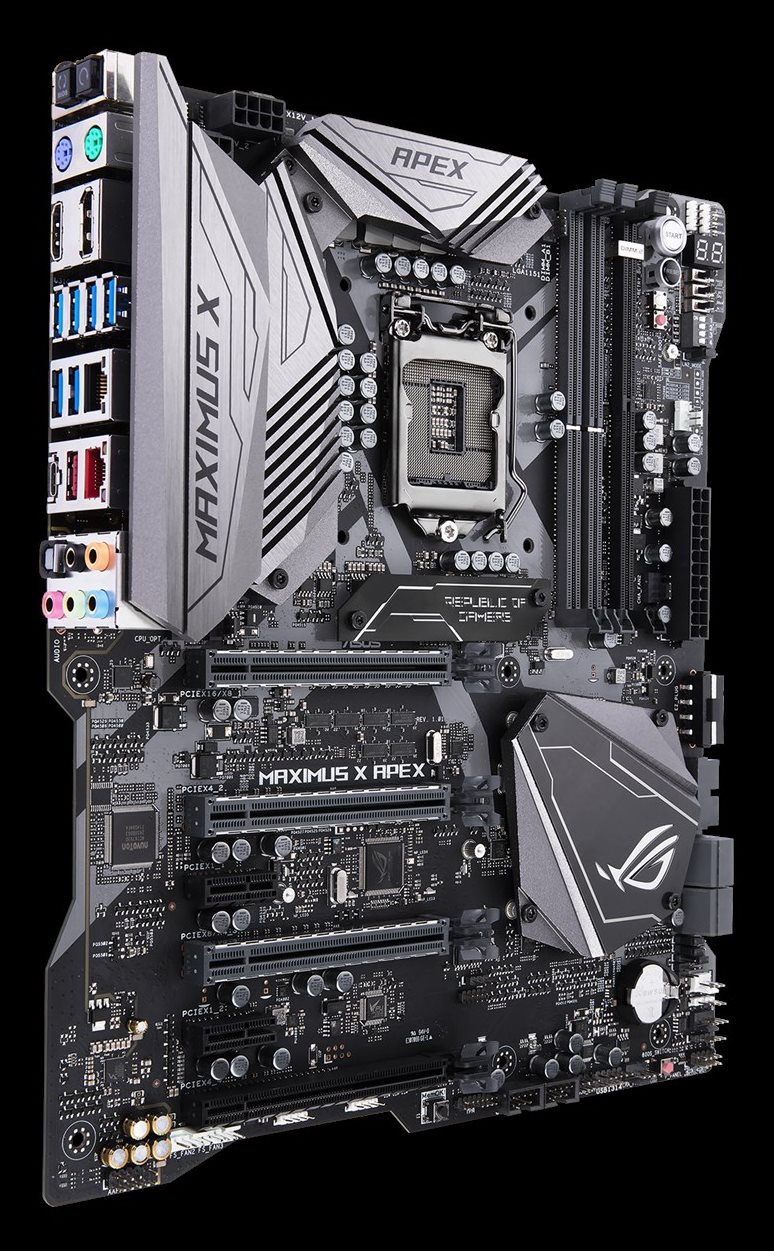
The overall look of the board is quite unique with its cutouts on each of the four sides making it look like an
"X" shaped motherboard of sorts. RGB implementation was plentiful with around 19 RGB LEDs on the back of the motherboard in various locations along the edge. In addition, there are three locations on the front of the board with RGB LEDs - under the corner of the VRM heatsink, the ROG name placard, and the chipset heatsink. All of which can be controlled by the AURA Lighting software.
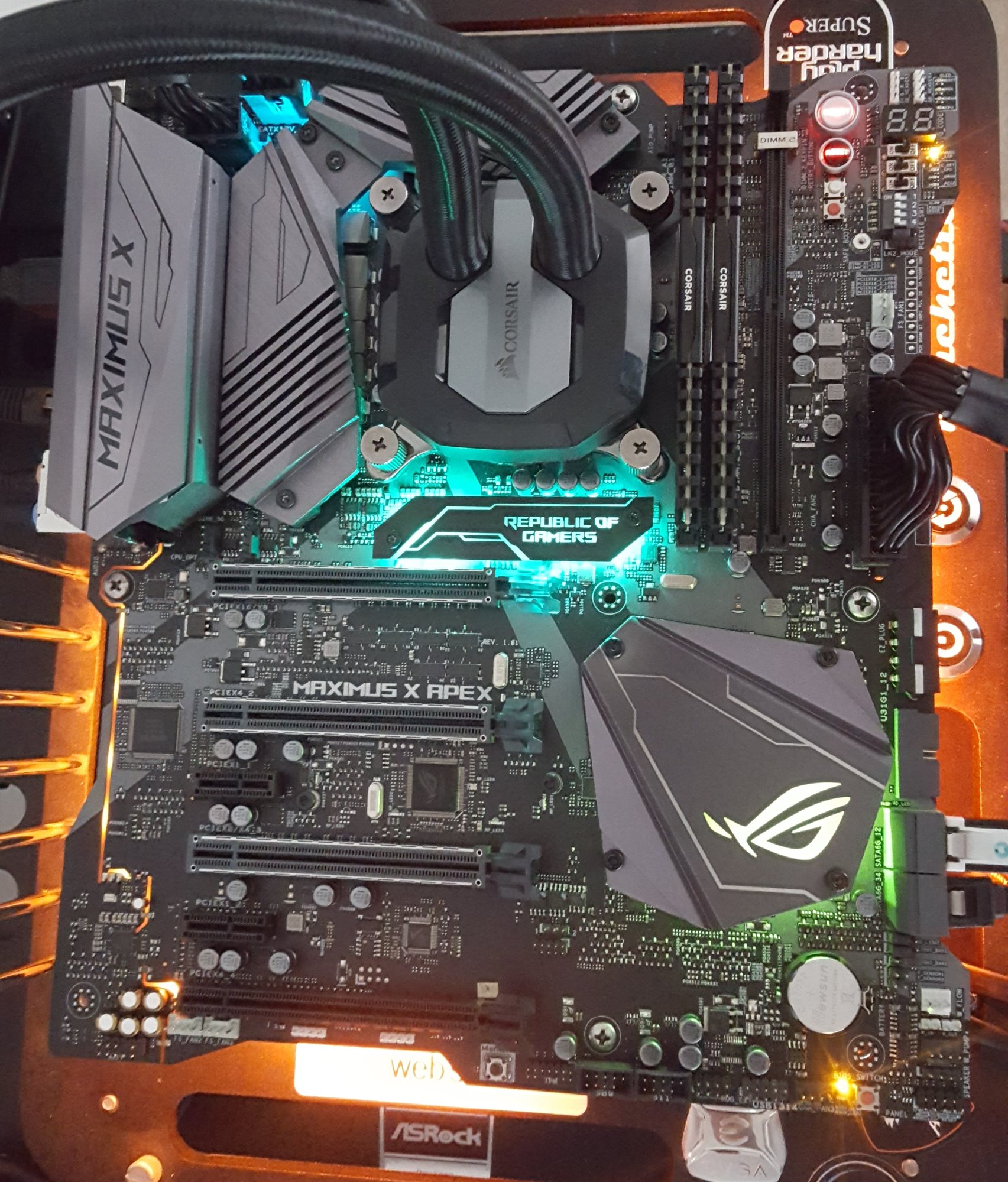
Bling bling
The performance testing on the Apex had the board leading in most tests against the very tightly packed group of results we have so far. Power testing did show slightly higher use in idle states by a few watts but returned to normal during load situations. The Apex also likes to boot a few seconds faster any other board we tested so far that isn't ASUS (the Z370-I Gaming was the quickest) than most other boards which is nice to see if shutting down your PC is the norm. Overclocking yielded good results taking our i7-8700K to a stable 5.1 GHz. 5.2 GHz proved to be much more difficult to stabilize, and the CPU used for my testing appears to have simply hit a voltage wall and temps were higher than we like to see. Perhaps it needs delidding. The BIOS had all the options needed and more than ready to push the limits of whatever CPU in the socket with whatever cooling is on hand. The pre-prepared memory and overclocking profiles are a nice added touch.
Overall, the ASUS ROG Maximus X Apex is a very capable board. Its overclocking features currently sit in a class of its own, though I can imagine that if an ASRock OC Formula would exist then it would provide stiff competition. Outside of that, the board has all the modern fixings that should come along with this mainstream platform. About the only thing I would like to have seen was a front panel USB 3.1 header on the board, or if ASUS was able to use four memory slots, it could widen its appeal. Its monitoring and cooling ecosystem are about the best I have seen on a motherboard. We will find few boards which have 10 fan/pump headers and even less that have water in/out sensors and flow sensors integrated. This typically requires an additional purchase of a fan controller and adds cost to the build. Additionally, the 5GbE is also not something one will typically find on Z370 motherboards. The board hasa great cooling ecosystem, high-end features, and styling offer a well-rounded package to build an enthusiast level Z370 based machine, although some of the more 'general features' such as 4 DIMMs or more SATA ports are exchanged for that overclocking functionality.
The Apex is the equivalent of a Porsche GT3 RS with a roll cage: the ideal car for particular groups of people. If overclocking is your thing, one of the boards best equipped to push the limits of a Coffee Lake CPU with sub-ambient cooling methods, will be the ASUS ROG Maximus X Apex
AnandTech Intel Z370 Motherboard and CPU Coverage
- The Anandtech Coffee Lake Review: Initial Numbers on the Core i7-8700K and Core i5-8400
- Analyzing Z370 for Intel's 8th Generation Coffee Lake: A Quick Look at 50+ Motherboards
- ($397) The ASUS ROG Maximus X Apex Review [this review]
- ($250) The NZXT N7 Z370 Review [LINK]
- ($191) The SuperO C7Z370-CG-IW Review [LINK]
- ($180) The ASUS Z370-I Gaming [planned]
- ($150) The GIGABYTE Z370 Ultra Gaming Review [planned]
- ($144) The GIGABYTE Z370 Gaming WiFi Review [planned]
Originally published at https://www.anandtech.com/show/12506/the-asus-rog-maximus-x-apex-review (Wayback Machine).