
AMS eCube EG65D: Decent Performance, but Many Issues
- Posted in
- Systems
AMS eCube EG65D: Qubic EQ3 Chassis
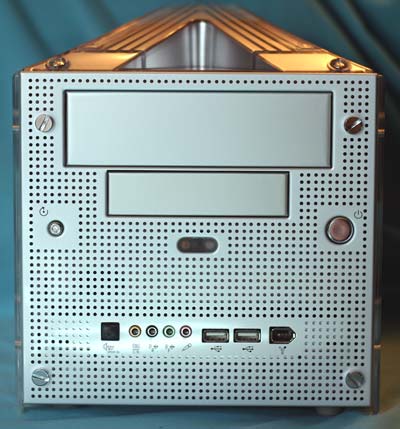
AMS is a case builder, and that heritage certainly shows in the eCube chassis. The perforated aluminum front gives an industrial or tech look to the small computer. Bright chrome buttons are used for on/off and reset. Front ports are in a row toward the bottom of the front panel. Included are SPDIF optical IN, audio Mic and outputs for a 6-speaker system, 2 USB 2.0, and a Firewire port. Access is available to the 3.5" and 5.25" external bays, without the use of mirrored doors or hidden panels.
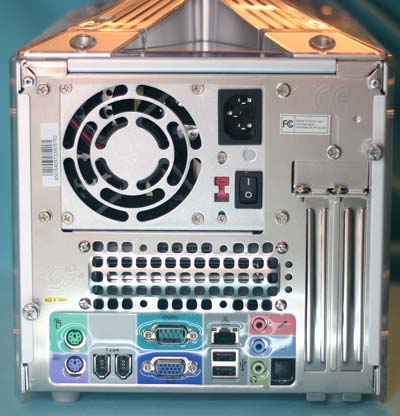
The eCube EG65D concentrates ports on the front, but you will also find a wide variety of ports on the rear panel. They include PS2 ports for keyboard and mouse, VGA, serial, a 10/100 Ethernet LAN port, 2 USB 2.0 ports, and 2 Firewire ports. There are 3 additional rear audio ports and an SPDIF Optical OUT, but there are no punchouts available for a Parallel port or second serial port.
You can see the outlet grill on the rear for the larger than average 220 Watt power supply. The long strip grill is part of the proprietary cooling system for the eCube, called xross-blade cooling.
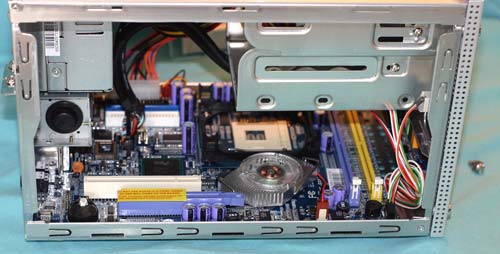
The side panels remove with just one thumb screw, a very handy design. They do not, however, contribute to cooling at all since they are plexi-glass backed by the perforated aluminum. The interior wiring is about average for SFF computers. Some thought went into the wiring design and it is a cut above some of the sloppy interior wiring that we have seen in SFF systems, like the recent Soltek. It is not, however, on the same level as the elegant Biostar.
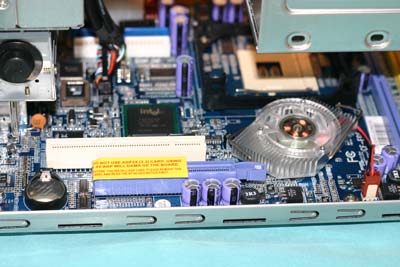
As you can see, there are 2 available expansion slots for 8X AGP and PCI.
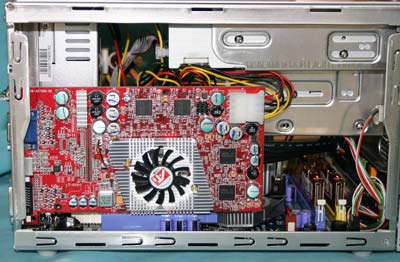
Even after we loaded the system with a CD Recorder/DVD combo, floppy, and 120Gb hard drive, there was still a spare molex connector for our 9800 PRO test card.
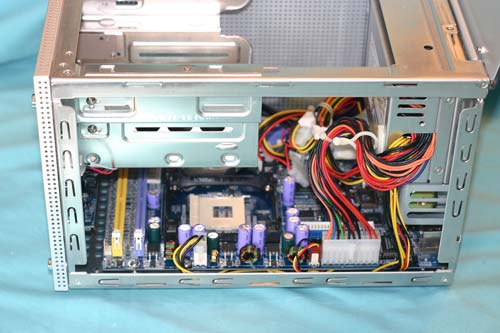
AMS provides a heatsink/fan for the CPU with a blue-LED fan. While it is a decent copper-core design, many standard sized HSF could be used in the standard CPU cage. The largest restriction would be height, since the CPU sits below the drive cage. This is really a very poor arrangement for cooling, since the CPU and hard drive are the greatest heat generators in the system and they are virtually stacked on top of each other. This contributed to CPU temperatures that ran about 20-30 degrees F higher than other SFF we have tested.
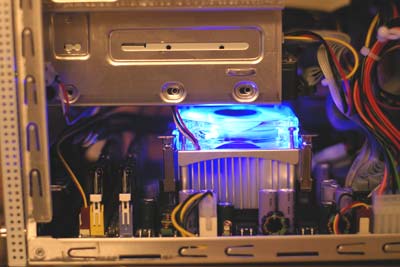
The 2 memory slots run across the board, parallel to the front panel. This location is used in other SFF systems, but it is a poor location to keep memory cool. DDR400 DIMMs with heatsinks actually became quite hot to the touch in this location. The best cooling in SFF systems is in cases where careful attention was paid to airflow in the small enclosure. Frankly, AMS seems to have given a great deal of thought to the case design, and then ruined it with a motherboard design that does not complement the cooling solutions they provide. We suspect CPU and memory cooling would be much more efficient with the CPU further toward the rear — much closer to the xross-blade turbine.
Originally published at https://www.anandtech.com/show/1187 (Wayback Machine).