
Acer TravelMate C110: Centrino infused Tablet PC
- Posted in
- Laptops
Construction — Under the Hood (continued)
On the back side, the ICH4-M south bridge is located behind the north bridge, and even though the ICH4-M supports a total of six USB 2.0 ports, the C110 only uses two. Below the south bridge sits the Ricoh R5C551 combination controller for IEEE 1394 firewire and PC Card.
Click to enlarge.
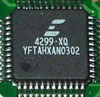
Left of the Ricoh chip is the AC’97 audio codec: Cirrus CS4299-XQ.
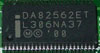
The system’s Ethernet controller is located on ICH4-M south bridge, but is connected to the Intel DA82562ET 10/100 LAN PHY, which is on the right side of the motherboard.
Our system came with both SODIMM slots populated with two Infineon 256MB DDR PC2100 modules, which is the standard configuration for the C110. The maximum amount of supported memory is 1GB, which would require you to upgrade both SODIMM modules to 512MB if that is to be taken advantaged.
|
|
|
| Click to enlarge. |
Click to enlarge. |


Naturally, WiFi comes in the form of the Intel Pro/Wireless 2100 LAN MiniPCI adapter. As we noted before, Centrino certification comes hand in hand with using Intel’s wireless card in addition to the processor and chipset.
|
|
|
| Click to enlarge. |
Click to enlarge. |


The choice of a 40GB 4200RPM Hitachi Travelstar IC25N040ATCS04-0 is nothing of a surprise. A 5400RPM drive would hog more power from the battery and generate more heat, and a 4200RPM is much more preferred in this respect.

Click to enlarge.
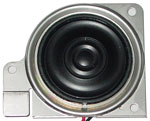
The speaker on the C110 is just about what the IBM X31 had. It doesn’t have great audio quality, but that is expected with the ultraportable design. However, the placement of the speaker could have been a little better. In tablet PC mode, the C110’s small speaker is blocked by its own display, which makes the sound dub a bit. Placing the speaker closer to the back of the system or within the screen itself would be recommended.
Originally published at https://www.anandtech.com/show/1158 (Wayback Machine).