
IBM ThinkPad X31 1.4GHz Pentium M: A Traveler's Best Friend
- Posted in
- Laptops
Features - Software
As one of the largest notebook venders in the market IBM has the opportunity to package their ThinkPad notebooks with a slew of 3rd party and custom software accessories. Quite a bit of time has been invested into the bundled ThinkPad software, evidenced by the slew of applications and utilities the system comes with. We will now touch on a few of the more impressive software solutions that our X31 shipped with.
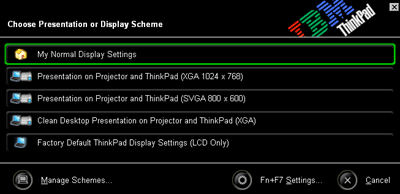
Two of the more useful utilities that the X31 includes are visual representations of function key combinations. The presentation utility is activated by hitting function F7 and is an easy to use utility which configures the X31 for use with a variety of projectors.
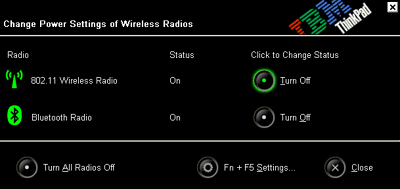
The function F5 key combination brings up a wireless radio configuration screen. Here the user can quickly and easily enable or disable the 802.11 radio or Bluetooth radio.
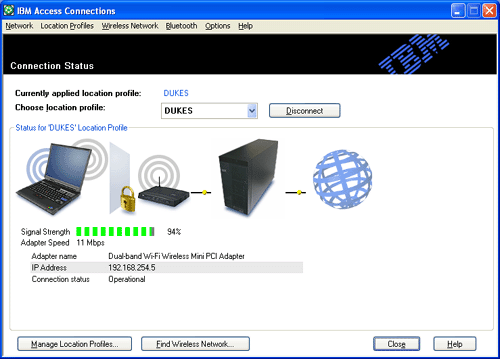
The 802.11 wireless radio is easily configured via the IBM Access Connections program. The program offers a variety of configuration options well beyond those offered by the internal Windows XP wireless utility.
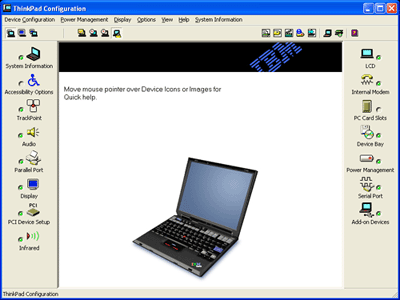
There are also a number of advanced utilities that come packaged with the X31. One of the more comprehensive utilities that the system ships with is the ThinkPad Configuration utility which provides an easy and graphical way to enable, disable, and configure a number of the laptop's settings.
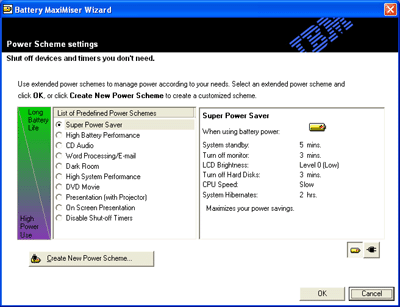
Like other tier one notebook venders, IBM packages the X31 with a power management utility. Here one can set a number of power profiles and quickly change between them.
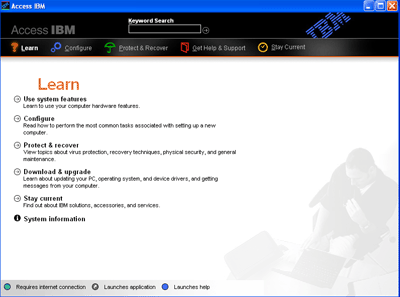
Pressing the Access IBM button at the top of the keyboard brings up a custom utility which gives the user information about their computer, access to the configuration utility, and some web based ordering pages. Nice for basic users but not so useful for advanced computer users.
In addition to the custom IBM utilities the X31 also ships with some 3rd party applications. These include WinDVD 3.2 (our favorite software DVD decoder), Norton Antivirus 2003, IBM Record Now (a Veritas powered burning program much like EZ CD Creator), and PC Doctor. On the whole the X31 is perhaps the most impressive notebook we have seen in terms of included software. In fact the only piece of software that we would have liked to see added to the package is an office suite of some sorts. A license for Lotus SmartSuite Millennium is included in the box but a separate order is required to get the CD in the mail. We have seen other notebooks ship with Microsoft Works or SmartSuite preloaded and it would have been nice to see it on the X31 as well.
Originally published at https://www.anandtech.com/show/1092 (Wayback Machine).