
The Windows 10 Review: The Old & New Face of Windows
- Posted in
- Operating Systems
- Microsoft
- Windows 10
Windows 10 Editions
Branding Windows has been somewhat hit and miss over the last couple of generations. Microsoft took the entire exercise a bit too far over the Windows Vista and Windows 7 period, with a lot of different versions that had different features available. With Windows 8, they moved to just a couple of different versions which simplified the selection. Windows 8 Core was the one most people needed, and Pro offered a few more features that most home users would not need, such as the ability to join a domain, or use Remote Desktop. There was also an edition for volume license customers called Enterprise, and it contained every feature.
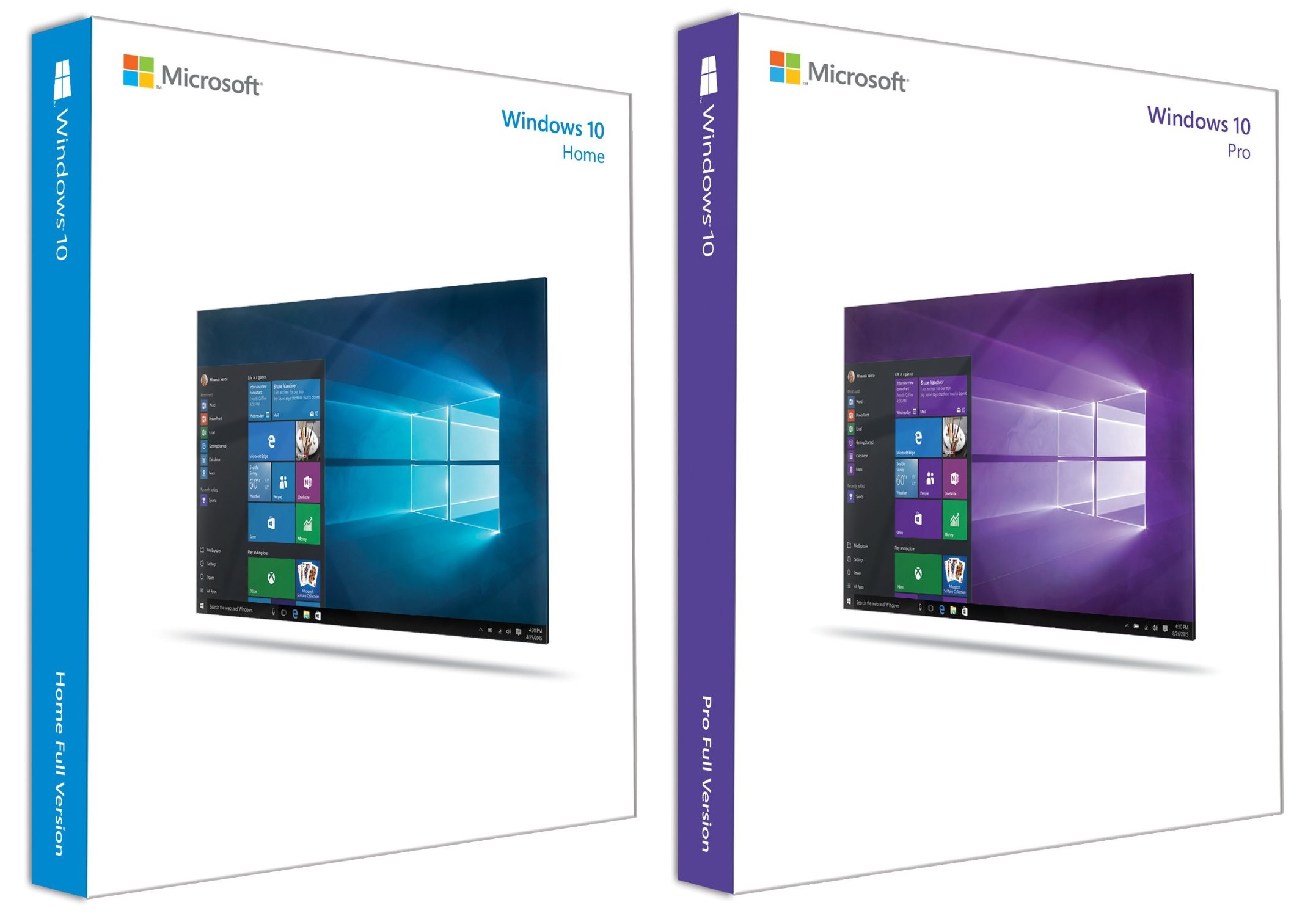
Windows 10 continues down this path, but rebrands the home version Home again. That makes a lot of sense since the “core” branding on Windows 8 was kind of silly.
Once again, there are two basic versions which you can purchase. Windows 10 Home, and Windows 10 Pro are both going to be offered in retail sales, and once again there is a volume license version called Enterprise, and another carryover from is a special version of Enterprise for education, called, you guessed it, Education.
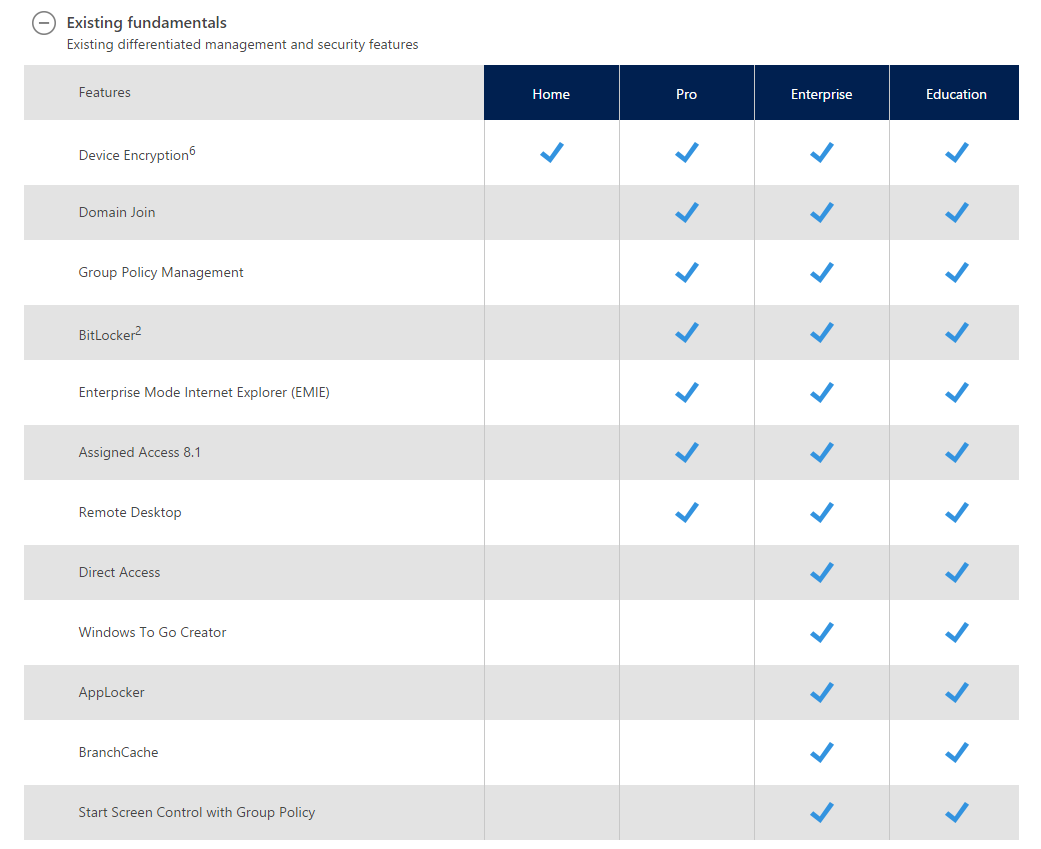
Education and Enterprise are almost identical, with only a couple of differences. But most of us are going to be using Windows 10 Home or Pro.
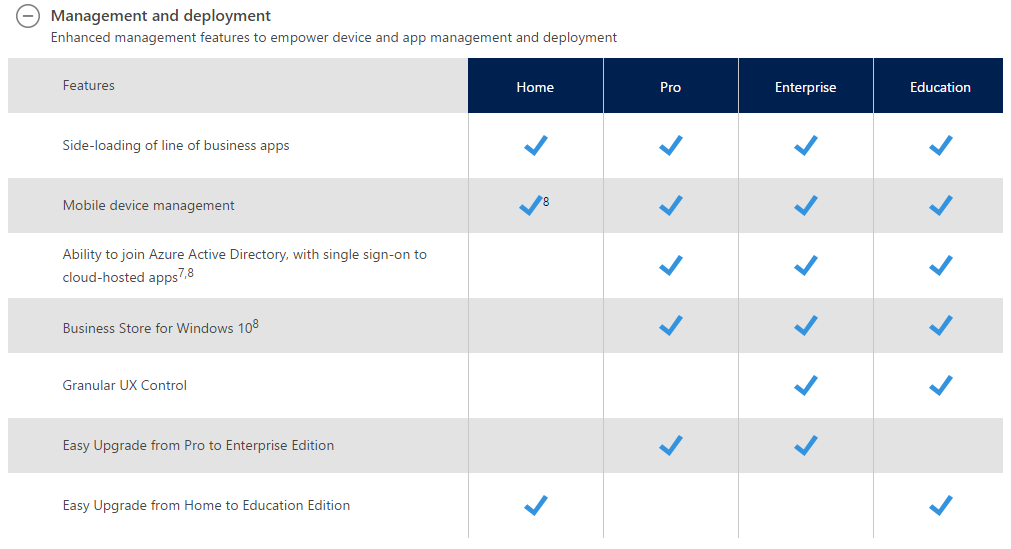
As before, Windows 10 Home is a subset of Pro, with Pro offering features that are aimed more towards business users. The one big exception is Bitlocker support, which is Microsoft’s drive encryption software. Many people were hoping to see this come to the Home version for this round, but alas, that is not the case.


All versions except Home also support a new Windows Update for Business service, which is a method for companies to deploy and manage updates. Windows Server Update Services is the existing method for this, and that also still exists for customers who want to keep that level of control.
Speaking of updates, Windows 10 no longer offers a way to disable Windows Updates in the settings page. Pro will let you defer feature updates, but not security updates, and Enterprise versions will offer a long term servicing branch option, but the goal here is to keep Windows up to date going forward.
Originally published at https://www.anandtech.com/show/9543/the-windows-10-review (Wayback Machine).