
ASRock Rack C2750D4I and U-NAS NSC-800: A DIY File Server
NAS Performance - SPEC SFS 2014
Evaluation of the system as a storage node on the network can be done using multiple approaches. As a simple NAS accessed from a single client, Intel NASPT would work very well. There are other artificial benchmarking programs such as IOMeter and IOZone (all of which are used in our dedicated NAS reviews). However, when it comes to file servers used in business scenarios, business metrics make more sense. For example, a database administrator might wonder how many simultaneous databases could be sustained on a given machine? An administrator in a software company might want to know how many simultaneous software builds could be processed on the machine if it were to be used as a storage node. SPEC SFS 2014 allows us to evaluate systems based on such business metrics.
Prior to discussing about the various business scenarios, let us take a look at the test setup (including details of the testbed and how the file server itself was configured.
Solution Under Test Bill of Materials
- ASRock Rack C2750D4I in a U-NAS NSC-800 (8GB RAM)
- AnandTech NAS Testbed (64GB RAM, 1GB to each member VM
- Netgear GSM7352S Ethernet Switch
Component Software
- ASRock Rack C2750D4I system running Windows Storage Server 2012 R2
- Load generators running on AnandTech NAS Testbed (10x Windows 7 VMs in a Windows Server 2008 R2 Hyper-V Installation)
Storage and File-Systems
- ASRock Rack C2750D4I - 8x OCZ Vector 128GB SSDs : Storage Spaces with Parity Space
- AnandTech NAS Testbed - NTFS partitions created at OS install time on OCZ Vertex 4 64GB SSDs
Transport Configuration
- ASRock Rack C2750D4I - 2x 1GbE LAN Ports in 802.11ad LACP to Netgear GSM7352S
- AnandTech NAS Testbed - 11x 1GbE LAN Ports to Netgear GSM7352S (1x management, 1x to each of 10 VMs)
- All SMB benchmark traffic flowed through the Netgear GSM7352S network switch
The four business metrics that we will be looking at today include:
- Database
- Software Build
- Video Data Acquisition (VDA)
- Virtual Desktop Infrastructure (VDI)
The database and software build categories are self-explanatory. The VDA profile refers to usage of a storage node as a recording target for streaming video (usually from IP cameras). The VDI profile refers to the number of virtual desktops / virtual machines that can be supported using the file server as a storage node for the virtualization infrastructure.
Database
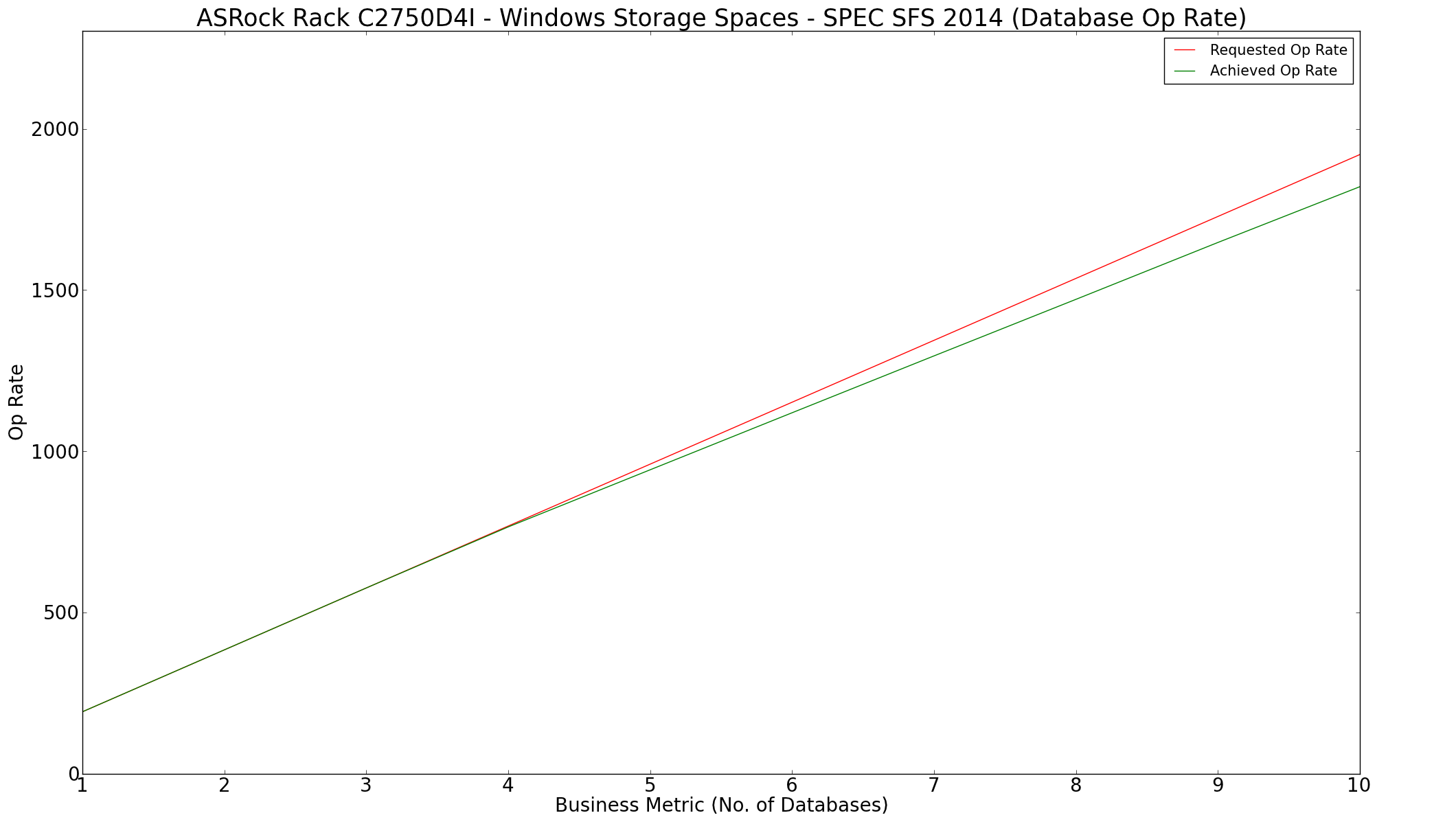
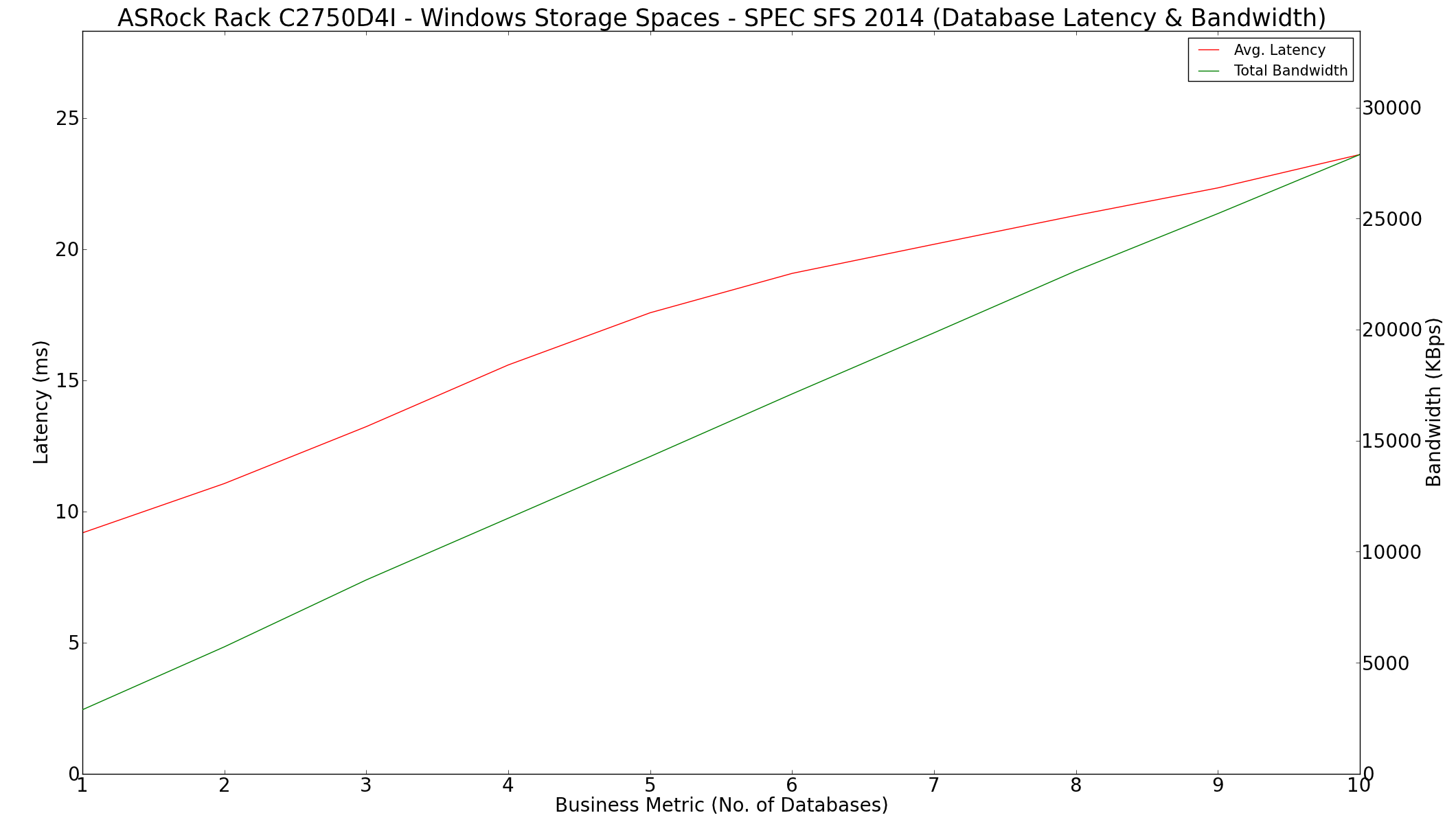
The following graphs show the requested and achieved op rates for the database workload. Note that beyond four databases, the gap between them is more than 10% - this automatically means that the storage system is unable to support more than four databases concurrently. In all the workloads, it is the latency which decides the suitability and not the bandwidth available.
The SPEC SFS 2014 benchmark also provides a summary file for each workload which contains data additional to whatever is graphed above. The summary for the database workload is available here
Software Build
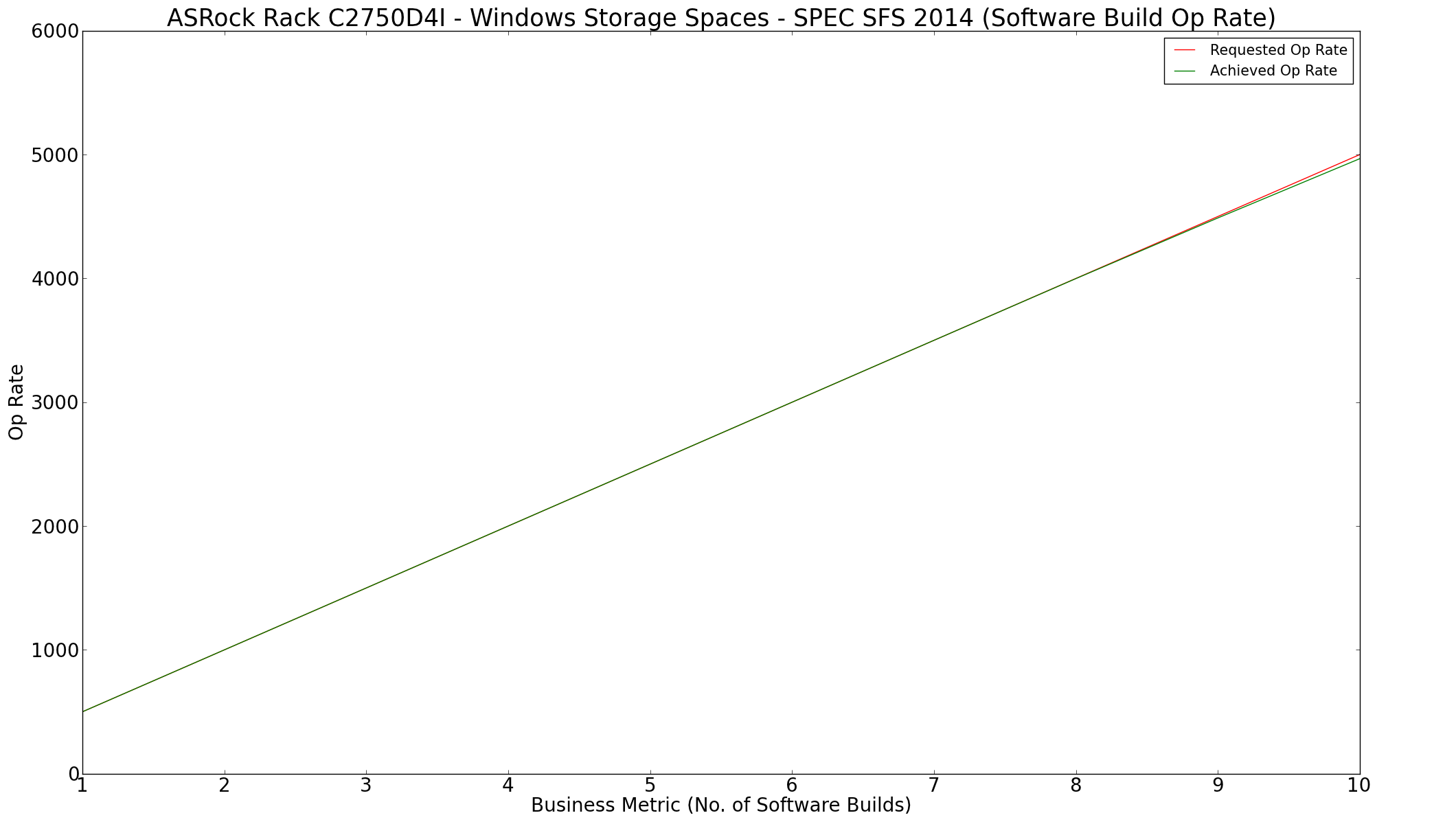
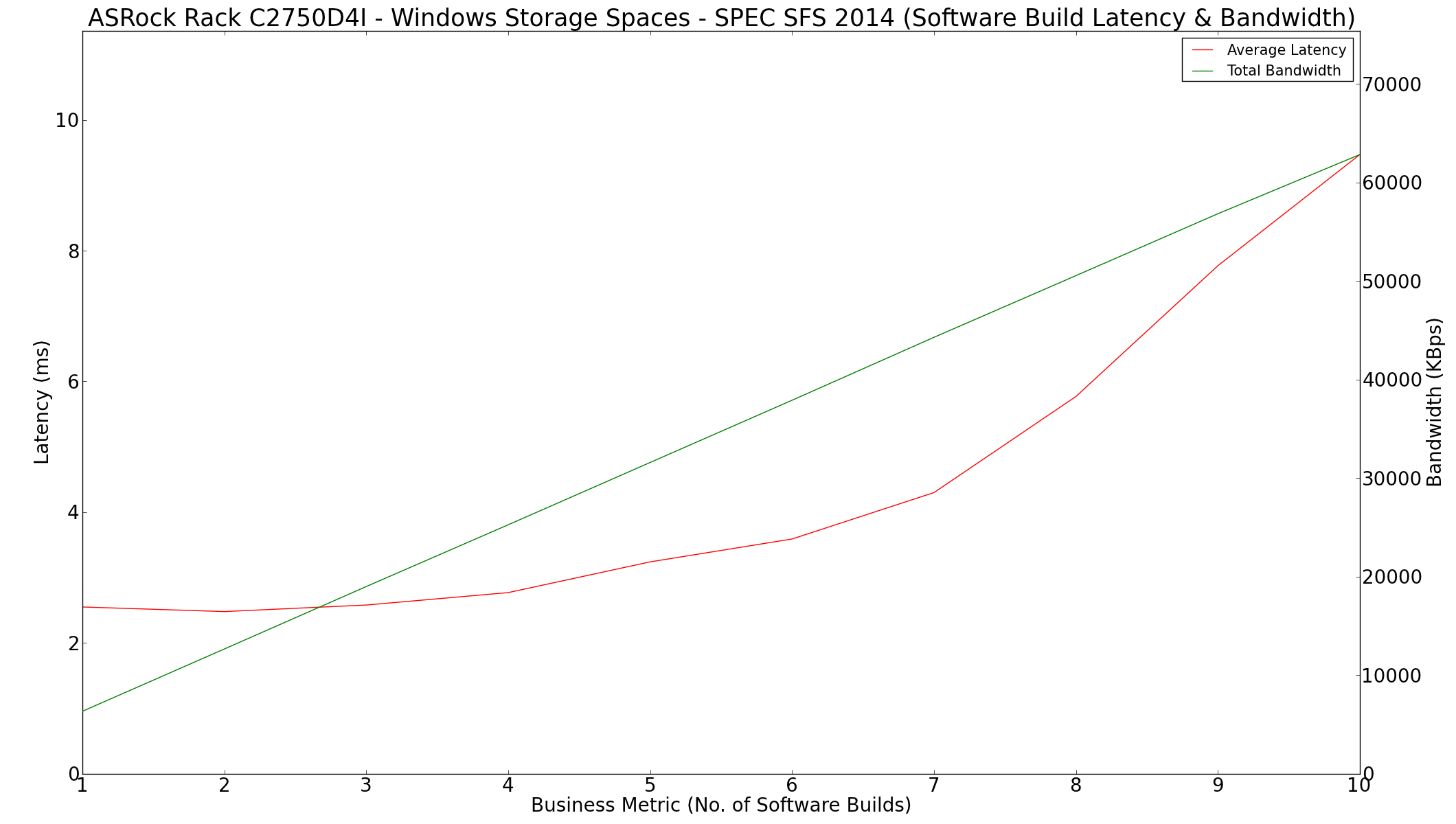
A similar analysis for the software build benchmark profile shows that the system is able to support up to 10 builds without any problems.
The report summary for the software build workload is available here
Video Data Acquisition
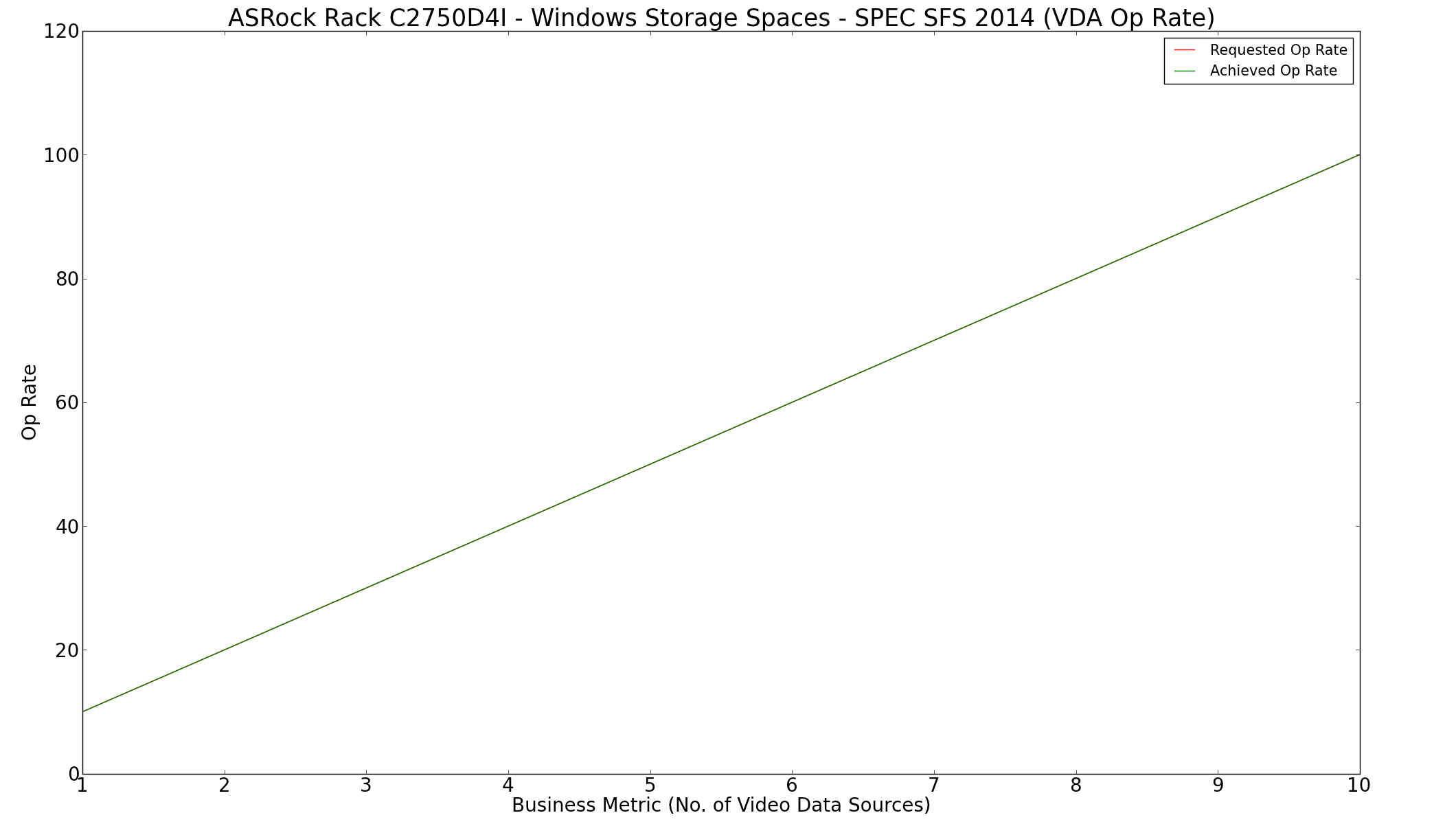
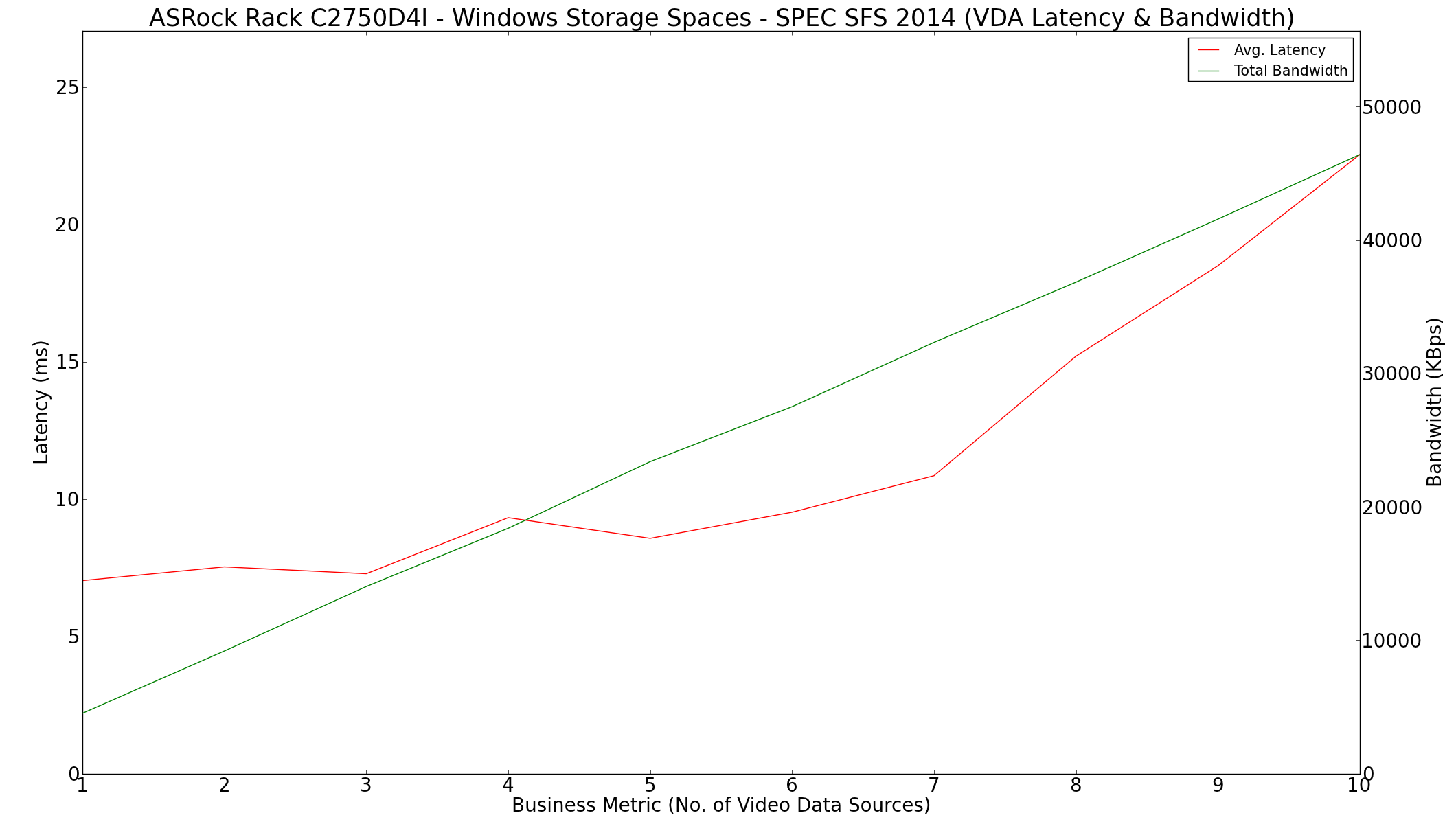
Video data acquisition for up to 10 streams is easily handled by our DIY solution.
The report summary for the VDA workload is available here
Virtual Desktop Infrastructure
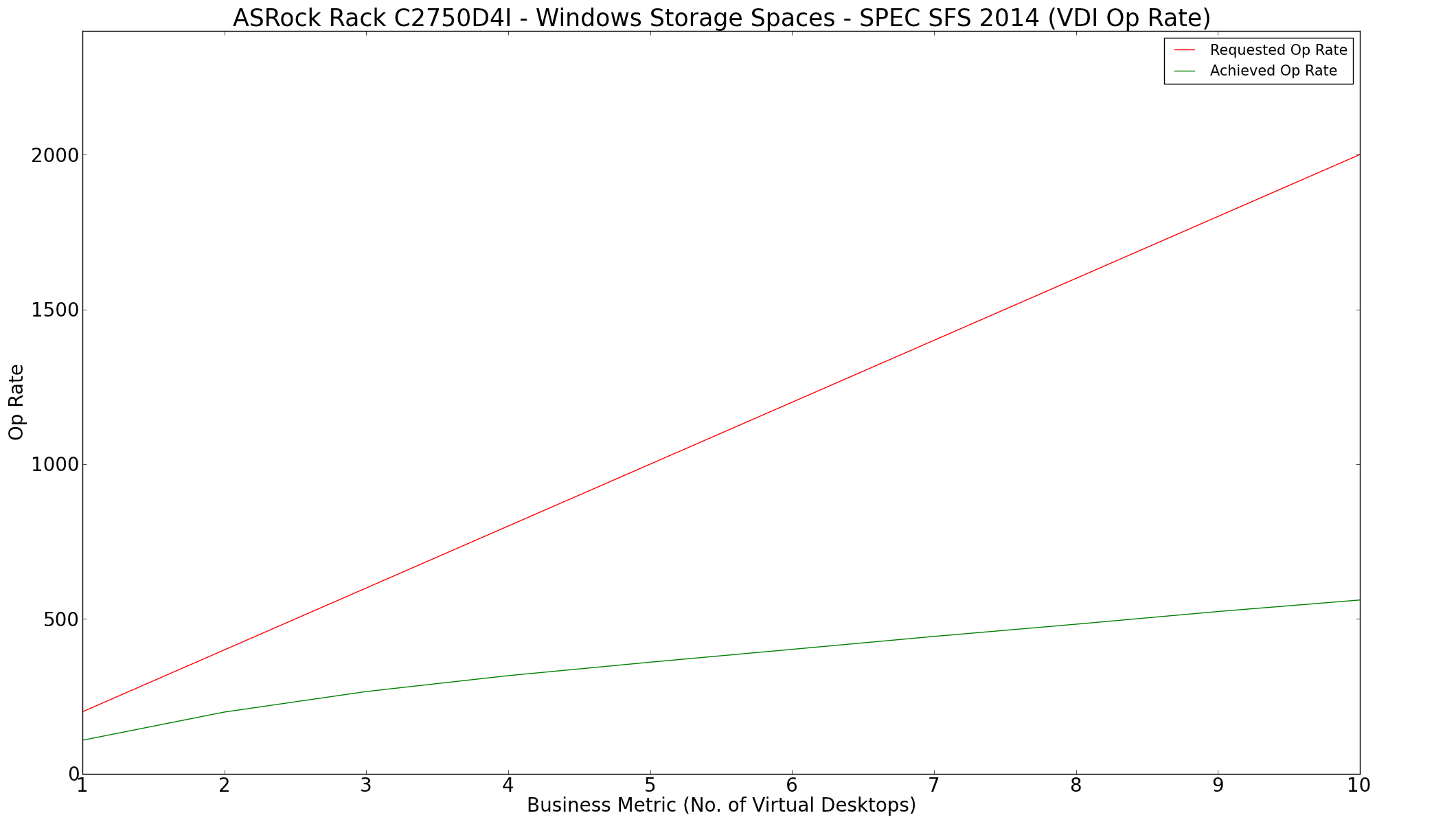
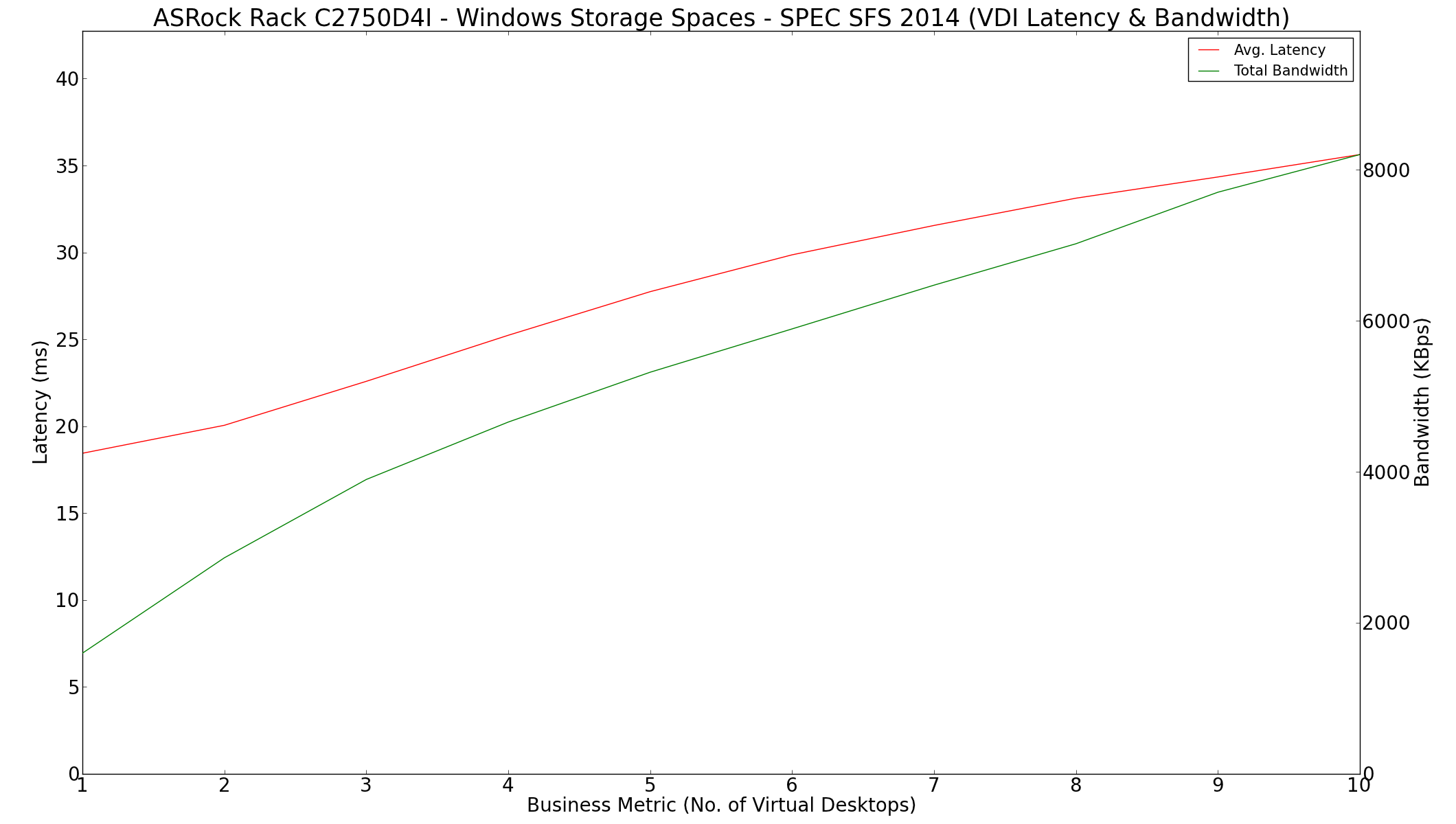
VDI presents a very sorry story. The op rate achieved is not even close to the required rate, and the solution seems incapable of supporting any virtualization infrastructure.
The report summary for the VDI workload is available here
Originally published at https://www.anandtech.com/show/9508/asrock-rack-c2750d4i-and-unas-nsc800-a-diy-file-server (Wayback Machine).