
ASRock Rack C2750D4I and U-NAS NSC-800: A DIY File Server
Setup Impressions and Platform Analysis
The setup process for the file server included assembling the hardware as well as installing the operating system and configuring the shares. The install process on the motherboard side was quite simple - the ASRock Rack C2750D4I (already reviewed by Ian last year) is not a socketed motherboard and the SoC as well as the heat sink come pre-installed. I won't go too much into the motherboard itself, as it has been already covered in detail in our review. The gallery below presents some photos of the motherboard during the setup process.


We decided to use the U-NAS NSC-800 for our build. The U-NAS NSC-800 comes with eight drive bays in front of a hot-swappable back-plane (both SAS and SATA ones are available, and our chassis came equipped with the latter) and a compact size that can accommodate a mini-ITX motherboard. There are three internal 2.5" drive bays (which can be used for SSD cache drives) and / or for OS drives). There is space for a 1U power supply. There are two 120mm chassis fans just behind the drive bays. The drive sleds can accommodate both 3.5" and 2.5" disks, and the overall construction feels solid.

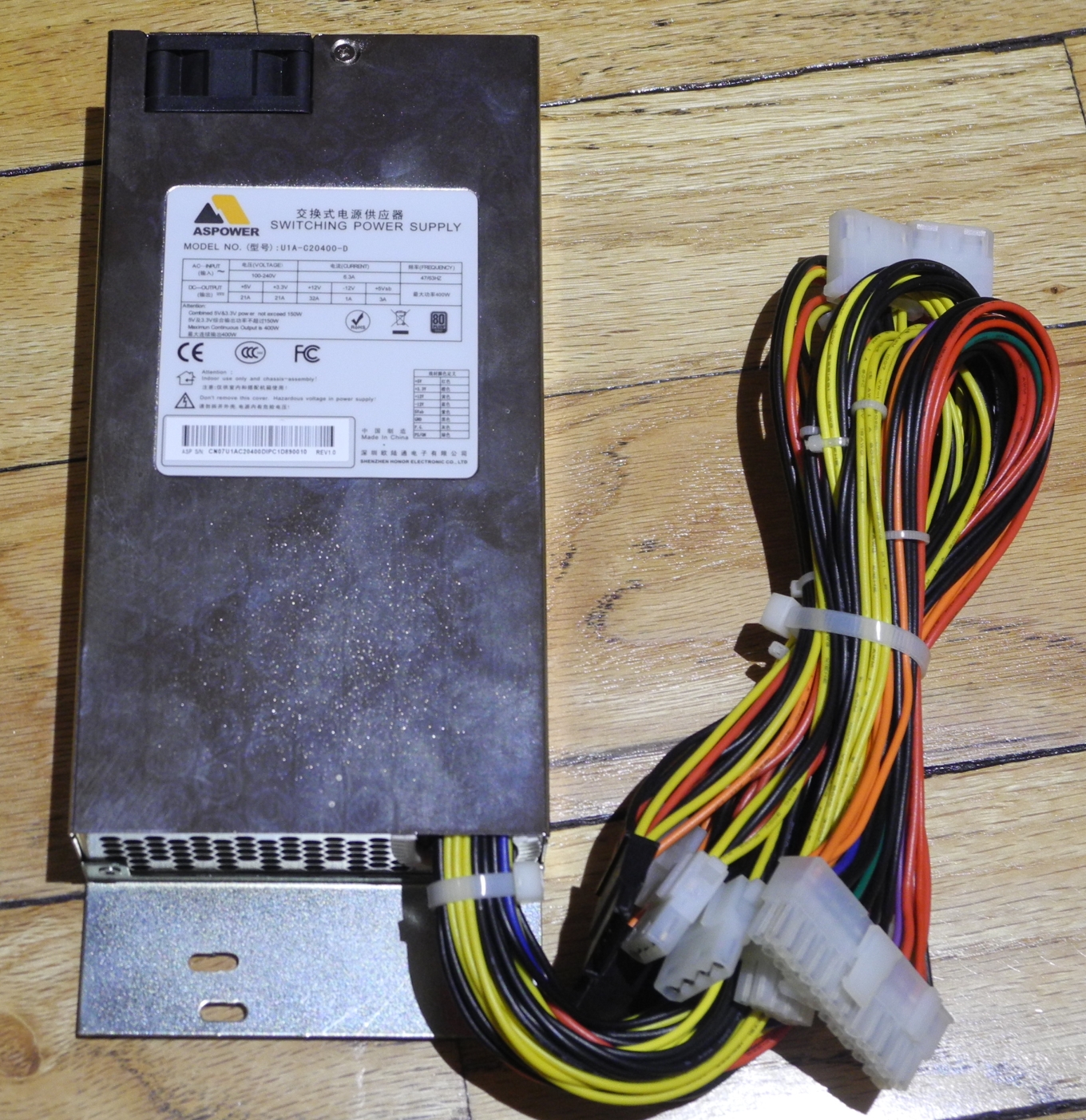
Compatible PSUs can be ordered from U-NAS itself. The 1U PSU that came bundled with our chassis was the 400W ASPOWER U1A-C20400-D. The PSU carries a 80 PLUS GOLD rating. It must be noted that the 5V and 3.3V outputs should not be subject to a load of more than 150W.
Pretty much the only downside of the chassis for a modern build is the absence of a front USB 3.0 port, but, given that the ASRock Rack C2750D4I doesn't have a USB 3.0 header, this is a non-issue in our build. The chassis comes with the cables from the backplane neatly laid out to enable easy connection to the motherboard. The challenge in assembling the build was actually routing all the wires from the PSU to the motherboard connectors while keeping it managed enough to place the chassis cover unhindered. Despite being a very compact 8-bay unit, the chassis supports a single slot PCIe card. The ASRock Rack C2750D4I does have a spare PCIe slot, and we populated it with an Intel ESA I340-T4 just for the purpose of the build (not used in the benchmarking). The gallery below presents some photographs taken during our assembly process.


The ASRock Rack C2750D4I platform has already been extensively analyzed in our dedicated review. However, I will reproduce the SoC diagram and how the motherboard components are laid out below.
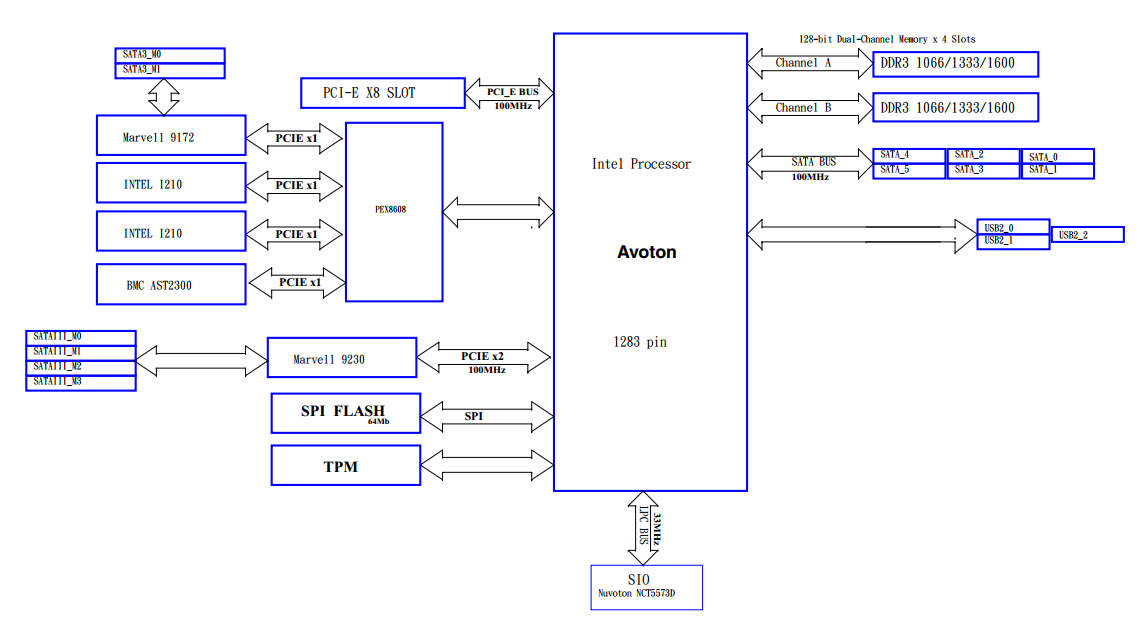
It is important to have an idea of the platform during the assembly of the NAS. Instead of just choosing eight ports at random to connect the backplane to, the layout analysis allows us to select the proper ports. The configuration mentioned in the table in the previous page ensures that the Avoton SoC can talk to the drives of the system with maximum possible bandwidth.
Originally published at https://www.anandtech.com/show/9508/asrock-rack-c2750d4i-and-unas-nsc800-a-diy-file-server (Wayback Machine).