
ASRock Beebox Review: A Fanless Braswell UCFF PC
Power Consumption and Thermal Performance
The power consumption at the wall was measured with a 1080p display being driven through the HDMI port. In the graphs below, we compare the idle and load power of the ASRock Beebox N3000-NUC with other low power PCs evaluated before. For load power consumption, we ran Furmark 1.12.0 and Prime95 v27.9 together. In our initial run, the idle power was quite hight (more than 7 W). However, the installation of the Intel iRMT driver (Ready Mode Technology) was necessary to make the system behave well with the default BIOS settings. We repeated our tests after installing iRMT and recorded the numbers below.
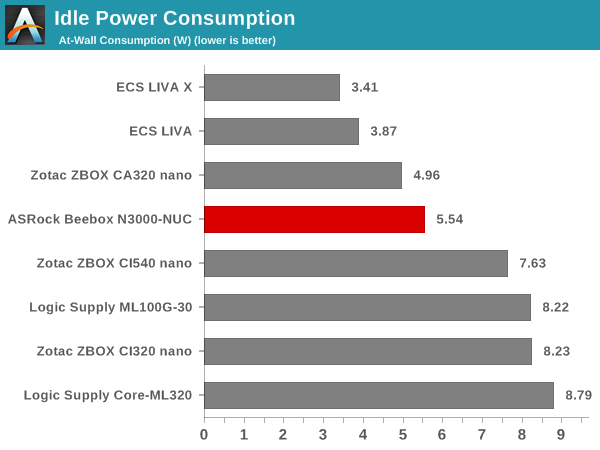
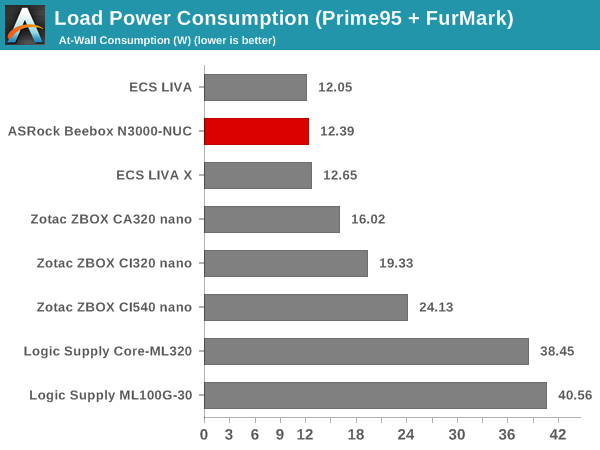
The load power consumption is impressive, but it must be remembered that the SoC has only two cores and a TDP of 4W. The idle power consumption is reasonable, once the replaceable RAM and internal storage are considered.
The various clocks in the system as well as the temperatures within the unit are presented below. We start with the system at idle, followed by 30 minutes of pure CPU loading. This is followed by another 30 minutes of both CPU and GPU being loaded simultaneously. After this, the CPU load was removed, allowing the GPU to be loaded alone for another 30 minutes.
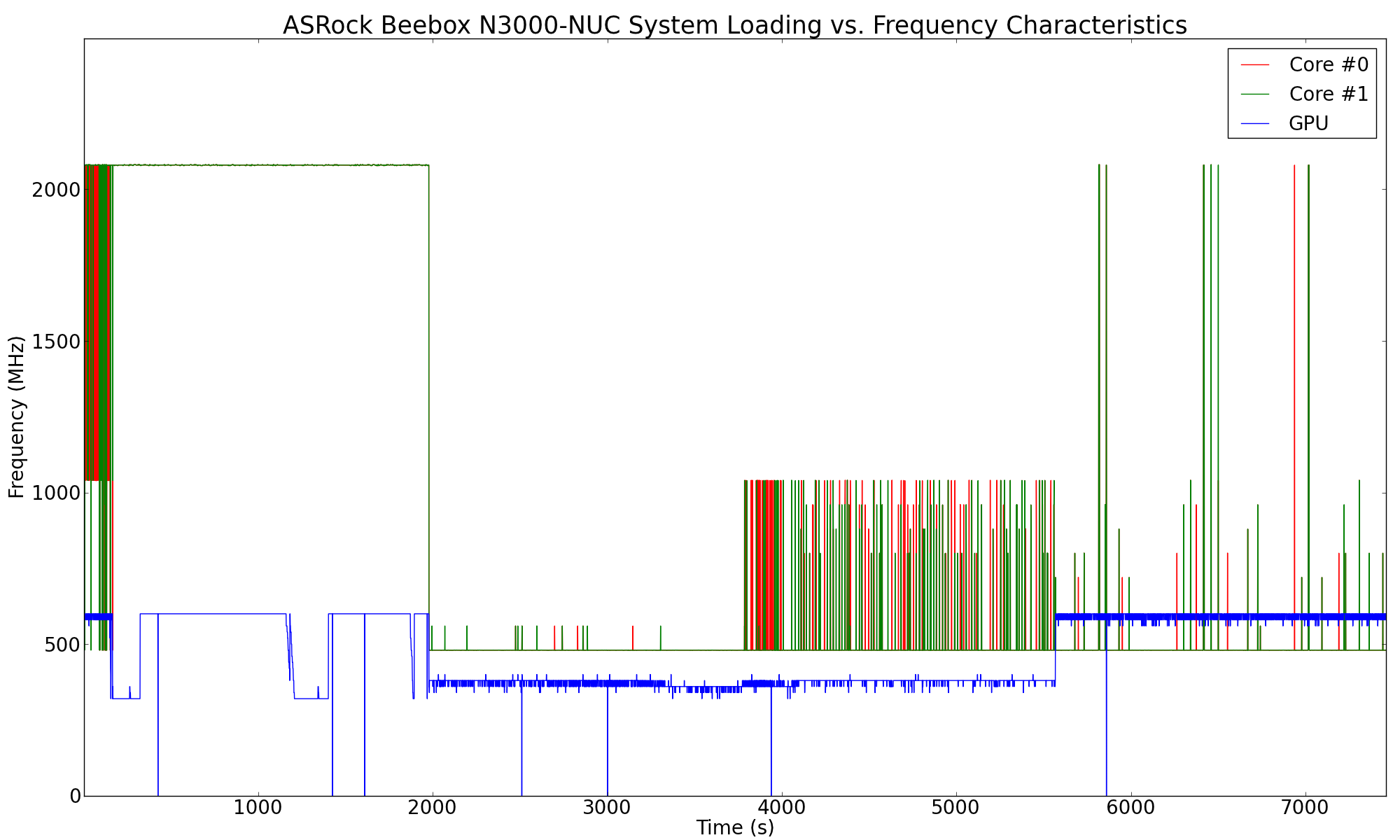
The Celeron N3000 manages to stay at the maximum turbo frequency of 2.08 GHz throughout the pure CPU stress segment. As soon as the GPU starts getting stressed alongside, the CPU cores drop down to around 500 MHz and the GPU starts clocking between 360 MHz and 400 MHz. Removing the CPU stress aspect allows the core to ramp up to 1.04 GHz as necessary to keep Furmark going along smoothly. It can be said that all these frequencies are managed to ensure that the TDP limits are obeyed. Sustained operation at the maximum turbo frequency for pure CPU loading indicates that the system's thermal design doesn't hobble the performance of the unit in any way.
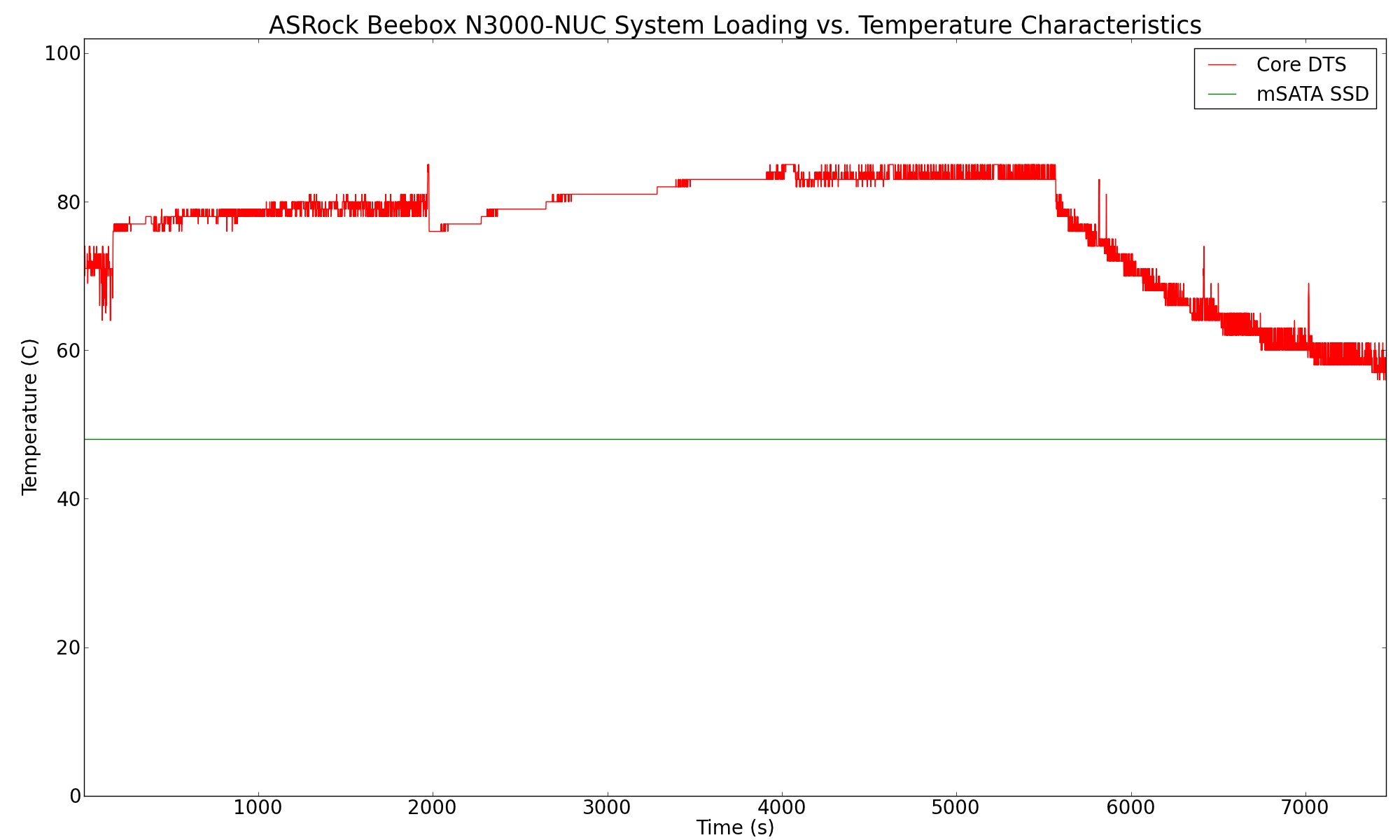
Looking at the internal temperature during the loading process, we find that the thermal solution is able to keep the SoC well below the maximum junction temperature of 90 C. Even under heavy GPU loading (which seems to heat up the SoC faster than pure CPU loading), the temperature stabilizes around 84 C.
Another important aspect to keep note of while evaluating fanless PCs is the chassis temperature. Using Seek Thermal's thermal imager, we observed the chassis temperature after the CPU package temperature reached the steady state value in the above graph.
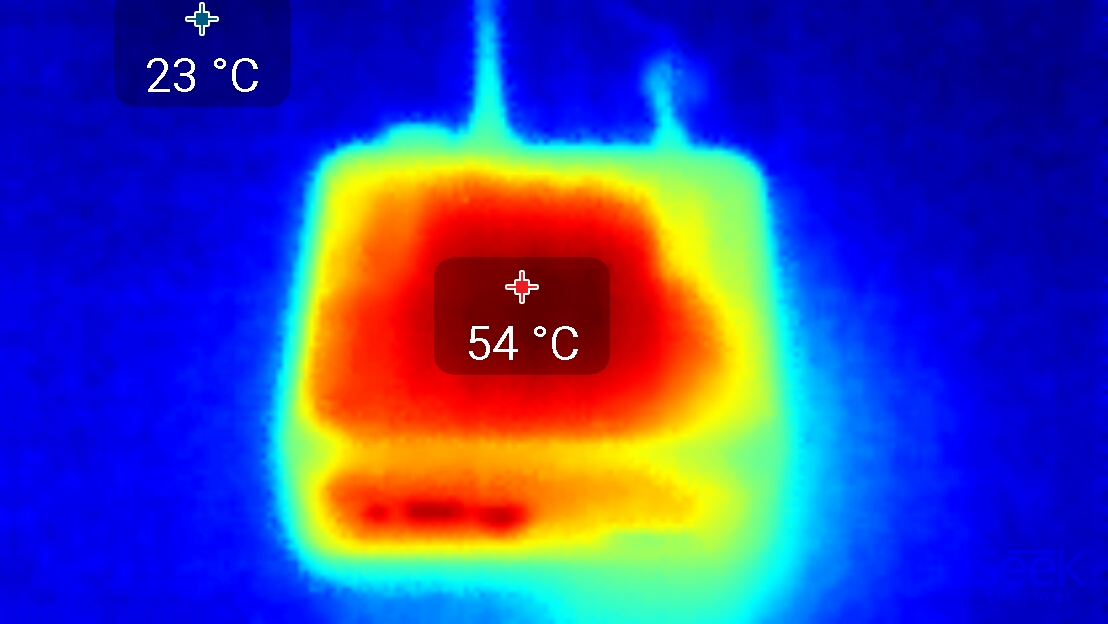


Even under extreme stress, the chassis temperature didn't cross 60 C. As FanlessTech notes, the thermal solution is very similar to that of the Zotac ZBOX C-series - a thermal pad on a small heat sink. However, this crude solution seems to be good enough for the Celeron N3000 - chassis temperatures remain in the safe territory, there is no thermal throttling and the SoC temperature remains well below TJmax.
Originally published at https://www.anandtech.com/show/9434/asrock-beebox-review-a-fanless-braswell-ucff-pc (Wayback Machine).