
GIGABYTE X99-Gaming G1 WIFI Motherboard Review
GIGABYTE X99-Gaming G1 WIFI Conclusions
Gaming motherboards are now one of the bigger markets in the industry. OEM and channel models still take the title in terms of numbers, but most of the talk around a brand ends up on the gaming side of the equation in terms of how the company is developing new features or how aggressive they are in pricing. Even if a user ends up buying a B85-HD3, how the X99-Gaming G1 WIFI looks might provide future aspirations and build confidence in the way the brand operates. At least that's the hypothesis behind the marketing, or when it comes to reviewing the range of motherboards on offer. Most motherboard manufacturers prefer websites and media like AnandTech to review the high end models in order to show off their best features in that regard.
The GIGABYTE X99-Gaming G1 WIFI has plenty of features to boast about, including the upgraded power delivery, Sound Core 3D based audio with AMP-UP, full four-way GPU support, M.2 WiFi, dual NICs, DAC-UP USB Power, an upgradeable OP-AMP, SATA Express and twelve USB 3.0 ports. Because a gaming motherboard is all about the experience, we also get enhanced lighting and a rear panel that also bathes itself in a glow. While this isn't a strictly functional addition, the gaming experience is not always geared 100% towards function, as indicated by the PCB and heatsink styling that aims to provide something nice to look at. The integration of GIGABYTE's GPU gaming brand logo helps identify that both business units are working together as well.

Down sides of the package start with a lack of MultiCore Turbo, giving slightly lower stock CPU performance, although any basic overclock does overcome this and one of the positive points from the board includes the auto-overclocking software which worked rather well on our CPU. We were unable to take regular audio benchmarks due to the Sound Core 3D software interfering with the signal, and the BIOS is not as easy on the eyes as one might hope. Other motherboards in this market also use M.2 x4 as a potential upgrade path, which might be preferred over SATA Express.
Plus sides include the low power consumption and the POST times, nudging under 20 seconds by default. The GIGABYTE software is also developing, with the auto overclock and fan-testing evolving over the generations. The App Center interface is easy to get into as well. Some users might consider two NICs as well as WiFi a bit excessive, but it offers a multitude of options depending on the user environment. This inclusion tends to be the par for the course on high end models, and GIGABYTE is embracing the M.2 WiFi standard rather than mini-PCIe which is interesting to see.
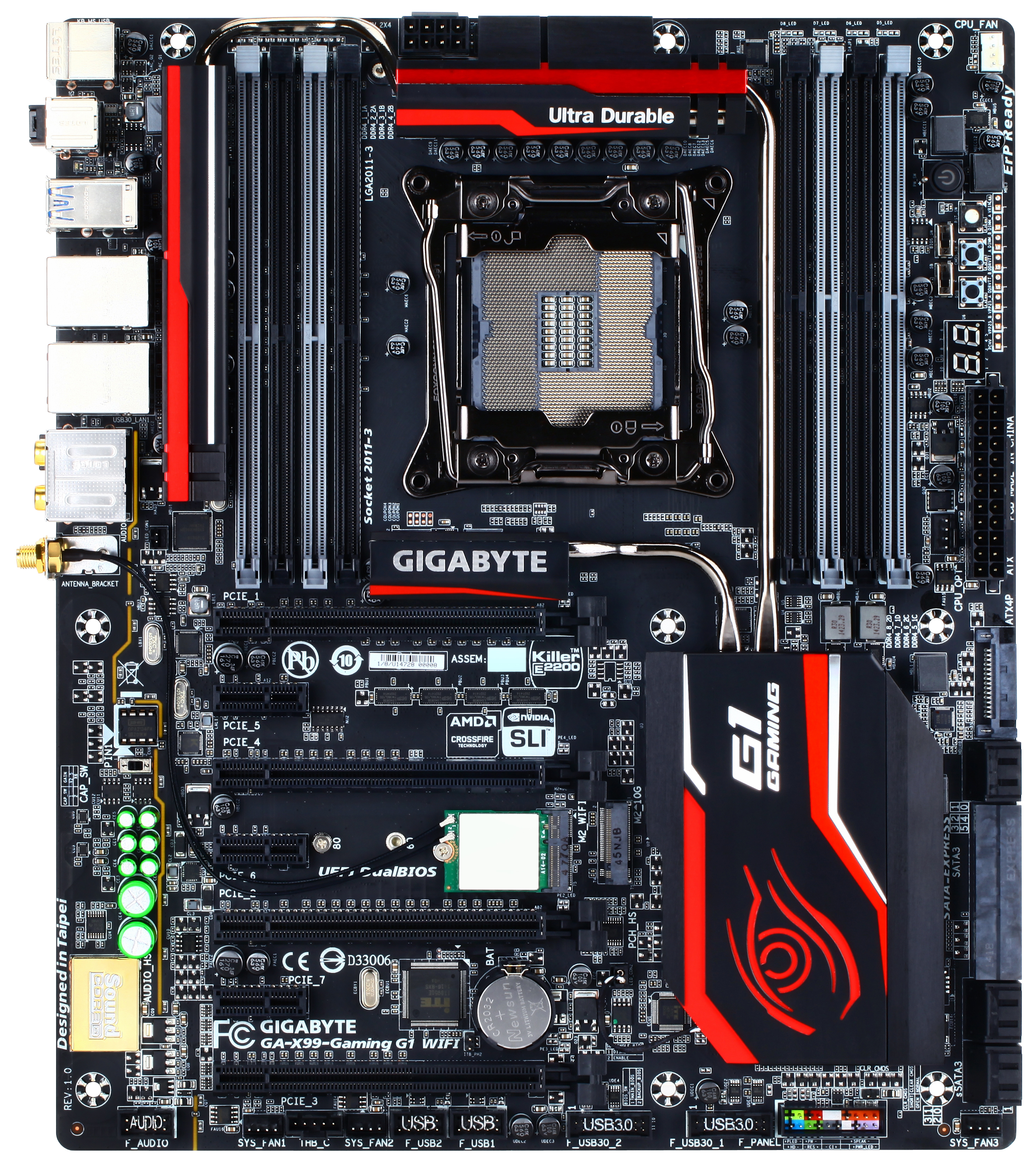
At $340 it sits at the higher end of the X99 product stack but aims to be one of GIGABYTE's flagship models. During testing it sailed through with little-to-no issues, and with a few minor adjustments that could come from a minor BIOS or software update (MultiCore Turbo, 4.3 GHz auto overclock option, better BIOS fan controls, HD BIOS that is easier on the eye) it should be highly competitive.
Originally published at https://www.anandtech.com/show/8788/gigabyte-x99-gaming-g1-wifi-motherboard-review (Wayback Machine).