
Interacting with HTPCs: Adesso Keyboard Options Reviewed
Adesso SlimTouch WKB-3000
The Adesso SlimTouch WKB-3000U is a wireless keyboard / trackball combo. Using 2x AAA batteries, it operates in the 2.4 GHz range and has an advertised range of 30 ft. Since it is a HID-compliant device, it works for PCs (including MCE applications), game consoles, media streamers and most smart TVs. The trackball is on the top right, while the mouse buttons and scroll wheel / middle button are on the left.
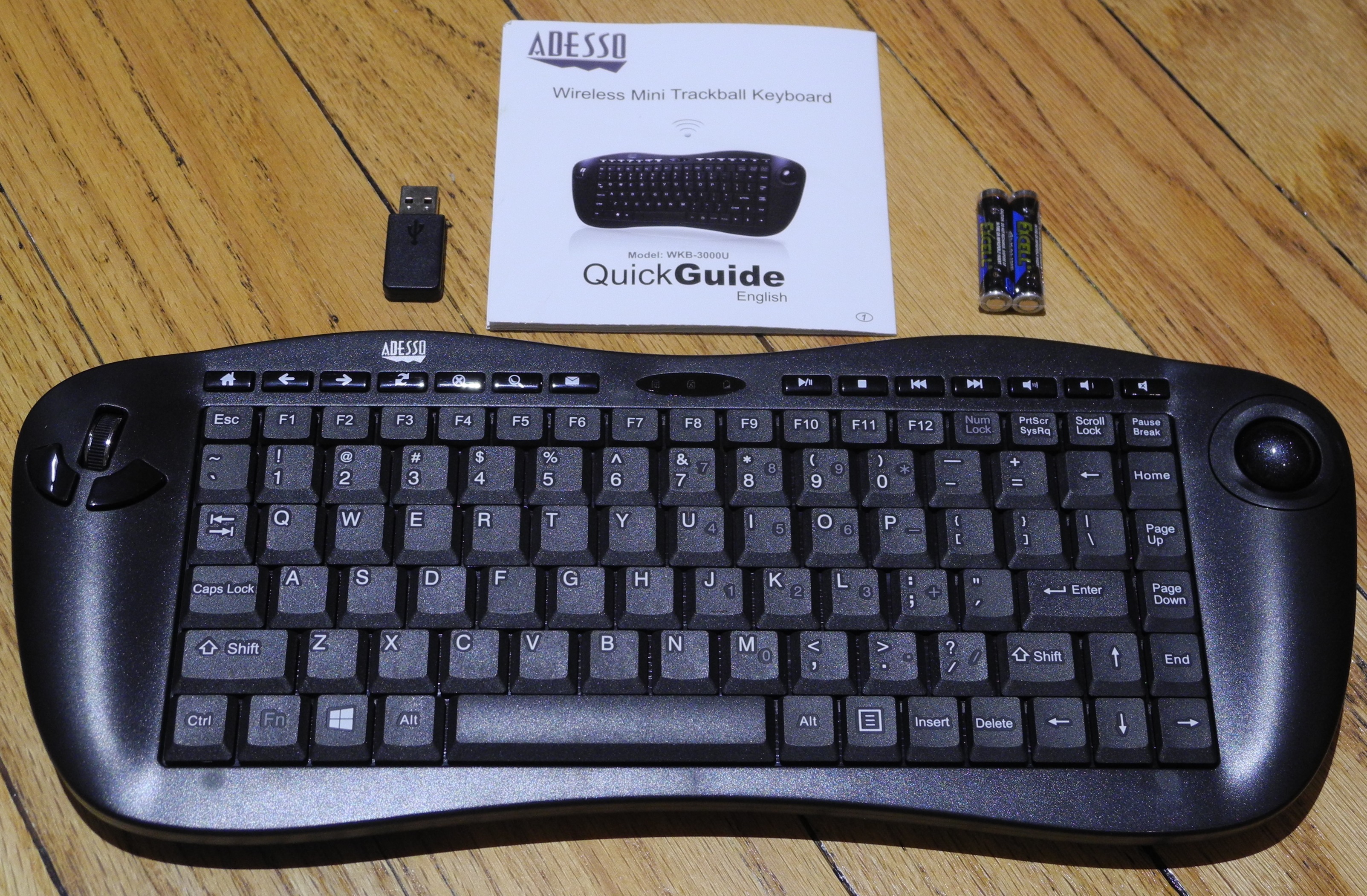
The unique feature of the SlimTouch WKB-3000 is the feel and ease of movement of the laser sensor trackball. Compared to the IOGEAR GKM561R and the SIIG JK-WR0412-S1, the trackball feels more solid and easier to use. Unlike the IOGEAR unit, there is no selectable DPI resolution for the trackball - it is fixed at 800 DPI. The 2.4 GHz spectrum is pretty crowded, and it is to Adesso's advantage that the kit can operate in one of 8 different frequencies in the 2.4 GHz band. The contouring of the keyboard sides also makes it much easier to hold and operate compared to the IOGEAR GKM561R. On the hardware side, there are four rubber 'buttons' for slip-resistance on the underside. The battery compartment is on the same side at the top. An explicit on/off toggle switch is to the left, while a Connect button to modify the communication channel is on the right. However, the most attractive feature of the WKB-3000U (and most of the other Adesso keyboards that we are discussing today) is the availability of a recessed magentized receptacle on the underside. It can be used to safely stow away the USB key when moving the keyboard to another PC / storing it for later use.
An issue with most of the HTPC-oriented keyboards is that the ergonomics make it very difficult to operate them with a single hand. For typical PC usage, it is acceptable to expect both hands to be used to interact. However, in the living room, it is often common to have the device by the side rather than hold it with both hands (particularly, when using it as a replacement for a mouse). In this context, the SlimTouch WKB-3000 has a drawback, as the mouse buttons are on the left side while the trackball is on the right.


Compared to the similar IOGEAR unit, the keys are proportional (no oversized Return or Backspace keys), though the layout makes it necessary to reduce the size of the Shift key and move the Delete and Insert keys to non-traditional locations. Unlike the SIIG JK-WR0412-S1, the Ctrl and Fn keys are placed in the appropriate location. A similarity with the SIIG keyboards is the presence of a numeric keypad along with the traditional keys, activated by a combination of the Num Lock and Fn keys. With the SIIG keyboards, it still gives me much grief (particularly while typing in passwords for Windows login) - as there is no standard amongst PCs / BIOSes to bring out the Num Lock activated or deactivated at boot time. The Adesso keyboards suffer from the same issue as the SIIG. However, the user can easily identify the issue, thanks to the status LED in the middle of the shortcut buttons on the top row. In addition to the Num Lock, we also have the Caps Lock as well as low battery indicators.
The scissor-switch keys are a pleasure to type on. There are seven multimedia hotkeys which work well with XBMC (and, I suspect, most other media players). Dedicated Internet hotkeys are also present. The scroll-wheel can also act as a middle mouse button, making the keyboard design very flexible. All in all, a very comfortable keyboard layout with the right tradeoffs, though I can say that the numeric keypad feature won't be missed if it goes away. The keyboard currently sells on Amazon for $56.
Originally published at https://www.anandtech.com/show/8632/interacting-with-htpcs-adesso-keyboard-options-reviewed (Wayback Machine).