
The Battle of Bay Trail-D: GIGABYTE J1900N-D3V and ASUS J1900I-C Reviewed
Conclusion: The Motherboards
With only a few dollars separating our two candidates, one might imagine that they would act very similar to each other and you end up buying more for the brand over the capabilities. To a certain extent that is true, but these boards actually differ quite a lot in terms of their functionality. It all comes down to what extras each manufacturer decided on. The GIGABYTE J1900N-D3V goes with two network ports, a PCI slot, a DVI-D port and a USB 3.0 hub, whereas the ASUS J1900I-C has a single network port, a PCIe 2.0x 1 slot, a HDMI port and fan controls. The best way to compare ends up as a rundown of the feature set:
| GIGABYTE vs. ASUS, J1900 mini-ITX | ||
| GIGABTYE J1900N-D3V | ASUS J1900I-C | |
| Network Ports | 2 | 1 |
| USB 2.0 Ports | 2 | 6 |
| USB 3.0 Porrts | 4 | 1 |
| PCIe 2.0 x1 | 0 | 1 |
| PCI | 1 | 0 |
| Mini-PCIe | 1 | 1 |
| Digital Display | DVI-D | HDMI |
| BIOS Visuals | Text | Designed |
| Fan Controls | No | BIOS + OS |
| Update BIOS in BIOS | No | Yes |
| Control Network Priority | No | Yes |
On the performance side of the equation, almost nothing splits these two boards. CPU results are all very similar, they draw almost the same power from idle to load, but it can be said that the ASUS has the upper hand for POST times and DPC Latency. Both motherboards seem to match each other on audio quality and USB speed.
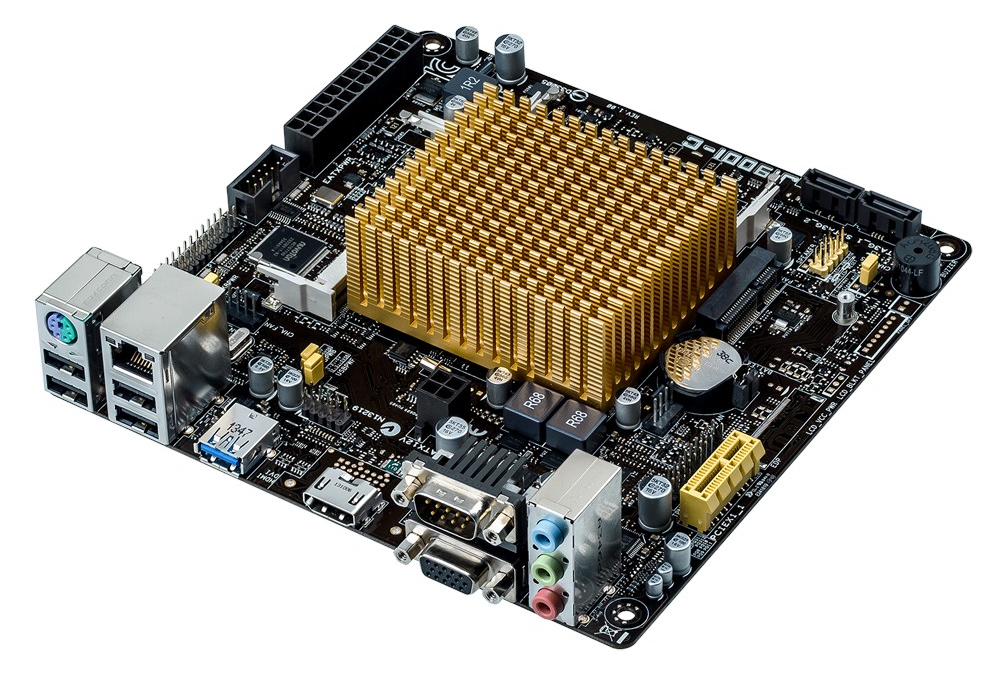
One area where the J1900I-C surpasses the J1900N-D3V is in the BIOS and software packages. ASUS has this squared down with an easy to understand menu, extensive fan controls and a tool to update the BIOS from within the BIOS. The fan controls in the OS software fully test the fans, and we even get a form of Network management control. In contrast to the GIGABYE board, the BIOS is flat with plenty of confusing options. The GIGABYTE’s software is a little better, but still nothing to direct the fans.
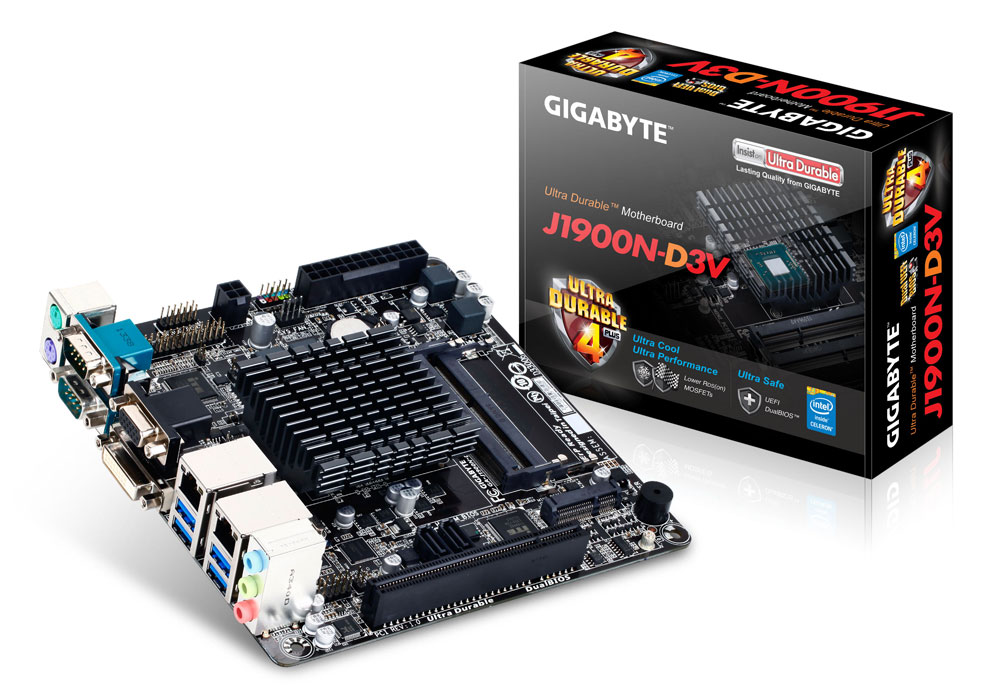
On the counter argument, the GIGABYTE J1900N-D3V is more equipped for network connectivity and USB 3.0. While the four USB 3.0 ports are coming from a hub, the idea here is not for simultaneous access – it allows four high speed devices to be connected at once and when one is needed on its own, it gets the full bandwidth. The only downside here is that for the ASUS and the GIGABYTE boards the on-disk drivers had trouble initializing USB 3.0 on Windows 7, so the latest drivers are needed. ASUS would also argue, in terms of functionality, that a HDMI and PCIe 2.0 x1 would be more welcome for more people than a DVI-D and PCI slot.
The conclusion about which board to buy comes down to common sense. As a day-to-day product for home use, the ASUS would be my choice as the better experience especially if the user had to deal with fan controls or USB 3.0 boost. That being said, the four USB 3.0 ports on the GIGABYTE is a difficult one to concede as it could be very useful for connected devices that require bandwidth. If the BIOS and Software packages were updated to include fan controls, and the BIOS went into GIGABYTE's 'Classic' EFI style, it would probably swing me towards the GIGABYTE. However, for embedded applications that requires increased network connectivity or PCI, the GIGABYTE targets that market well, with the ASUS focusing on HDMI/PCIe.
Originally published at https://www.anandtech.com/show/8595/the-battle-of-bay-trail-d-gigabyte-j1900n-d3v-asus-j1900i-c-review (Wayback Machine).