
The 2014 Razer Blade Review
- Posted in
- Notebooks
- Gaming
- Laptops
- Razer Blade
Gaming Performance
The Razer Blade is first and foremost a gaming laptop, and the GTX 870M inside is a substantial upgrade over the previous Blade’s GTX 765M. With 1344 CUDA cores, 3GB of GDDR5, 941 MHz clock, and a 192-bit memory bus, the 870M packs a punch, but with four times the number of pixels to drive in this year’s Blade, will it be enough?
To test this, we will run it through our normal suite of benchmarks to see where it stands. As our benchmarks top out at 1920x1080, I will also run it through a couple of the games at 3200x1800.
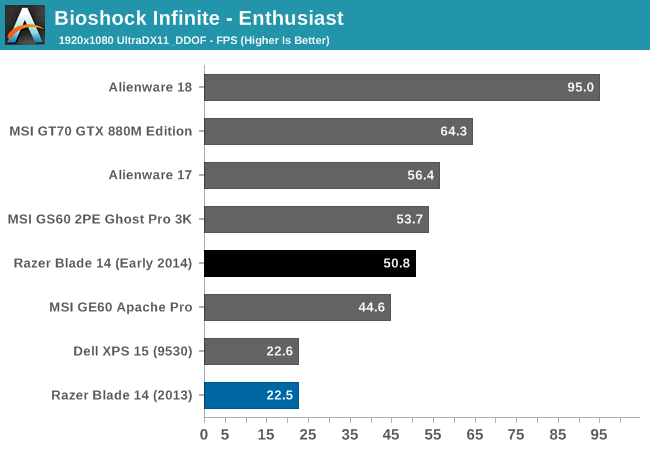
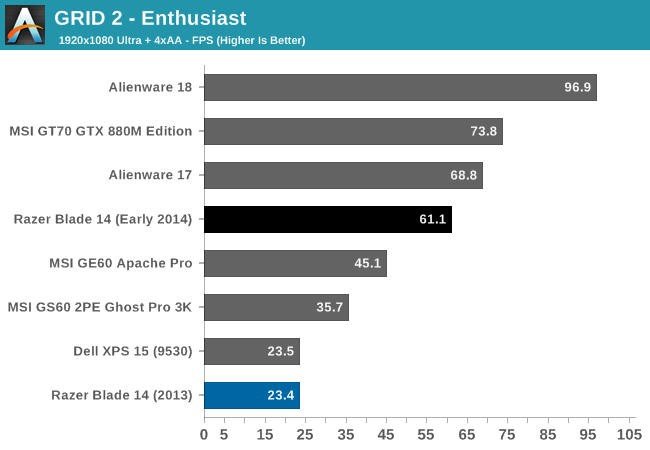
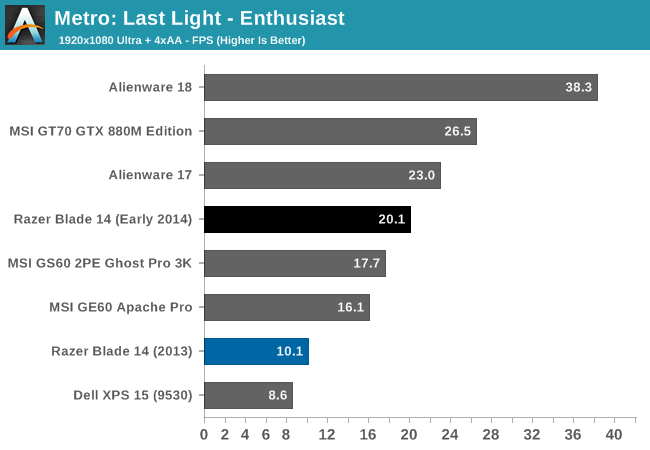
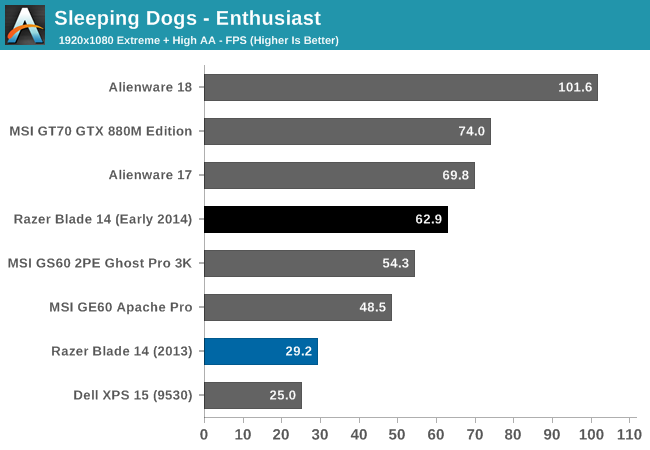
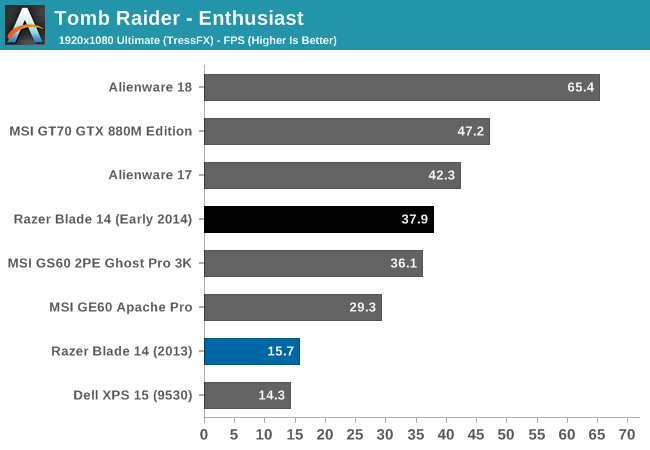
This is marketed and sold as a gaming system, and there are no complaints here. The step up to the GTX 870M over the last model’s GTX 765M means a massive increase in performance. The Razer Blade obviously cannot keep up with the likes of the Alienware 18 with its two GTX 780M cards in SLI, but that laptop is also a 12 pound behemoth. In fact, the Razer Blade outperforms all of the 15.6 inch laptops currently in Mobile Bench, and only loses to the 17 inch gaming machines.
However the obvious point has to be made that while the GTX 870M is much more powerful, it also has to drive four times the number of pixels as on the previous version of the Razer Blade. If you are looking at buying one of these, it is very likely you would want to game at the native resolution of the panel. In order to find out what the gaming experience would be for gaming at the native resolution, I used the GeForce Experience to customize the game settings for 3200x1800. If you are curious as to the number of options you can enable for 3200x1800, it is fairly impressive. Here's what GFE ended up recommending for two games:


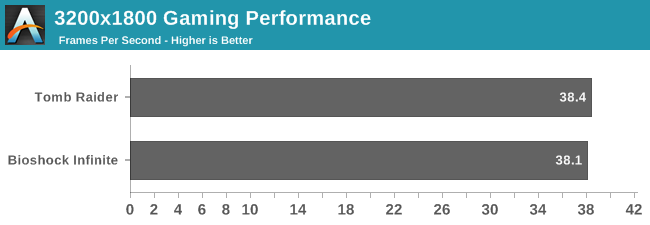
So, yes, you can game at the native panel resolution. You may not be able to enable every feature, but with GeForce Experience, you can custom tailor the settings quickly to get reasonable performance. GeForce Experience also has a slider where you can opt for more performance if you find the frame rate too low for your liking. By default, the slider is almost completely over to the Quality setting.
Originally published at https://www.anandtech.com/show/8591/the-2014-razer-blade-review (Wayback Machine).