
The 2014 Razer Blade Review
- Posted in
- Notebooks
- Gaming
- Laptops
- Razer Blade
Design and Chassis
When Dustin reviewed the 2013 model, he said “it’s hard not to compare the Razer Blade 14-inch to Apple’s MacBook Pro” and with the 2014 model, it is fair to say the same thing again but with the Retina MacBook Pro 15 inch model. Though the rMBP is slightly wider and longer to accommodate the slightly larger display, the Z-height and system weight are almost identical. The Razer Blade wins out in resolution and pixel density, with 262.25 pixels per inch compared to 220 of the rMBP. These two systems are targeted towards very different audiences, but it is amazing how similar the actual designs are.

The design of the new Razer Blade is almost identical to its predecessor. The entire system is made of CNC anodized aluminum with a matte black finish. Razer seems to love green accents, so every single accent on the Blade is in green including the USB ports, keyboard backlighting, power LED, and the Razer logo on the back that is backlit as well. The body is incredibly strong, with no flexing or creaking of any part of it. The lid is also aluminum, with two parallel ridges flanking the Razer logo.

The underside has two rubberized feet which run the entire width of the laptop, which provide both grip to keep the Blade from slipping around and a small gap under the Blade to allow the two air intakes to function.

A large part of the design of a laptop with this much potential power usage (37 watt CPU plus a GPU with a TDP around 80-100 watts -- NVIDIA doesn't officially provide any figures) is going to be heat dissipation. Here, Razer has continued with the same type of cooling system as the 2013 model, with two intake fans on the bottom blowing air over a twin pipe heat exchanger. The design then exhausts the hot air out through hidden vents between the display and the back of the chassis. This makes for an aesthetically pleasing appearance since you do not have large vents protruding from the otherwise elegant design. We will see how well the venting performs later in the review.
Sitting above this cooling system is the island style keyboard, which has the distinctive Razer font used for the keys. It is backlit in green with adjustable brightness, and the keyboard feels okay to use considering the lack of travel in the keys. The backlighting is bright and even, but it would be nice if it was color adjustable as well. The green is nice and distinctively Razer, but sometimes you just want to change it up.

Below that is the Synaptics trackpad, which is quite large at 104.8mm (4.125 inch) wide and 63.5mm (2.5 inches) deep. The trackpad is very smooth and supports the Windows 8 gestures as well. Unlike most laptops I have seen lately, the Razer Blade forgoes the click pad and keeps the left and right click buttons as physical buttons at the bottom of the trackpad. Personally I much prefer having actual buttons, but your preferences may be different.

Stereo front facing speakers round out the top of the design, and the sides carry all of the connectivity with three USB 3.0 ports (two left, one right), a 3.5mm jack, and an HDMI 1.4 port. The one missing port is an SD card slot.
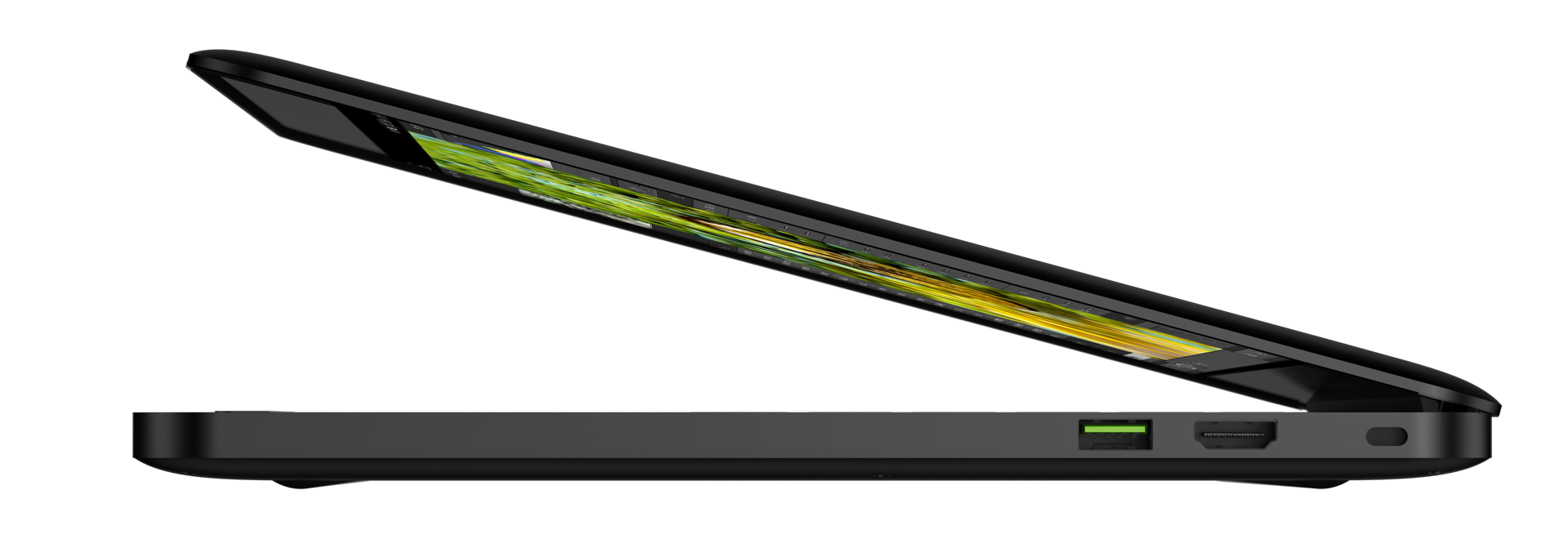
The design of the Razer Blade is clean, elegant, and free of the garish adornments of many other gaming laptops. In fact, other than the logo and green lighting, most people would likely not realize it's a high performance gaming notebook by the design. The matte black scheme is very subtle but it is a fingerprint magnet. It would be nice if there was a bit more personalization options such as the keyboard backlighting and possibly the finish, but it is hard to find fault with the scheme they have created since the green is used as the accent color on the entire device.


Originally published at https://www.anandtech.com/show/8591/the-2014-razer-blade-review (Wayback Machine).