
Samsung Galaxy Tab Pro 8.4 and 10.1 Review
LCD Testing: A Feast for Your Eyes
Let’s start out the testing by going straight to the biggest draw with the Galaxy Pro tablets: the WQXGA displays. Even without testing, I could see by looking that the colors on the Pro 10.1 looked a bit better/more natural than on the Pro 8.4, but I was curious to see if the colors were truly accurate or merely not as oversaturated. Depending on your display setting, it’s a little of both.
I tested the Pro 10.1 in four modes (“Auto”, Dynamic, Standard, and Movie), and contrary to what I’ve seen reported elsewhere, the Movie mode resulted in the most accurate colors. Most tablets and laptops often use white points that are far too hot (blue), and that applies to the 10.1 on the Dynamic and Standard modes, though Standard is a bit better perhaps; it also applies to the Pro 8.4 display. The Movie mode on the other hand clearly reduces the saturation levels and ends up being very good overall. Here are five sets of galleries showing the testing results for the various display modes on the 10.1 as well as the sole mode on the 8.4.


As for brightness, contrast, and DeltaE results, both models do reasonably well, again with the color accuracy advantage going to the 10.1. Keep in mind that the only other tablets in these charts just happen to be some of the best displays on the market, with the iPad Air being factory calibrated and the Nexus 7 being one of the best non-Apple devices in terms of color accuracy.
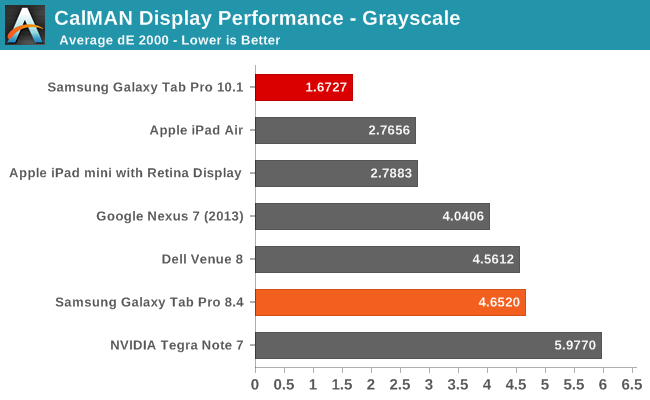
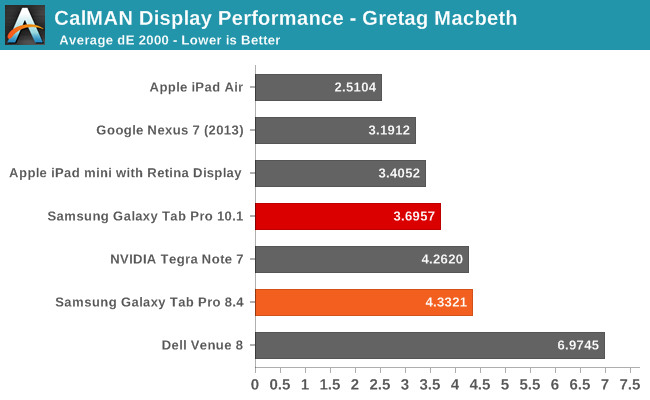
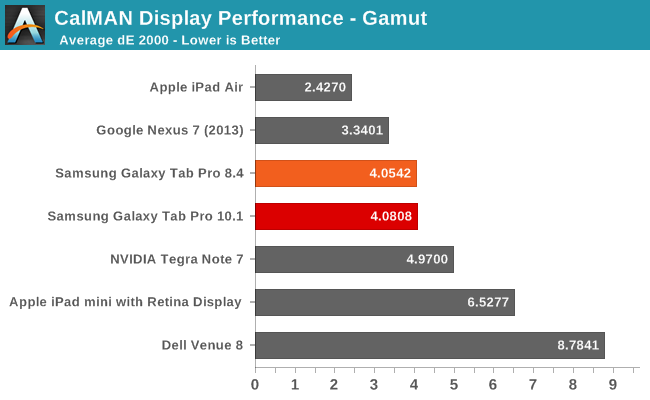
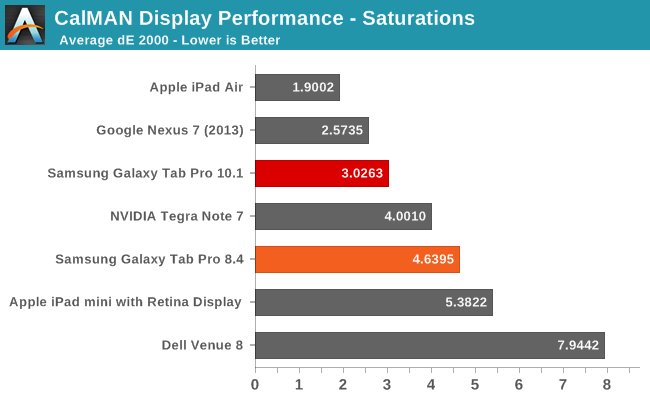
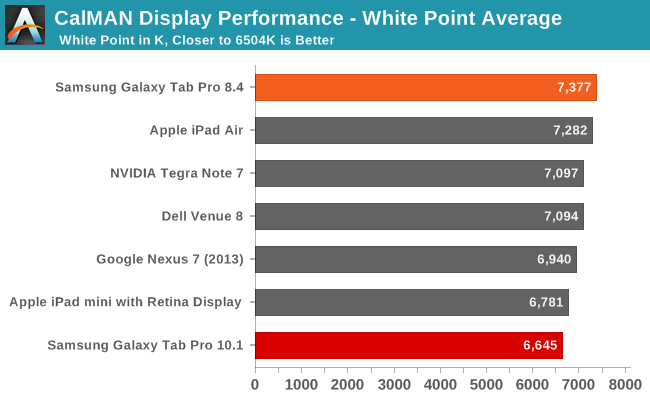
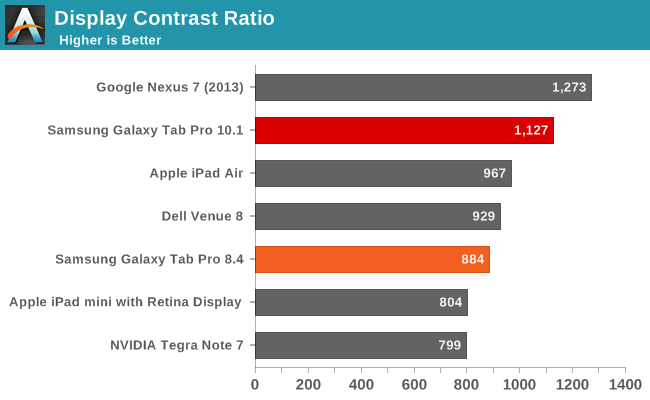
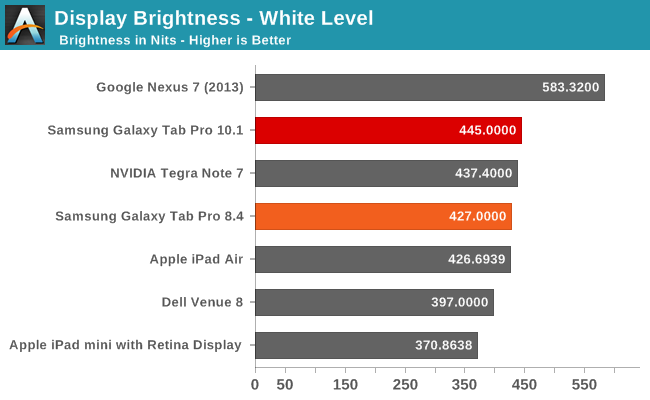
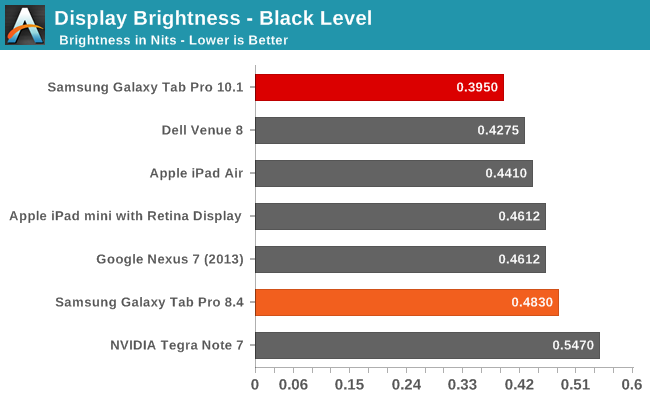
While none of the results are necessarily standouts (other than the grayscale dE 2000 on the Pro 10.1), we again have to keep in mind the fact that these are 2560x1600 panels in 10.1 and 8.4 inch devices. Factory calibration would push them over the top, but even without that they’re going to provide a wow factor to anyone used to lower resolution, lower quality displays.
Originally published at https://www.anandtech.com/show/7886/samsung-galaxy-tab-pro-84-and-101-review (Wayback Machine).