
SilverStone ML04 & ML05 Slim HTPC Cases Review
Test setup
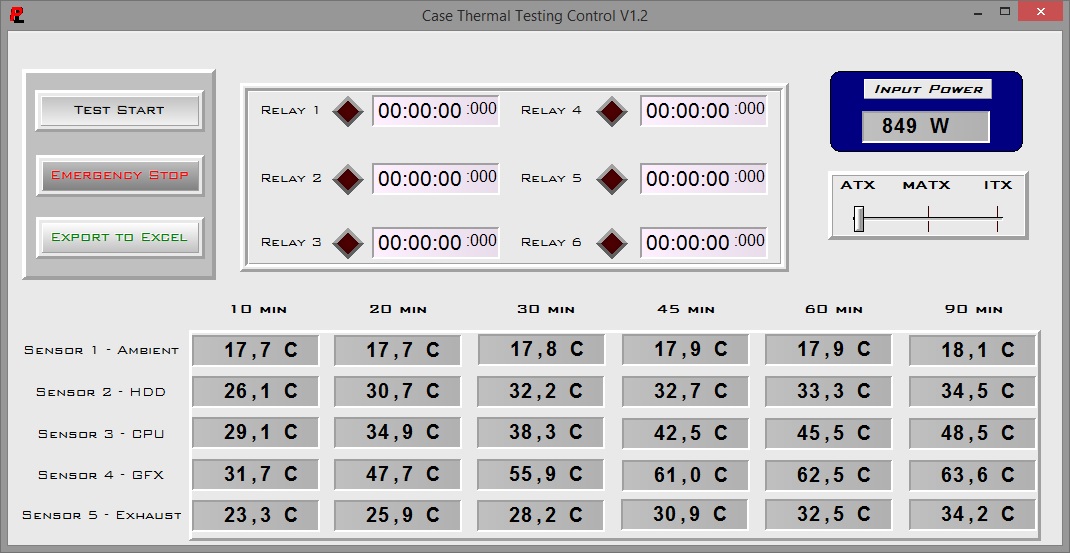
Professional testing requires the emulation of real-world situations for repeatable results; thus, a perfectly controllable test setup and environment is required, especially for comparable results. Testing the thermal performance of any case with a typical real-world setup technically limits the comparability of the results to this setup alone, as an active system interacts with its environment and the change of a single component alters a myriad of variables. As such, we developed synthetic loads that emulate the thermal output of real systems, with the benefit being that the outputs and loads are passive, steady, and quantifiable. Our thermal testing shows the thermal capabilities of the case alone, as it must cope with the entire thermal load by itself, regardless of the system installed inside it.
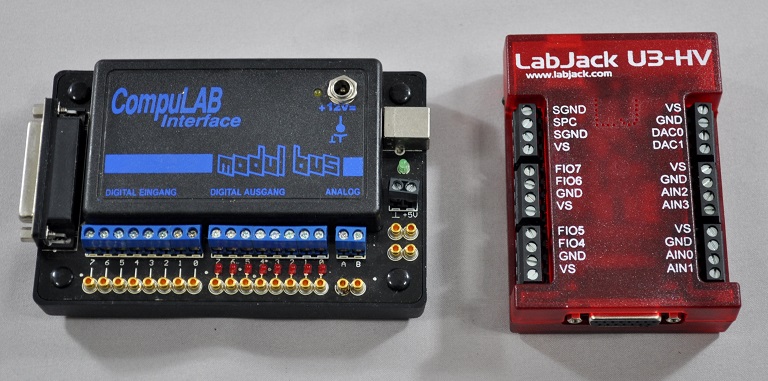
Laboratory data loggers are being used to monitor the PT100 sensors and control the safety relays, which are fully accessible via our custom software. Three such loads have been developed. The Micro-ATX version simulates a 180W CPU, 40W VRM, 20W RAM and 1 × 120W GPU card thermal load. The Mini-ITX version simulates a 150W CPU, 30W VRM, 20W RAM and 1 × 120W GPU card thermal load. For low-profile card setups, we are using a 50W dummy GPU card instead. Finally, 2.5" and 3.5" HDD dummy loads have also been created, converting 15W and 30W of electrical power to thermal, respectively. Obviously, the thermal load can be very high and only the best of cases will be able to handle it for more than a few minutes, but we'll be able to quickly differentiate between cases.
Results and discussion
We normally test each setup with the maximum possible load and, for reference, with a lower load as well. For example, the maximum thermal load that our Mini-ITX test setup is capable of over 350W. However, due to the design of both the Milo ML04 and Milo ML05, we cannot really use our full-size GPU load. We should also remind you that neither of these cases has any stock cooling options installed. Even with the low-profile 50W simulated card, both cases could not cope with the stress that our test system was causing for more than a few minutes at maximum power; neither has been designed for handling loads anywhere near such levels. We are thus forced to perform testing only with the minimum possible load, which is:
- 230W for the Milo ML04 (90W CPU, 40W VRM, 20W RAM, 30W HDD and 50W GPU)
- 190W for the Milo ML05 (75W CPU, 30W VRM, 20W RAM, 15W HDD and 50W GPU)
We did not perform any noise-related testing because, well, there was no noise to account for. Neither case has any stock cooling options installed and therefore our instruments would read nothing more than the background noise of the room itself.
The thermal performance of the Silverstone Milo ML04 is mediocre at best, yet very reasonable for a slim desktop chassis with zero stock cooling options. It manages to handle our 230Watt thermal load, though just barely, for several hours, which is more than what we could have hoped for from a case of such small proportions and zero active cooling. We should note that such a thermal load is still about twice as high as the most powerful system most users are likely to install in the Milo ML04 and that a real system will almost certainly have active airflow; we are using such powerful loads because we are stress-testing the designs. The addition of a few exhaust fans would vastly improve these thermal performance figures but we hardly see the point; the Milo ML04 is more than capable to house a very good HTPC and for such systems low noise operation is a far greater priority rather than a few degrees Celsius.
Silverstone Milo ML04B

Unfortunately, the thermal testing of the Milo ML05 was cut a little early, as the tiny case proved unable to handle the 190Watt load for prolonged periods of time. Our safety system decoupled the CPU/VRM load entirely due to overheating; we left the system running for reference but the thermal figures beyond that point have little meaning, as the load has been reduced down to 85W. Still, the tiny case handled a great thermal load for nearly three hours without any activce cooling at all, which is rather impressive. Again, the addition of active cooling would help the thermal performance of the Milo ML05 dramatically but, as with the Milo ML04, we do not believe there is a point in doing so. After all, this is not an enclosure meant to house GTX TITAN or R9 290X GPUs; the thermal load from a typical HTPC Mini-ITX system should not be more than 20-30W, and idle loads will be even lower.
Silverstone Milo ML05B

Originally published at https://www.anandtech.com/show/7866/silverstone-ml04-ml05-slim-htpc-cases-review (Wayback Machine).