
AMD Kaveri Review: A8-7600 and A10-7850K Tested
Integrated GPU Performance: Sleeping Dogs
Sleeping Dogs is a benchmarking wet dream – a highly complex benchmark that can bring the toughest setup and high resolutions down into single figures. Having an extreme SSAO setting can do that, but at the right settings Sleeping Dogs is highly playable and enjoyable. We run the basic benchmark program laid out in the Adrenaline benchmark tool, and their three default settings of Performance (1280x1024, Low), Quality (1680x1050, Medium/High) and Xtreme (1920x1080, Maximum) noting down the average frame rates and the minimum frame rates.
Sleeping Dogs, Performance Settings
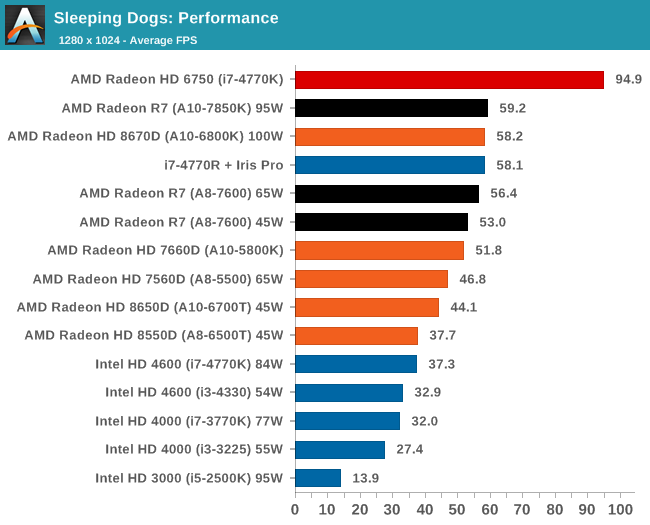
All the AMD APUs tested for this review manage to go above 30 FPS for Sleeping Dogs, with the top end APU nudging at the door of 60 FPS average.
Sleeping Dogs, Quality Settings
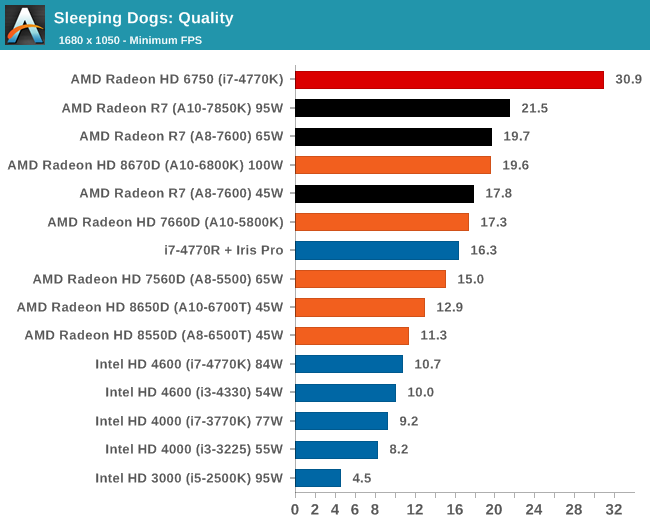
The GCN based Kaveri take the top two IGP spots, and Iris Pro is moving down the list by comparison.
Sleeping Dogs, Xtreme Settings
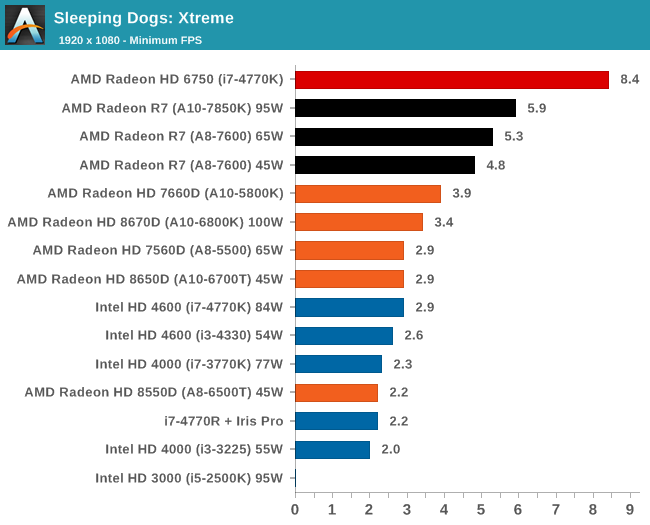
Iris Pro struggles a lot at 1080p in Sleeping Dogs.
Integrated GPU Performance: Company of Heroes 2
The final gaming benchmark is another humdinger. Company of Heroes 2 also can bring the house down, even at very basic benchmark settings. To get an average 30 FPS at any settings using integrated graphics is a challenge, let alone a minimum frame rate of 30 FPS. For this benchmark I use modified versions of Ryan’s batch files more suited for integrated graphics: 1280x1024 on minimum; 1680x1050 on Low and 1920x1080 on Medium.
Company of Heroes 2, Performance Settings
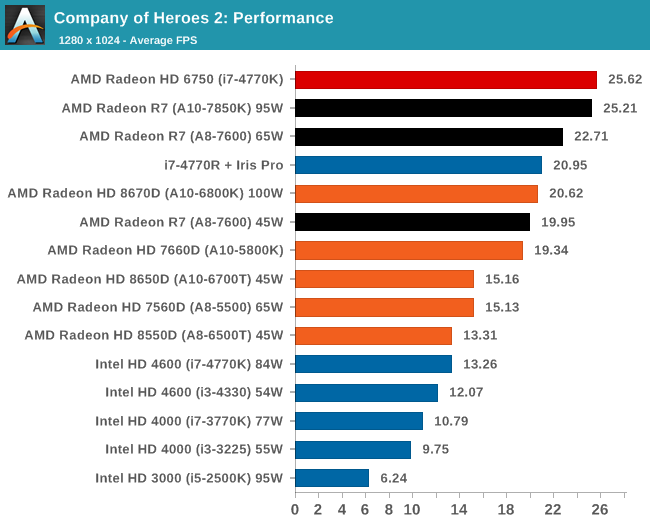
COH2 is demanding enough that even at 1280x1024 and low settings, no platform we tested today can hit 30 FPS average. The 95W Kaveri part does however outshine Richland by almost 25%.
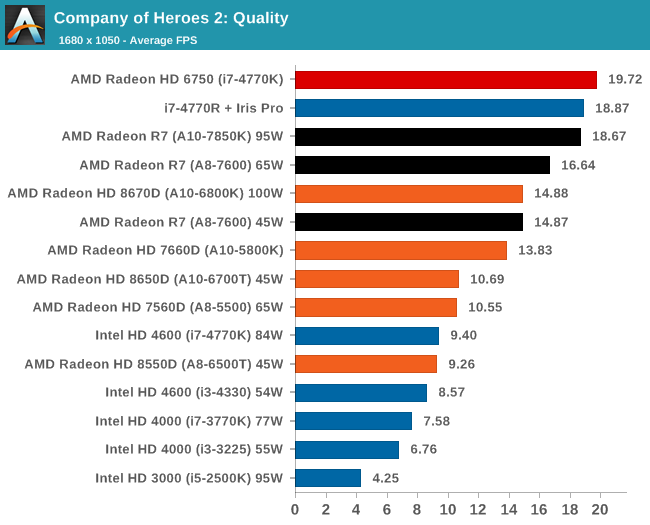
Company of Heroes 2, Quality Settings
Company of Heroes 2, Xtreme Settings
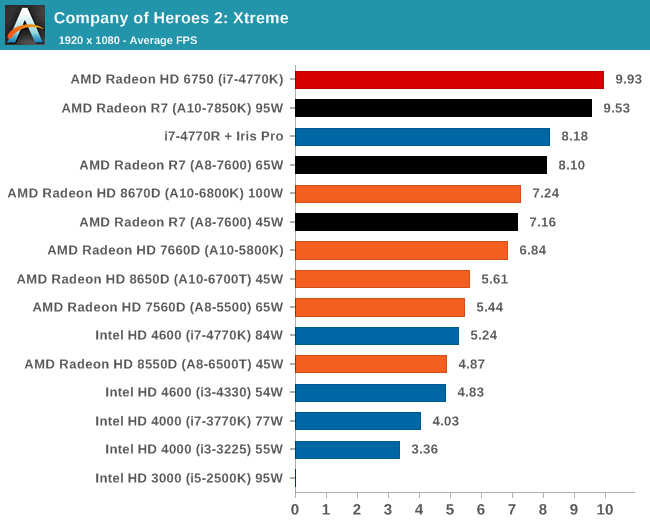
With COH2 extreme settings, the Intel solutions are moving up the minimum FPS ranks to beat AMD.
Originally published at https://www.anandtech.com/show/7677/amd-kaveri-review-a8-7600-a10-7850k (Wayback Machine).