
NVIDIA Tegra Note 7 Review
- Posted in
- Tablets
- Mobile
- Tegra 4
- NVIDIA
- Tegra Note
Display
At the front of Tegra Note 7 is a 7-inch 1280x800 IPS LCD. This is the same form factor as what we saw on the previous generation Nexus 7, and thanks to the FCC’s internal photos, we know the exact panel. It’s an LG LD070WX3 panel, interestingly enough same as the Kindle Fire HD, for comparison as far as I know the Nexus 7 of yesteryear used a Hydis panel.

Inside Display settings on the Tegra Note there’s a a color correction preset, which allows one to switch between sRGB and Native.

I’m grateful that NVIDIA is being upfront for users who want either sRGB calibration or the native properties of the panel. In addition NVIDIA is exposing a toggle under power for turning PRISM on or off, which some users disliked on the previous gen Nexus 7. I turned this off and the color mode to sRGB when testing.
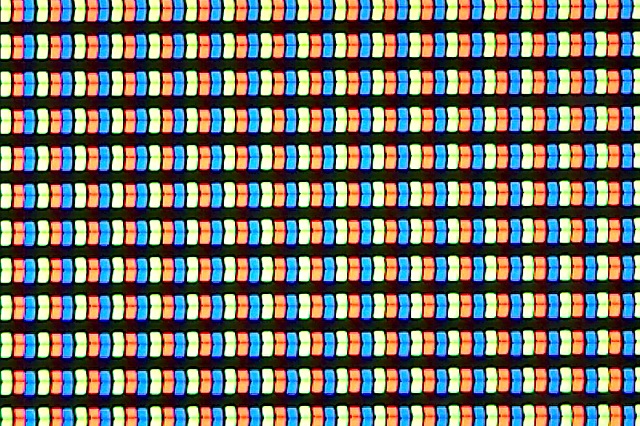
Subjectively the display on Tegra Note is appealing, with no immediately visible superficial problems like light bleeding from the edges or a quick falloff in contrast at extreme viewing angles. I wish that the device had a high DPI panel like I’ve gotten used to with so many of the newer tablets, but otherwise the display is subjectively good enough.
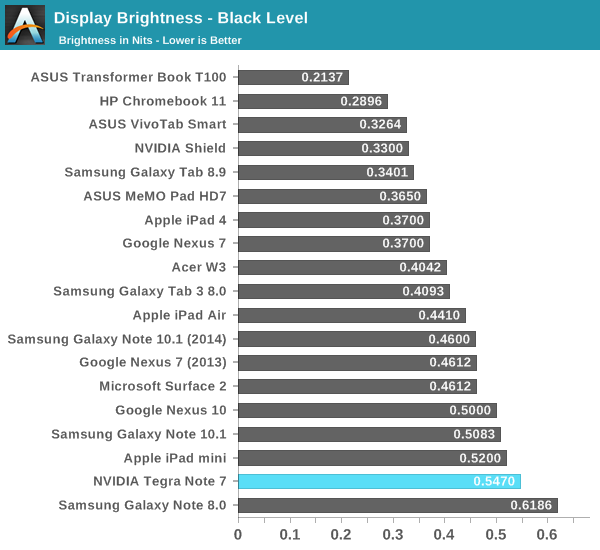
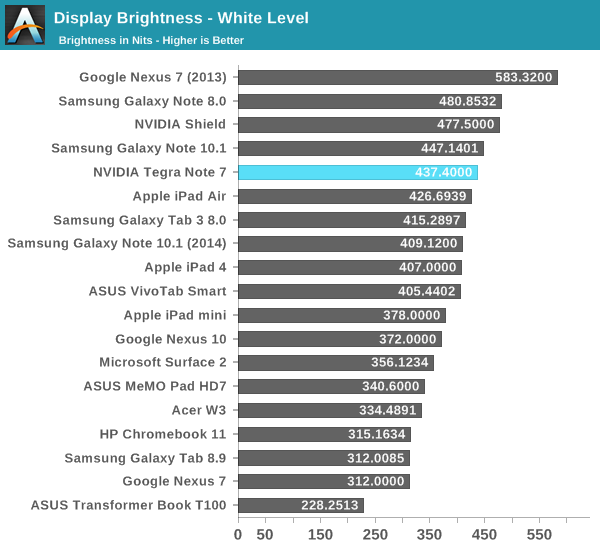
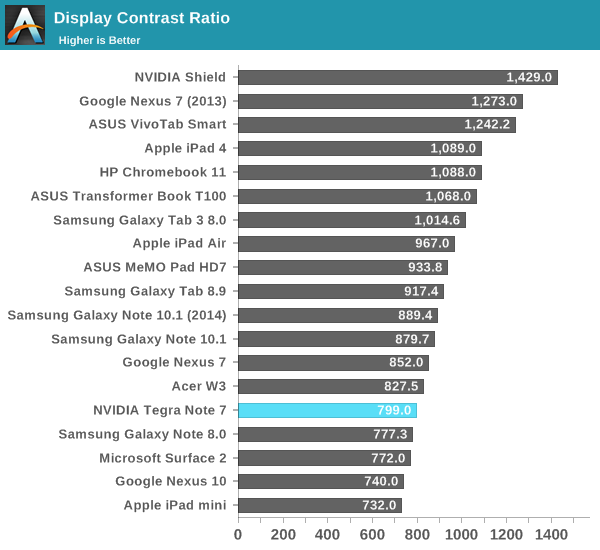
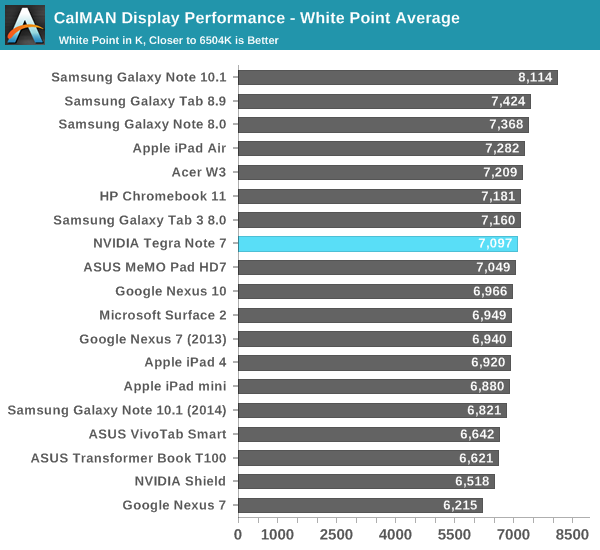
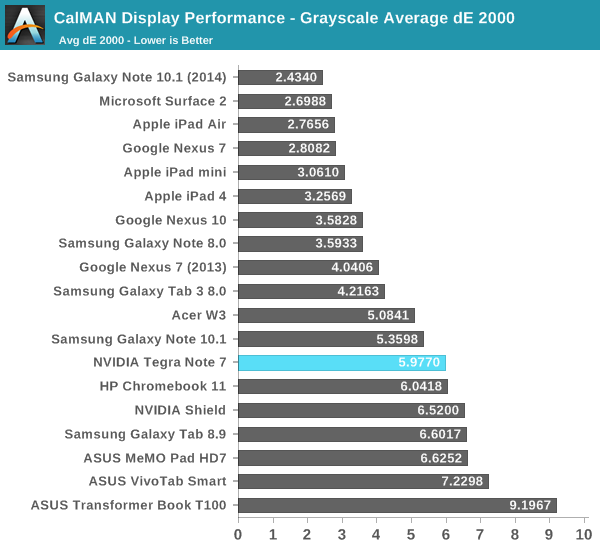
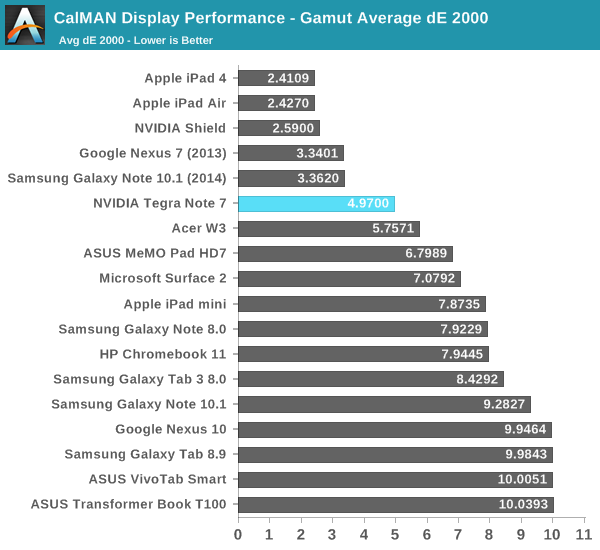
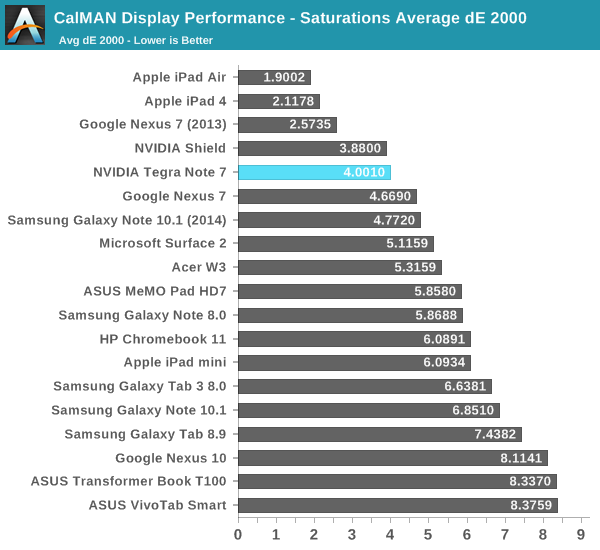
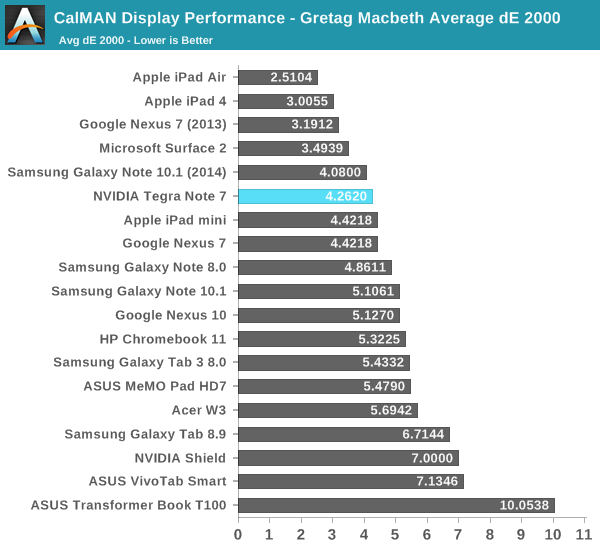


Color calibration is, you guessed it, better than the old Nexus 7, but not quite as good as the newer Nexus 7. It’s clear that NVIDIA placed some emphasis on getting the display close, but it could still be closer.
Originally published at https://www.anandtech.com/show/7508/nvidia-tegra-note-7-review (Wayback Machine).