
Alienware 17 Gaming Notebook Review
For all the variation in the synthetic benchmarks, the Alienware 17 was more consistent in actual gaming benchmarks after flashing the BIOS. Oh, yes, you'll need to flash the BIOS to at least version A04; initial testing was done with the BIOS at A01, and while synthetics didn't seem to mind it too much, the original BIOS played hell with real world gaming benchmarks.
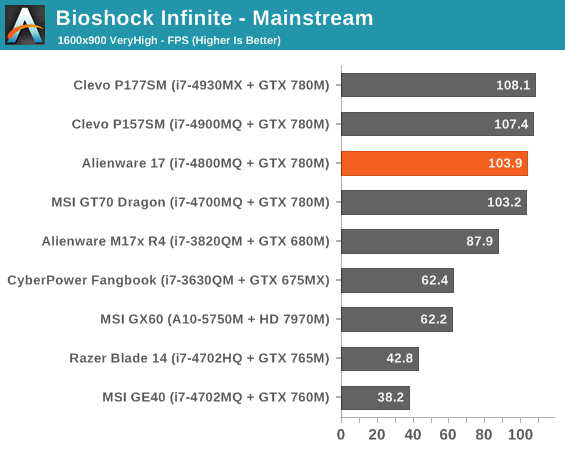
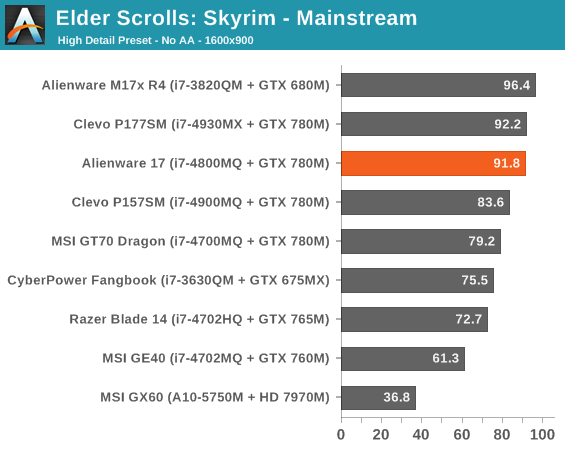
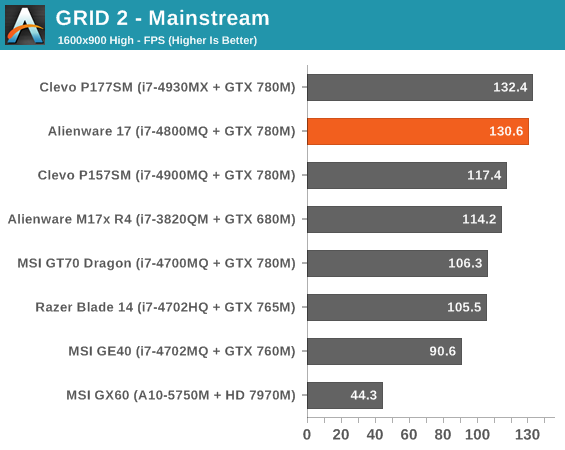
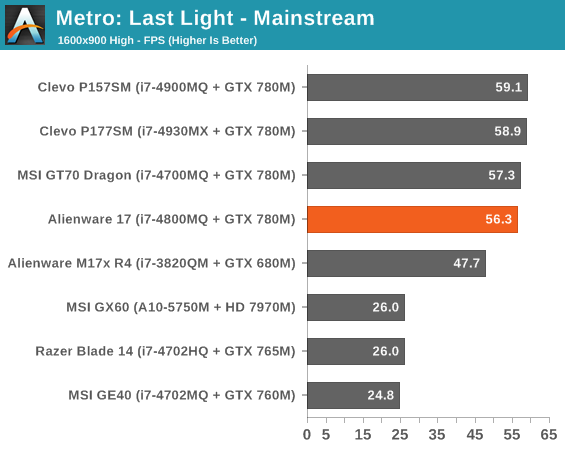
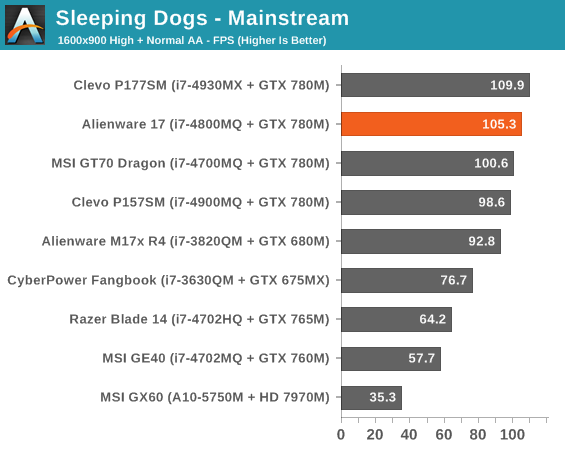
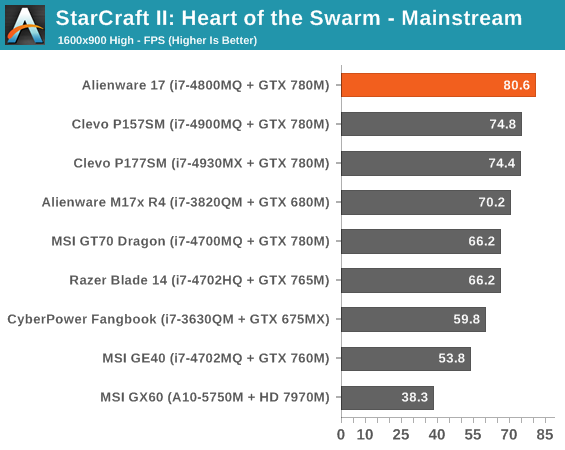
At our mainstream settings we're seeing substantial variation in system performance between systems equipped with the 780M. This is a combination of factors, some which are Haswell, but others I'll explain in a moment.
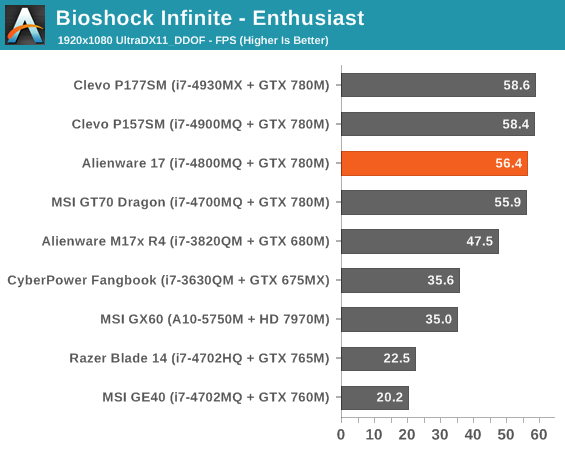
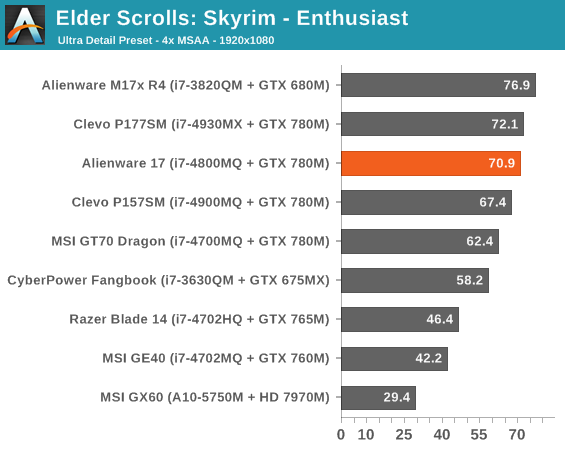
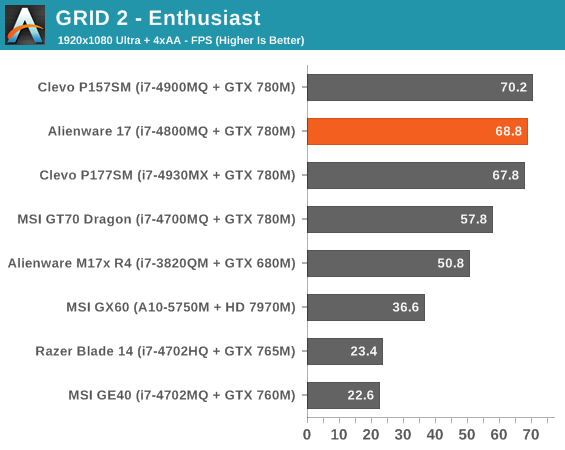
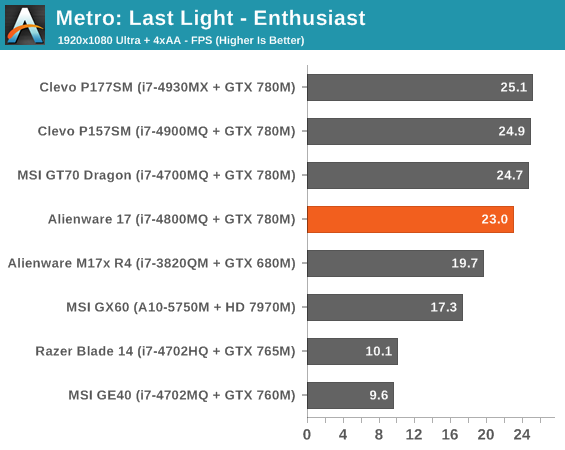
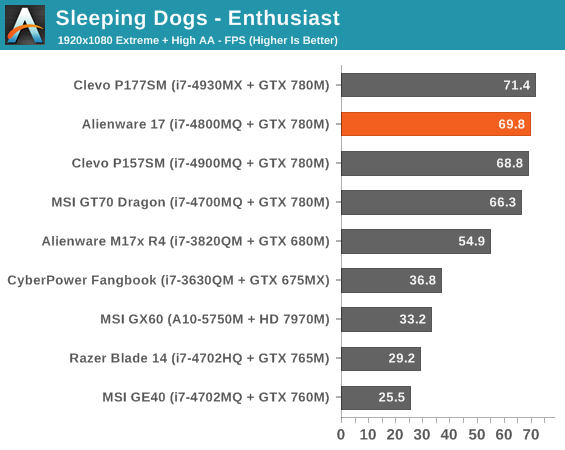
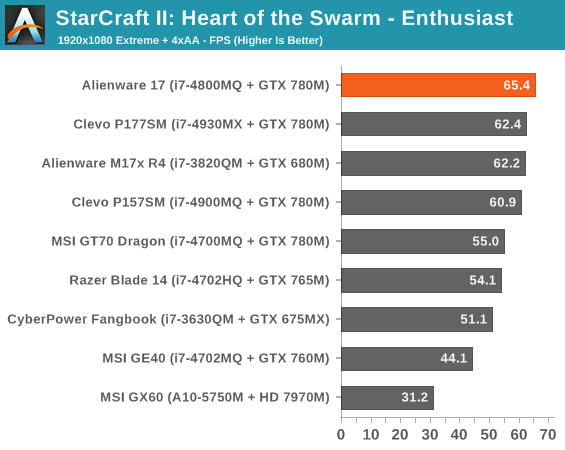
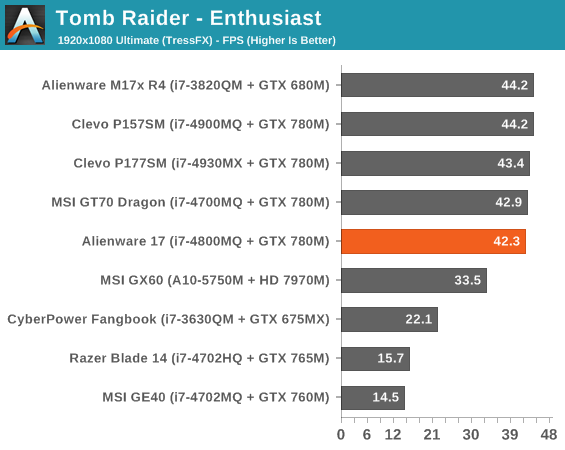
Unfortunately, our enthusiast benchmarks were initially pretty damning for the Alienware 17, or at least this review unit. Despite running with the most current drivers, the Alienware 17 just didn't seem to have as much headroom for boost on the 780M as the other systems. I'd run and rerun benches and done sanity checks; the 780M here just wasn't running as well as it did in the Clevo units.
Trying to determine what was going on, I ran GPU-Z in the background and re-ran the Tomb Raider benchmark since that seems to be the biggest problem child in the group. When testing the MSI GT70 Dragon I was used to seeing sustained boost speeds above 900MHz on the 780M. What I found was alarming: with the default BIOS, the Alienware 17 was needlessly throttling the 780M during Tomb Raider's benchmark and probably others. Despite the GPU never running hotter than 67C, the Alienware 17 was knocking the GPU speed down to just over 600MHz. So of course the system was quiet, it wasn't even allowing the GPU to really be stressed.
Updating to the A04 BIOS substantially alleviated the Alienware 17's performance woes. Boost clocks hovered around 850MHz instead, which is still lower than what I saw on other vendors' systems but at least manageable. There was theoretically thermal headroom on the table; the system's fan profile is designed to keep the 780M at about 75C, which is incidentally the cut off point for the boost clocks. Go over that temperature like Metro: Last Light did, though, and the GPU starts to throttle down to 666MHz. Owners of the Alienware M17x R3 will immediately recognize this type of behavior; Dell and Alienware are extremely aggressive with their thermal thresholds and they're willing to sacrifice a little performance to get them. I feel like a more reasonable target would've been 80C instead of 75C.
Originally published at https://www.anandtech.com/show/7284/alienware-17-gaming-notebook-review (Wayback Machine).