
Acer R7 Review: Something Different
We’re definitely late to the party when it comes to reviewing the Aspire R7, but it’s still an interesting design and we thought it was at least worth a look before we move on. And moving on we are: part of the reason why I wanted to look at the Aspire R7 is that we’ve also got the Aspire V7 in hand, and the review is nearly finished. The Aspire V7 is a far more traditional design, in that there’s no Ezel hinge and the keyboard and touchpad are in the usual places. The general aesthetic and industrial design however is very similar to the Aspire R7. What’s particularly impressive is that the V7 manages to pack more performance into a smaller chassis. But I’m getting ahead of myself; let’s first wrap up the review of the R7.
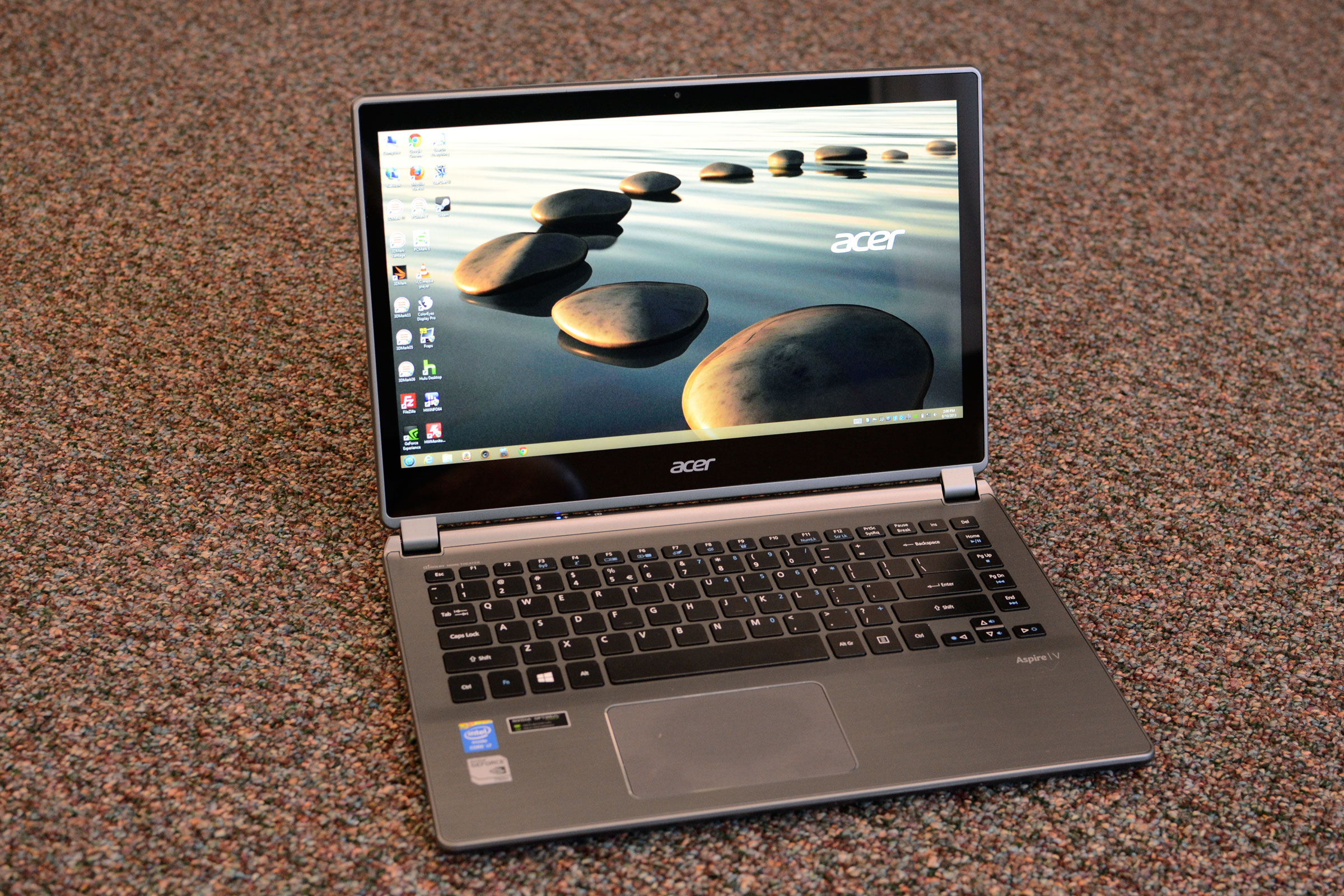
Acer's V7: Smaller and faster, and no Ezel hinge
I think over the last year we’ve definitely seen Acer begin to turn over a new leaf. Yes, we’ll still see budget-oriented value offerings out of the company, and the Acer Chromebook continues to be one of the best-selling laptops around – mostly because of its incredibly low price. However, the industrial design and willingness to take some risks with both the S7 and R7 give us renewed hope for the future. A continued focus on high quality displays and improved build quality coupled with a more traditional design is pretty much all we want. (And as we’ll see in the next few days, the Aspire V7 delivers exactly that.)
The other part of my conclusion is that I’m becoming increasingly convinced that Windows 8 is a serious misstep for Microsoft. I suppose we could say some of what they’ve done was almost required in order to try and compete in an increasingly crowded market, but when I look at the simplicity offered by Android and iOS and then look at the Jekyll and Hyde interface from Windows 8, I just don’t see this ending well. I feel that Windows RT needs to be its own platform, and forget about backwards compatibility. Meanwhile, Windows 8 takes the Windows RT interface and forces that on many desktop and notebook users that don’t want it, and while it’s backwards compatible with existing Windows applications, most existing Windows applications don’t play well with a touchscreen.
The good news is that with Windows 8 on desktops and notebooks, all I have to do is disable the Start Screen and ignore touchscreen interfaces and I get a similar experience overall to Windows 7, typically with faster boot times. And even if you do open or use a Metro app on occasion, it's not too difficult to do so with a mouse or touchpad (though it might be less than optimal). Going the other way isn't so easy, though, as desktop apps often don't work well at all without a mouse or touchpad. This is the problem that the Acer R7 faces, and unless/until Microsoft can fix things, at least personally I find the touchscreen to be mostly a gimmick that I don’t need – just like most of the Windows 8 apps. At least with the R7, the gigantic hybrid tablet functionality provides a use case for Windows 8 apps on a notebook, and you can continue to use the keyboard and touchpad for desktop apps.
If you’ve always wanted a 15.6-inch convertible tablet thingy, the Acer Aspire R7 might be exactly what you need. I can’t immediately think of any other competing systems, though perhaps I just haven’t looked hard enough. It’s a combination laptop/tablet/all-in-one, depending on how you want to use it, and if you’re willing to give it a bit of a chance it can function in any of those ways reasonably well. There are definitely better tablets, better laptops, and better all-in-ones, but the R7 is pretty much unique in the marketplace right now. I’d still say it’s not for me, even though I’ve enjoyed poking around at it off and on over the past month and a half, but the only real failures are the companies that refuse to innovate. I’ll definitely keep an eye on Acer to see what other interesting ideas they have to offer in the coming years.
Originally published at https://www.anandtech.com/show/7221/acer-r7-review-something-different (Wayback Machine).