
Choosing a Gaming CPU October 2013: i7-4960X, i5-4670K, Nehalem and Intel Update
Sleeping Dogs
Sleeping Dogs is a strenuous game with a pretty hardcore benchmark that scales well with additional GPU power when SSAO is enabled. The team at Adrenaline.com.br is supreme for making an easy to use benchmark GUI, allowing a numpty like me to charge ahead with a set of four 1440p runs with maximum graphical settings.
One 7970
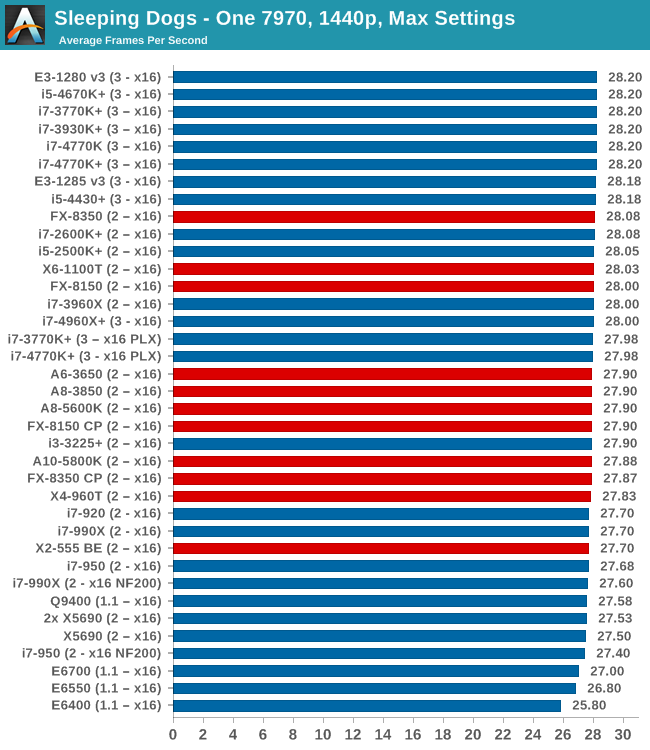
With one AMD GPU, Sleeping Dogs is similar across the board.
Two 7970s
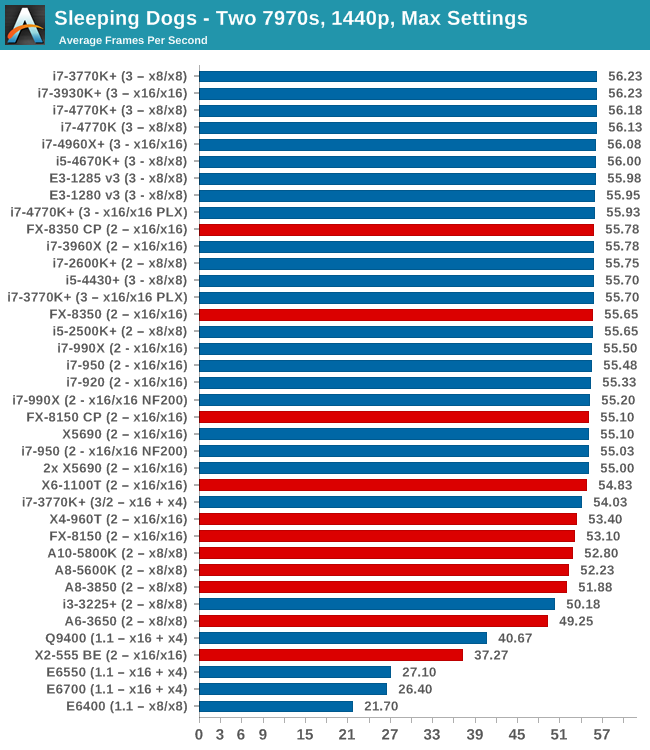
On dual AMD GPUs, there seems to be a little kink with those running x16+x4 lane allocations, although this is a minor difference.
Three 7970s
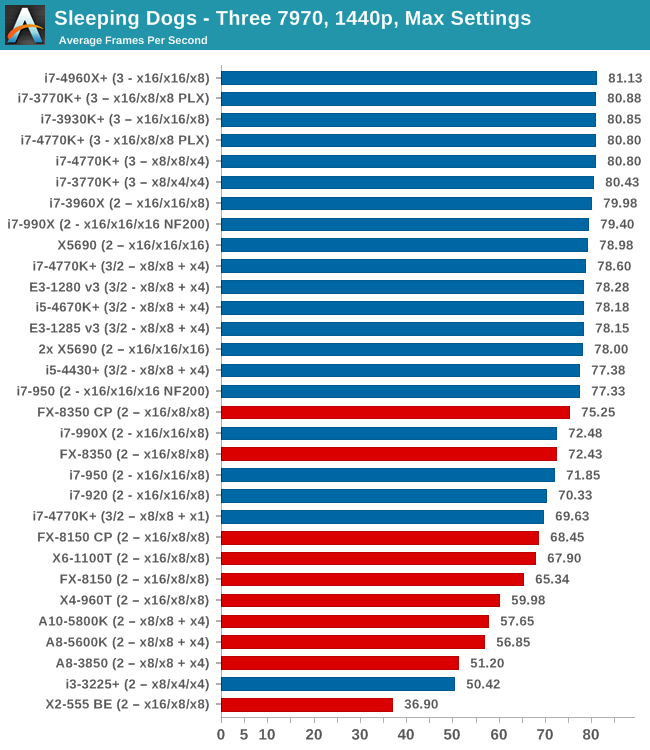
Between an i7-920 and an i5-4430 we get a 7 FPS difference, almost 10%, showing the change over CPU generations. In fact at this level anything above that i7-920 gives 70 FPS+, but the hex-core Ivy-E takes top spot at ~81 FPS.
One 580
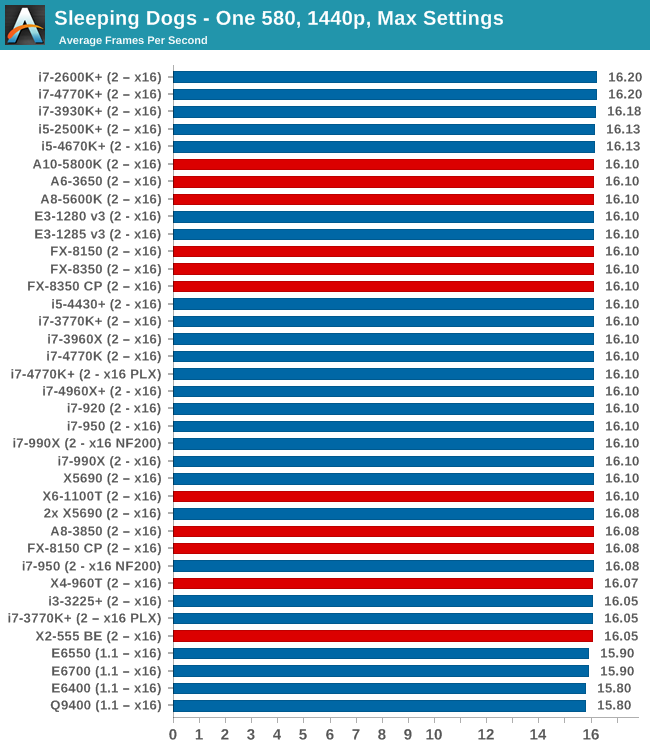
0.4 FPS between Core2Duo and Haswell. For one NVIDIA GPU, CPU does not seem to matter(!)
Two 580s
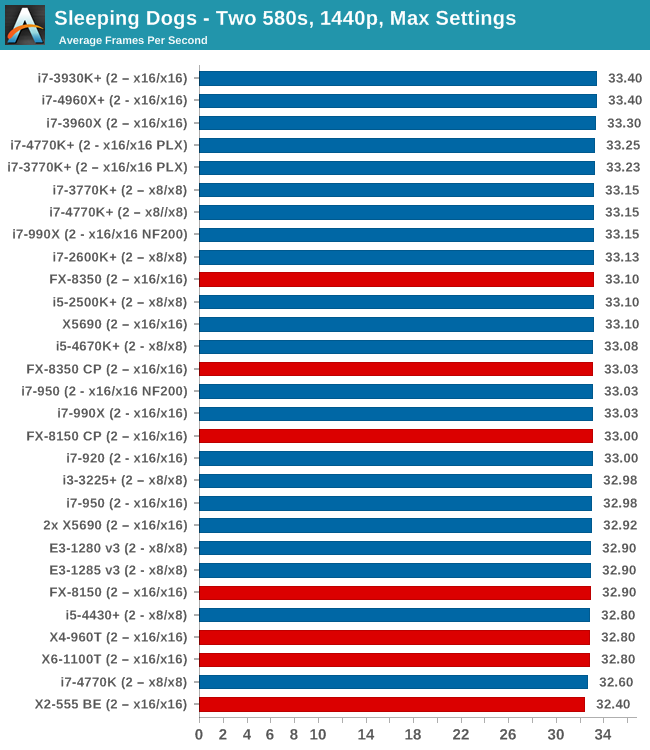
Similarly with dual NVIDIA GPUs, with less than ~3% between top and bottom results.
Sleeping Dogs Conclusion
While the NVIDIA results did not change much between different CPUs, any modern processor seems to hit the high notes when it comes to multi-GPU Sleeping Dogs.
Originally published at https://www.anandtech.com/show/7189/choosing-a-gaming-cpu-september-2013 (Wayback Machine).