
HP Spectre XT TouchSmart Ultrabook Review
- Posted in
- Laptops
- HP
- Ivy Bridge
- Spectre
- Ultrabook
Display Quality
While I'm overjoyed to be getting a series of notebooks in featuring panels with decent resolution and quality, I remain at least a little mystified by the IPS panels used in the Mythlogic Callisto 1512 recently reviewed and now the one in HP's Spectre XT TouchSmart. You'll see that while contrast and brightness are both excellent, color gamut is unusually low.
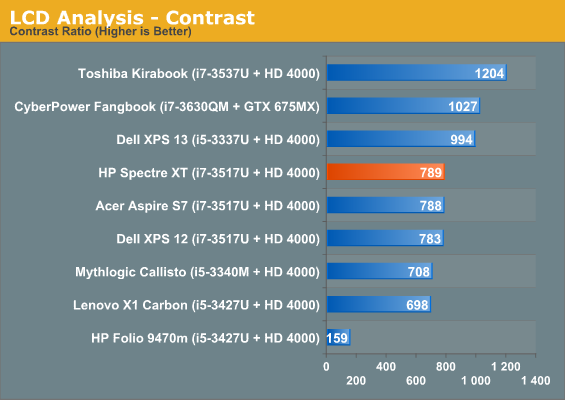
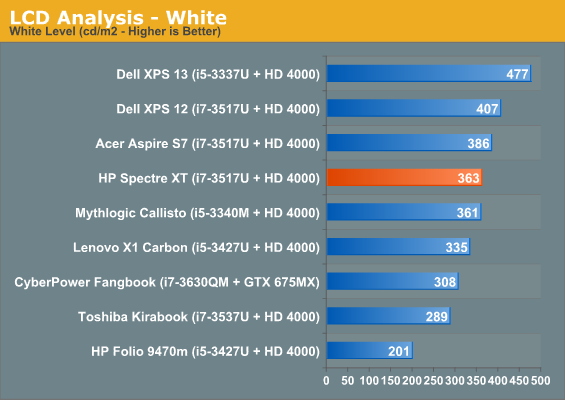
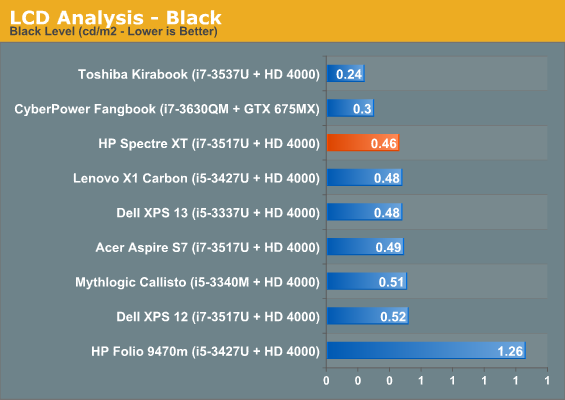
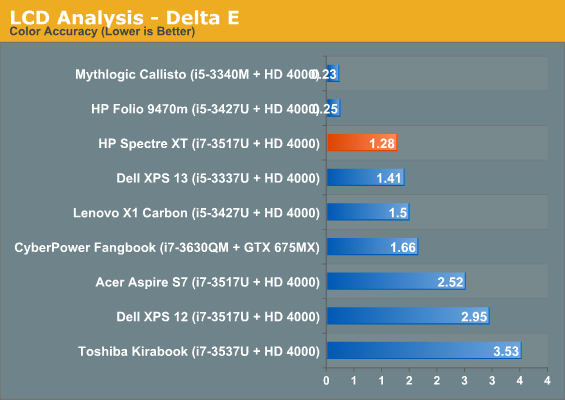
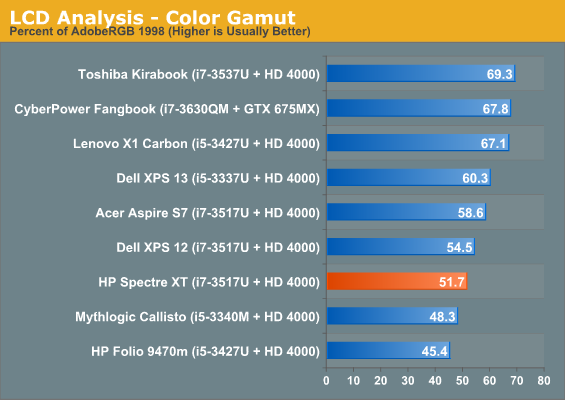
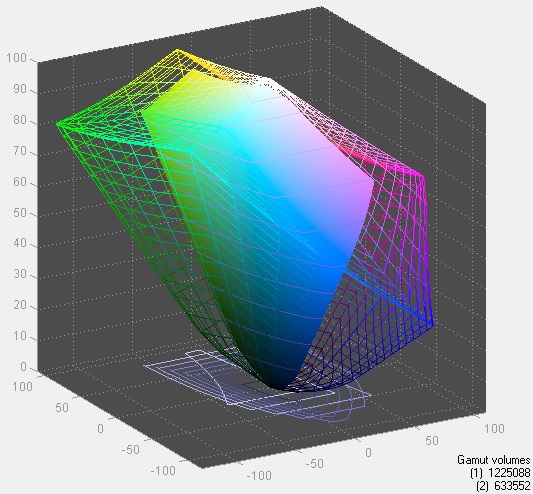
I'll take an IPS panel over a conventional TN panel any day of the week, even if it means sacrificing some of the color gamut, but it's still perplexing as to why that sacrifice is being made in the first place. Gradient testing reveals banding, but not a particularly significant amount and certainly competitive with entry-level desktop e-IPS panels. Subjectively at least, the panel on the Spectre XT is attractive and feels like where I wish notebook panels would start as opposed to being a premium item.
Battery Life
There's more bad news with the HP Spectre XT TouchSmart. HP rates the notebook for up to three hours and 45 minutes of battery life, which is a very unattractive number for a modern notebook with a 48Wh battery. Our testing unfortunately corroborates this; you can run the Spectre XT off the mains, but battery life will underwhelm.
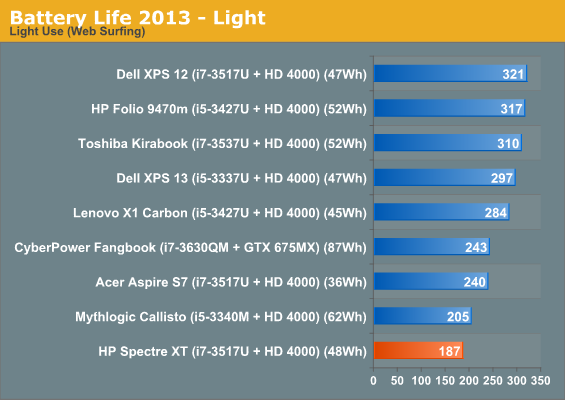
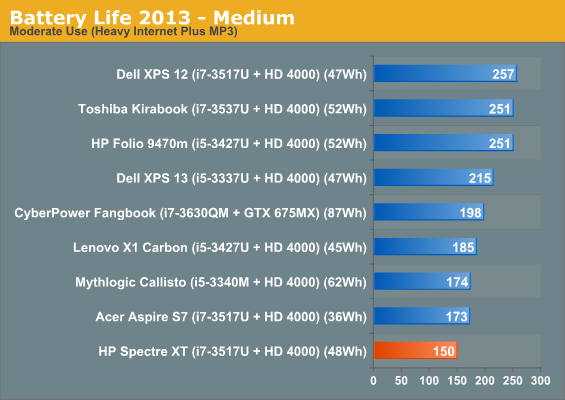
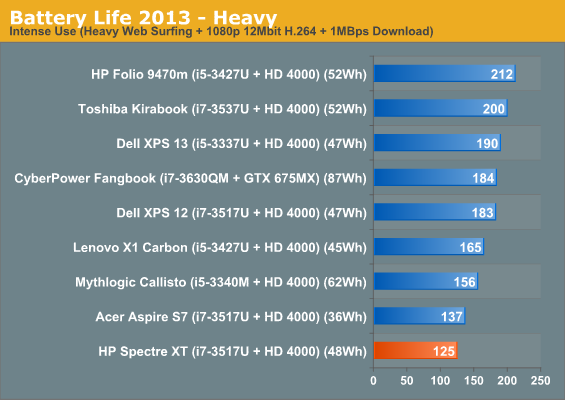
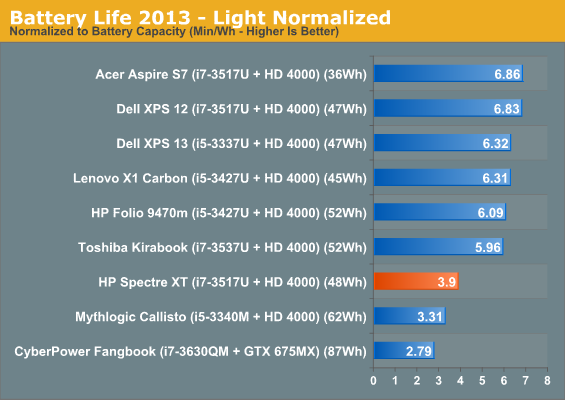
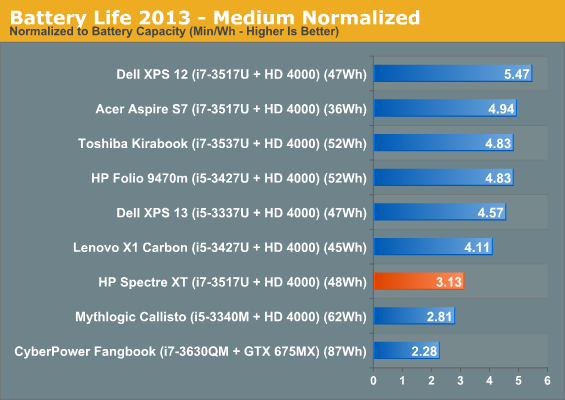
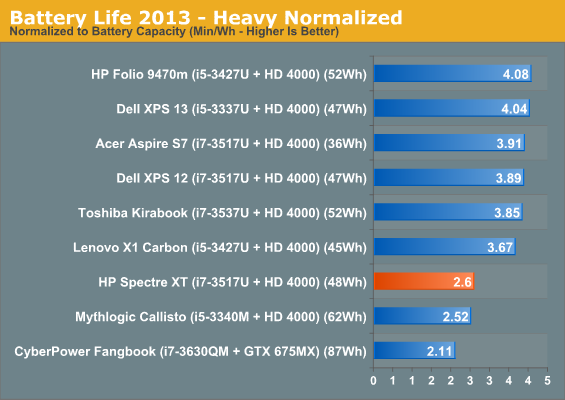
Despite the full voltage processor, Mythlogic's Callisto 1512 pulls comparable or better battery life. Part of this certainly owes to the larger battery, but it doesn't really excuse how far behind the Spectre XT's normalized battery life is by comparison. Two hours of battery life in our "heavy" test isn't just bad, it's embarrassing.
Heat and Noise
I've repeatedly cited that one of the benefits of a larger chassis, even if it's still thin, is increased cooling capacity. You can put a full voltage chip in and work the cooling system over, or you can go ULV and benefit from the increased headroom by not having to run the cooling as hard. The HP Spectre XT opts for the latter.
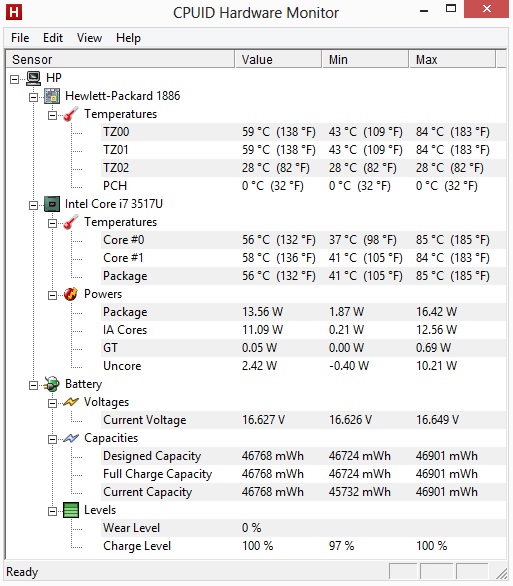
You can see the Spectre XT is clearly tuned for acoustics before thermals. There's a healthy amount of thermal headroom on the Ivy Bridge processor still, but I appreciate how relatively quiet the notebook is even under load.
Originally published at https://www.anandtech.com/show/6983/hp-spectre-xt-touchsmart-ultrabook-review (Wayback Machine).