
Lenovo ThinkPad X1 Carbon Ultrabook Review
System Performance
By this point, Ivy Bridge is old hat. We have a fairly common ultra low voltage Intel Core i5 and a speedy Intel SSD; no dedicated graphics required. This isn't Lenovo's fault, it's just the result of catching a product this late in the refresh cycle. Performance testing winds up being more of a sanity check to make sure everything is running smoothly.
That said, I did run into a hiccup during testing. In BIOS, the CPU was set to "Battery Optimized," which locked it at 600MHz. The setting labeled "Maximum Performance" actually just allows the CPU to turbo the way it's been designed to, and I feel it's worth pointing out that the "Battery Optimized" mode actually had worse running time than "Maximum Performance." This is easy enough to explain; modern processors are designed to finish tasks and go idle as soon as possible, so capping the CPU's top speed prevents it from doing exactly that and forces it to work longer.
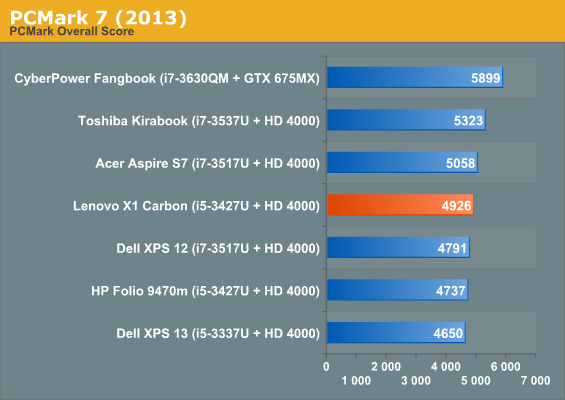
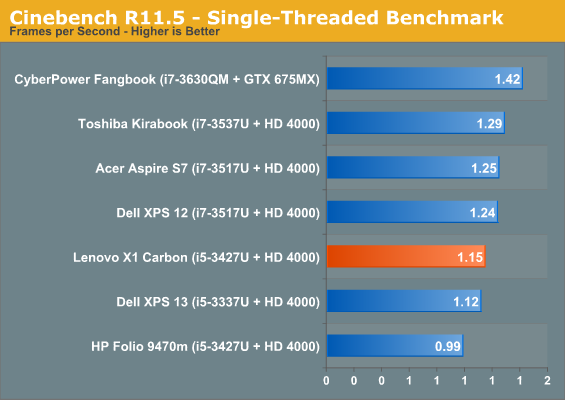
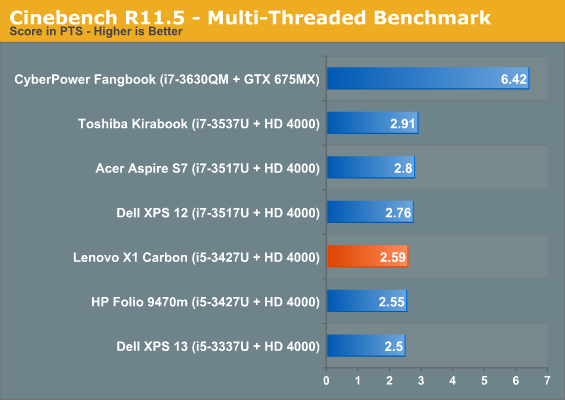
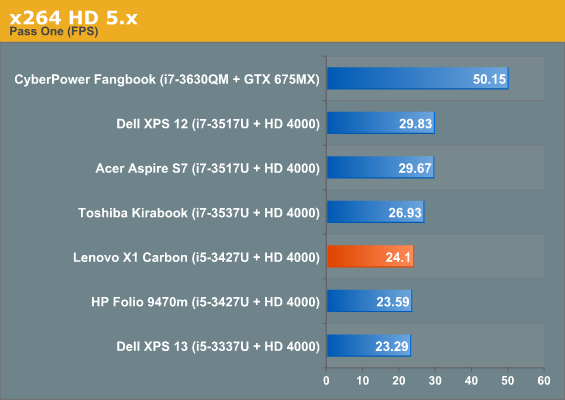
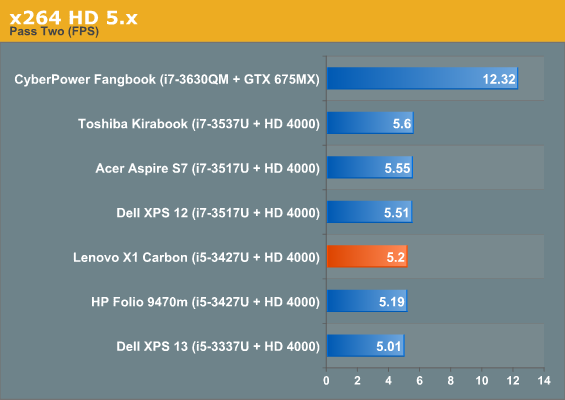
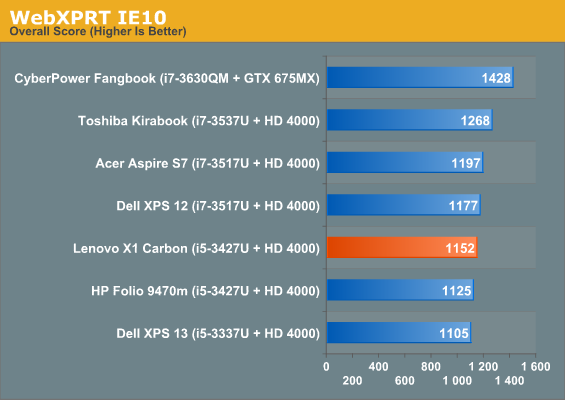
System and CPU testing yields absolutely no surprises; the ThinkPad X1 Carbon's i5-3427U falls in line exactly where it's supposed to.
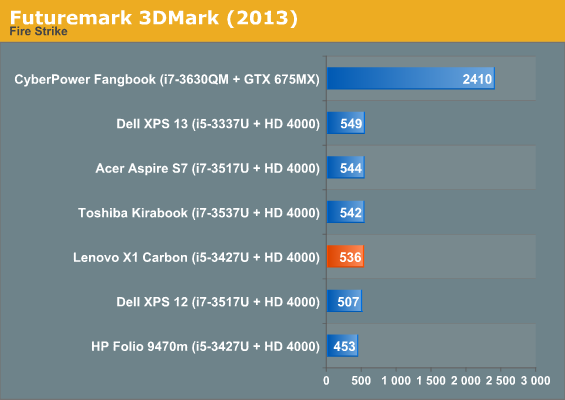
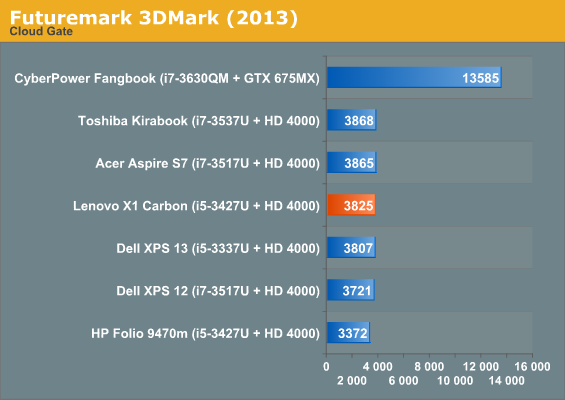
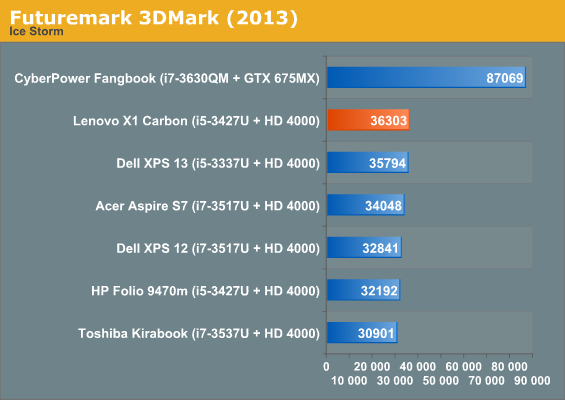
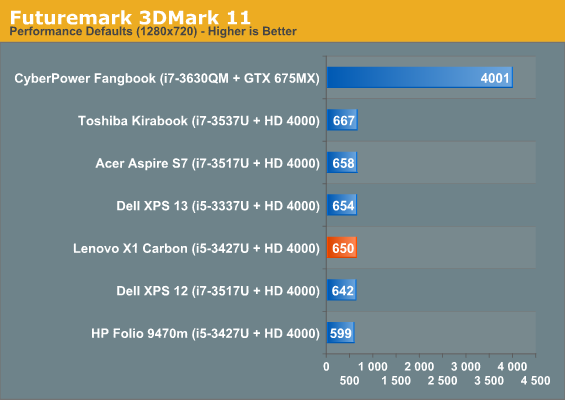
Graphics results are more of the same. The HD 4000 in the X1 Carbon puts in a strong showing (comparatively) in 3DMark's Ice Storm test, but it's basically still an Ivy Bridge HD 4000.
Originally published at https://www.anandtech.com/show/6948/lenovo-thinkpad-x1-carbon-ultrabook-review (Wayback Machine).