
Rosewill Blackhawk Ultra Case Review: Were It Not For Competition
Assembling the Rosewill Blackhawk Ultra
One of the nicest things about working with a case the size of the Blackhawk Ultra is that it's huge: you very seldom find your hands getting cramped into uncomfortably narrow gaps, and so getting everything installed an in place can be a lot easier. One of the worst things about working with a case the size of the Blackhawk Ultra is that it's huge: whenever you have to move the case itself, it's unwieldy, and it's heavy. This case is 36.6 pounds before anything is even installed in it; our full fat testbed can bring the system weight to roughly sixty pounds, or a little under half of my body weight.
Rosewill ships the Blackhawk Ultra with motherboard standoffs installed for an XL-ATX board, and it's a consideration that's appreciated. I had to move three standoffs to get our ATX board installed, which is still a lot better than having to install each one by hand. Users who do opt for a standard ATX board in this case will be treated to a lot of clearance and healthy cable routing options surrounding the tray itself.
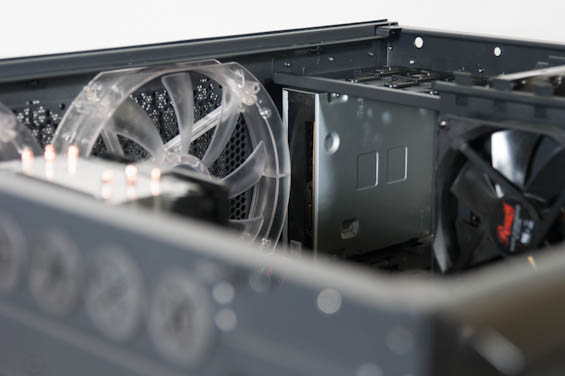
Installing 3.5" drives involves screwing them into the bottom of the fairly rigid metal drive trays; 3.5" drives benefit from rubber grommets for dampening noise. 2.5" drives are also screwed into the bottom of the trays. Meanwhile, installing a 5.25" drive can be more problematic. The size of the front fascia makes it a bit difficult to remove, but with the proper application of force to the bottom it comes off, and you must remove it to remove the bay shields. The blu-ray drive we use for our testbed ran into a clearance issue with one of the 230mm fans, though; it fits, but it's pressed snugly against the fan. The toolless mechanism Rosewill uses at least feels secure, though I have to wonder if at least a little bit of that stems from the drive simply not having anywhere else to go.


Getting our video cards and power supply into the Blackhawk Ultra was also basically a breeze, though it's worth noting that side-oriented SATA ports can put undue pressure on cables when you try to route them, and this seems to be a common problem. Case designers place a routing hole next to where the SATA ports will be, and that's good, but the hole is narrow and doesn't really take into account the way one might have to bend the cables if the motherboard orients them facing outward as our test board and indeed most enthusiast boards do.
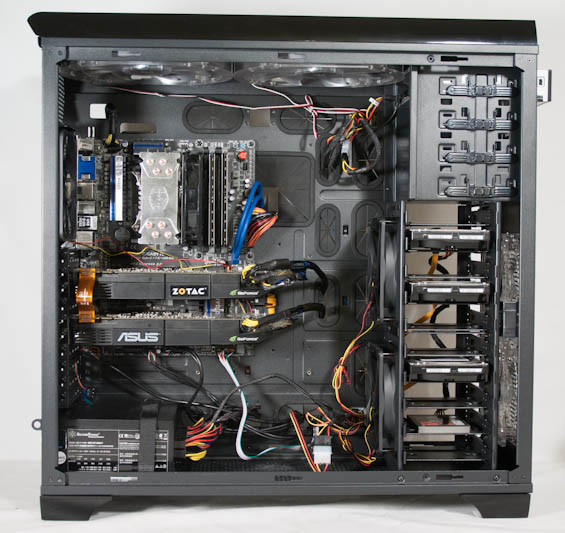
Where things start to go awry with the Blackhawk Ultra is where I said they would, and where they usually do. In the Blackhawk Ultra it's a little more egregious, though: this is a case designed to accommodate a boatload of hardware, and boatloads of hardware demand a lot of power leads, so why are the routing holes next to the power supply bays so small? Cabling everything should've gone at least a little easier than this, but I found myself having to really work the modular leads through the holes and I'm not looking forward to when I have to tear down this build to do the next case review. The fan hubs also use traditional 4-pin molex connectors, and honestly I'd really like that standard to just die in favor of SATA power leads. Closing up also proved to be a bit of a challenge, but that stemmed more from the notched side panels coupled with the sheer mass of the Blackhawk Ultra.
It's not that assembling a system in the Blackhawk Ultra was difficult so much as that it could've been much, much easier. I can forgive the fan clearance issue with the optical drive; our blu-ray drive is actually a bit deeper than optical drives typically are. Rosewill also does a lot right by nipping fan cable management in the bud. Yet the power cables proved to be a real sore spot, and notched panels just don't belong on a case this size.
Originally published at https://www.anandtech.com/show/6854/rosewill-blackhawk-ultra-case-review-were-it-not-for-competition (Wayback Machine).