
Cooler Master Storm Scout II Advanced Case Review: Falling Behind the Curve
- Posted in
- Cases/Cooling/PSUs
- Cooler Master
- ATX
Noise and Thermal Testing
Part of the problem with going with a bog standard ATX cooling design is that you effectively hamstring your performance out of the gate. It's only through experimentation that a product can hit the high highs and the low lows, but Cooler Master may have played it too safe with the Storm Scout II Advanced. It goes without saying that it will produce adequate performance with our stock testbed, but when things get hairy in the overclocked and full fat beds, it's liable to have a much harder time competing.
Ambient temperature hovered around 22C for most of testing. Note that all competing test results on the chart are from our previous testbed; margin of error in load thermal results remains at around 1C, but idle thermals on the CPU are reported much more frequently on the new motherboard, and as a result, idle temperatures will appear lower.
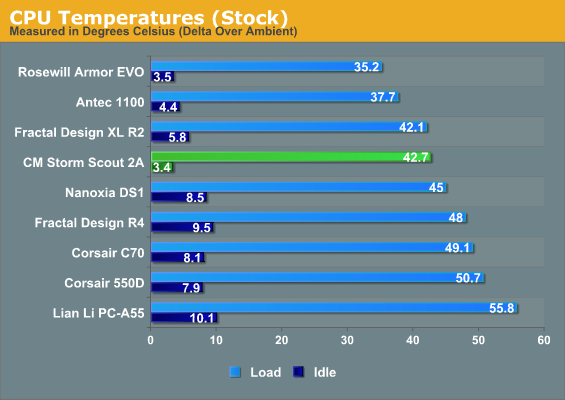
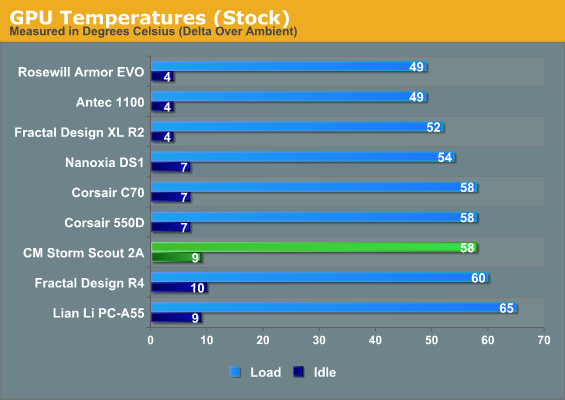
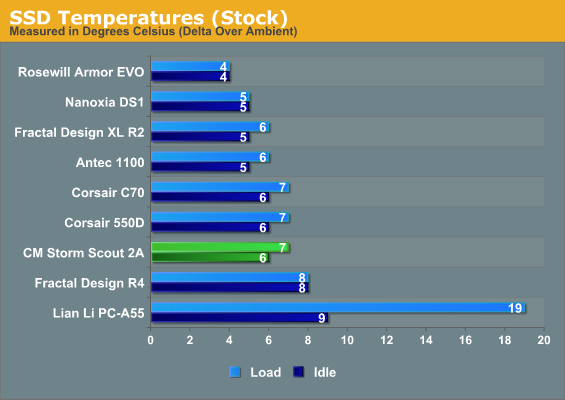
Even in our stock configuration, the Storm Scout II Advanced doesn't excite. CPU performance is competitive but not exceptional, while GPU performance is comparatively poor. This doesn't bode well for more taxing workloads.
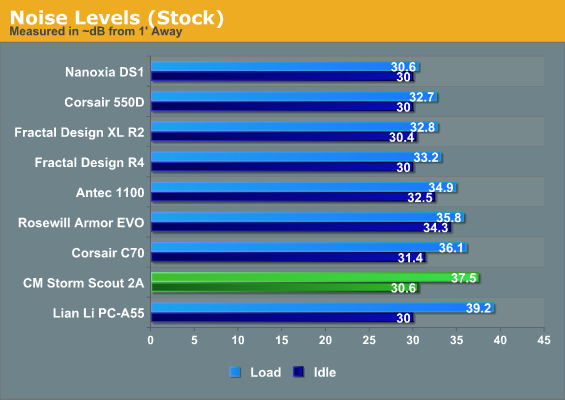
Unfortunately, the Storm Scout II Advanced has a hard time keeping the noise down, too. It's hard to pin the issue on a specific cause, but I suspect the conservative cooling design may be slightly exacerbated by mediocre fan choices. Despite the two 120mm intake fans, the GPU is clearly having a hard time staying cool and is responsible for a lot of the load noise as a result.
Things don't improve when we overclock the CPU and graphics card.
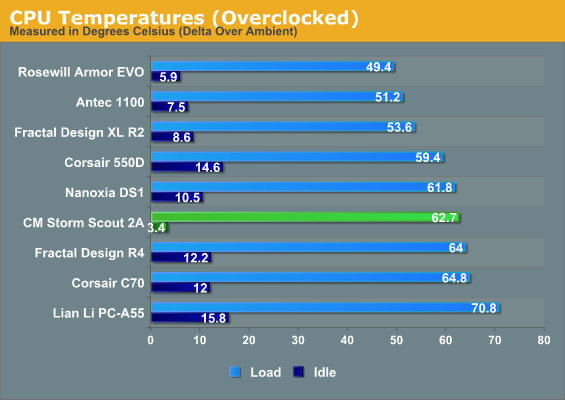
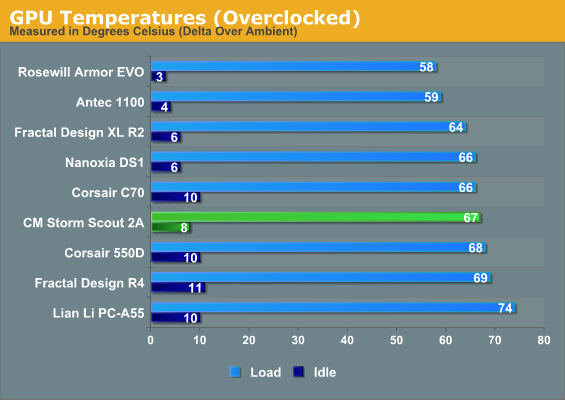
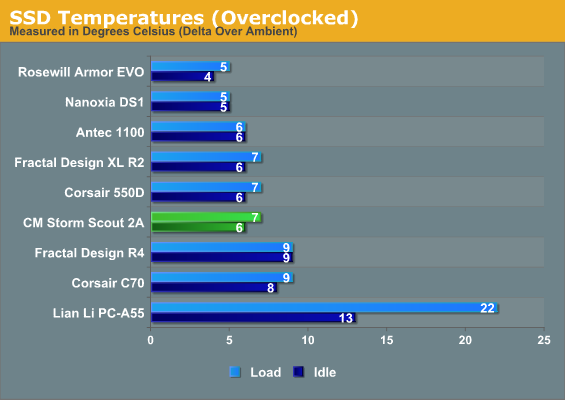
Thermal results and the Storm Scout II Advanced's comparative standing don't really change too much; the CPU thermals get a little less competitive, but the overclock on the graphics card starts to overwhelm some of the competition as well.
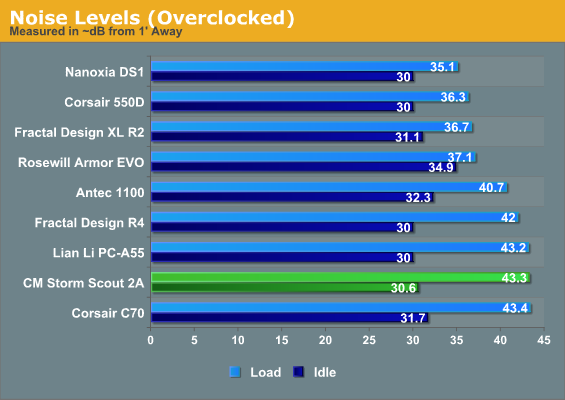
The mediocre thermals really aren't helped by aggravatingly high noise levels, either. This is not a case suitable for overclocking, at least not unless you're planning on adding additional intake fans to the side panel.
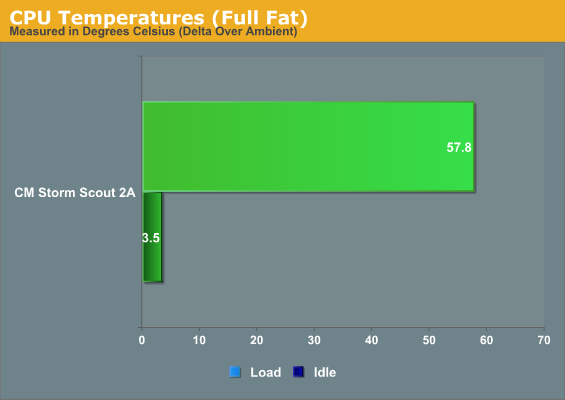
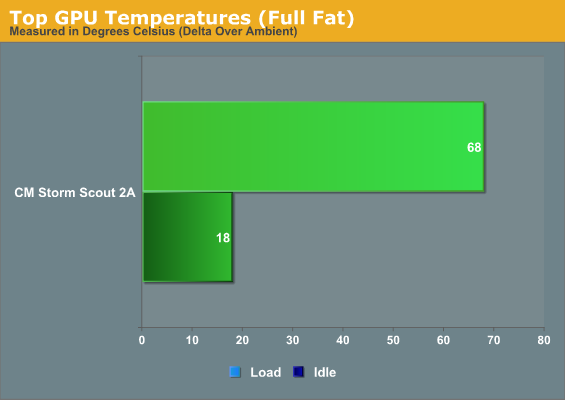
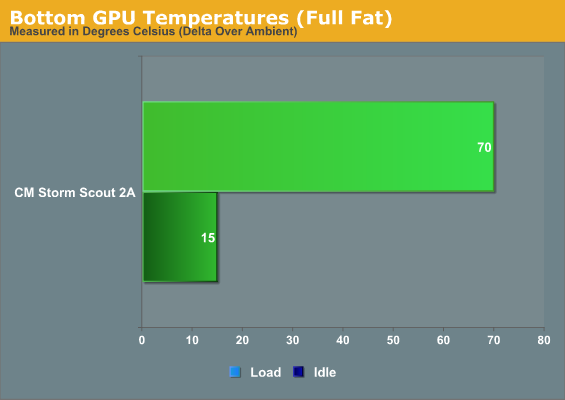
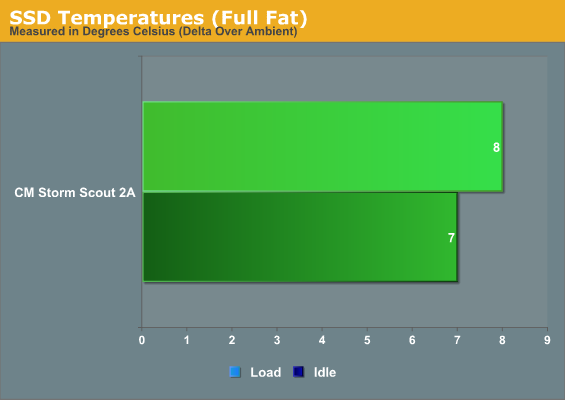
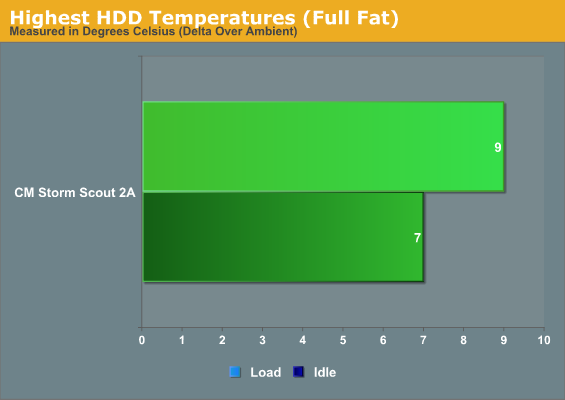
Without proper results to compare to, it may be difficult to get a feel for how the Storm Scout II Advanced is performing. Basically what's happening, though, is that the two GTX 580s have a target temperature where the fans will spin more and more aggressively to keep them there, and they're hitting that temperature: roughly 92-94C.
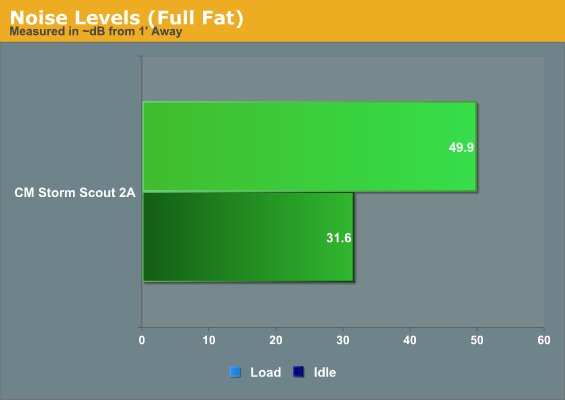
Load noise is awfully unpleasant, too: the Storm Scout II Advanced is nipping just under 50dB, which is frankly unacceptable.
Originally published at https://www.anandtech.com/show/6841/cooler-master-storm-scout-ii-advanced-case-review-falling-behind-the-curve (Wayback Machine).