
Philips Hue: Automated Home Lighting Gets Colorful
Teardown and Design
The Hue Bridge has two screws that you need to remove before you can pop off the back. Even with the screws out, popping the back off is tricky—it has an interesting snap-in mechanism. Here’s what the back looks look like; the two white “feet” at the bottom are covering the screws. I used tools from iFixIt to get this open.

Once you open it up, you can see the back side of the PCB, and the snap-in connecter I mentioned earlier.

The PCB is connected to the front of the Bridge using a ribbon connector. This cable provides the power and signals for the LEDs and the Link button.

The main PCB has the two primary components of the Hue Bridge, an ST Microelectronics STM32F217VE Microcontrollerand a Texas Instruments CC2530 ZigBee Controller.
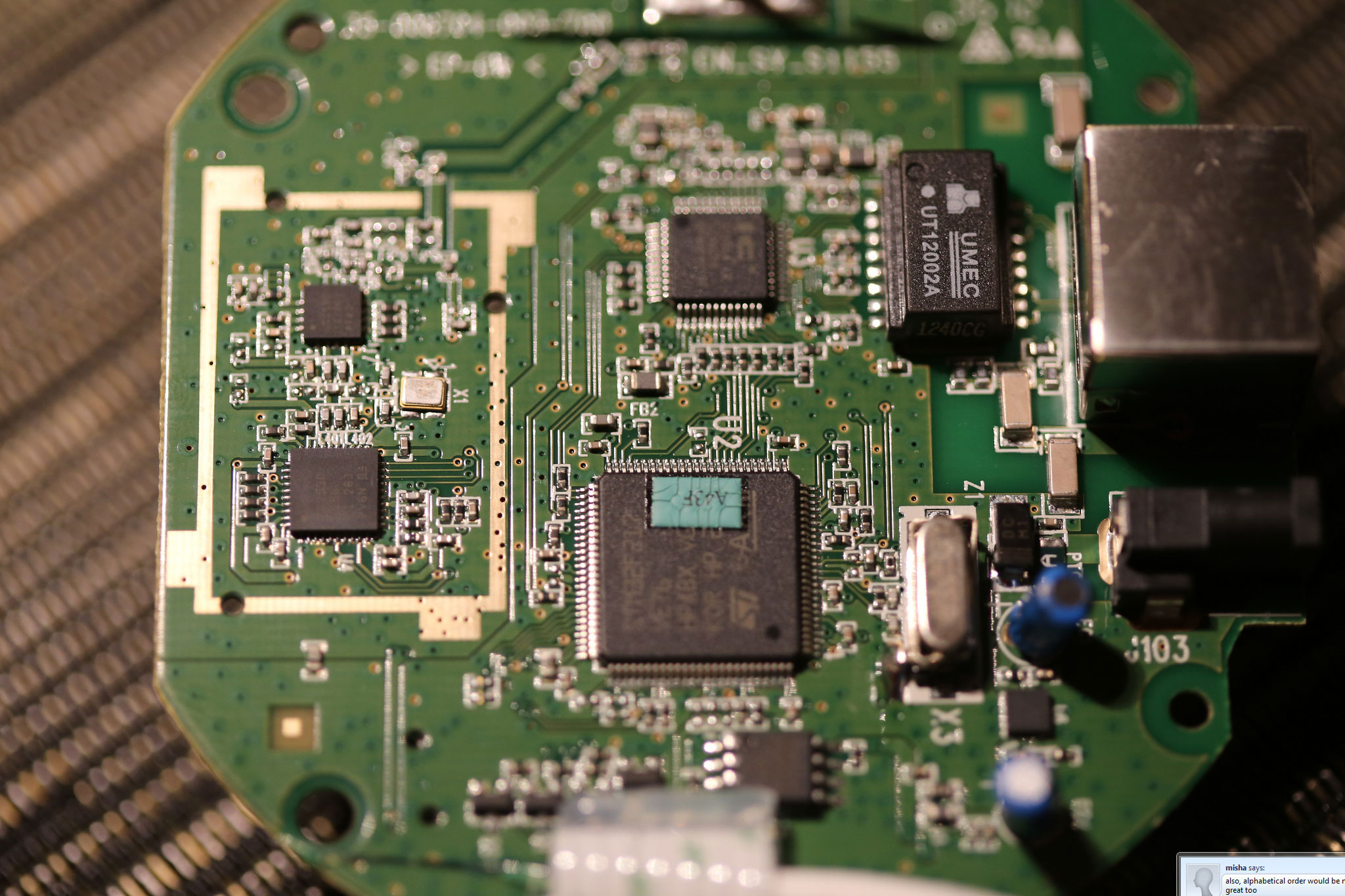
There is also an RF range extender (CC2590) coupled to the CC2530. The STM MCU has an integrated Ethernet controller, but as a whole the design has very few components. It’s clear that the majority of the cost for the Starter Pack is in the bulbs and not in the Bridge. (Based on the total kit price, the Bridge is $20 more than the cost of the three bulbs, though of course that leaves plenty of room for profit margins.) The image below shows the antenna for ZigBee:

I’ll cover the technology behind the Hue Bridge in a moment, but the choice of microcontroller for this design is a clear indication that this is primarily a purpose-built device. That is, it does not have the horsepower to extend to different types of applications due to the limitations of the CPU and the amount of memory. Nonetheless, it is well suited for the function at hand; let’s look at the specifics of the technology behind Hue before we get into a discussion of what it can and cannot do.


Originally published at https://www.anandtech.com/show/6805/philips-hue-automated-home-lighting-gets-colorful (Wayback Machine).