
Z77 mITX Round-Up: Five of the Best – MSI, Zotac, ASRock, EVGA and ASUS
EVGA Z77 Stinger In The Box
So far in this review the box bundles have been varied. Some have offered a full set of SATA cables, others go for dual antenna for the included WiFi module. As the EVGA has no WiFi module, chances are we will not get an antenna – but one thing to note is that EVGA package their add-ons like no other manufacturer. Each one is sealed in an EVGA labeled plastic bag. While not the most thrilling of results, it must add a little to the cost of the product.
In our EVGA Z77 Stinger box, we get:
Manuals
Driver CD
Rear IO Shield
Molex to 2x SATA Power Cable
Sleeved Molex to 3x SATA Power Cable
4 x SATA Cable
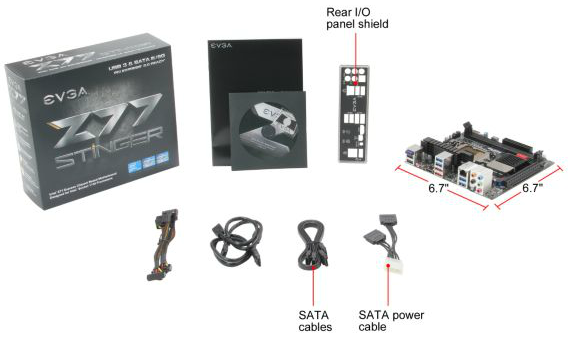
The additional SATA power connectors are a nice touch, but let us look at it from a different angle. No USB 3.0 add-on is included because chances are in this modern era that users will have a case with USB 3.0 ports and they can plug that into the board. Chances are the same users will be buying power supplies with SATA power connectors. It just makes an odd combination to not have one but have the other.
EVGA Z77 Stinger Software
When installing the software for a motherboard, the manufacturer can take multiple routes. Most manufacturers have a one-button install which allows the user to select/deselect what they want installed and then it installs it all-in-one, sometimes with reboots. Other manufacturers only offer a one-by-one route, requiring the user to click through each of the drivers and go through the installers manually, even if the installer does come with a silent mode from the manufacturer (e.g. Realtek drivers). EVGA meet half-way: they use a one-button install which goes through all the drivers, but none of the installs are silent and the user has to sit there for a few minutes (up to 10) clicking Yes, OK or next throughout the whole sequence. Seems a lot of bother given that the software could have just used the silent install switch for everything.
On the driver CD, the option to install the drivers is in the front menu, and the software is in the next.


The sole software that comes from EVGA is the E-LEET Utility.
EVGA E-LEET Utility
Enthusiasts and overclockers will be familiar with the freeware CPU-Z utility. It is used to help identify the system being used, from motherboard to CPU to memory and GPU. It is also used to validate the processor speed when competitively overclocking. E-LEET is essentially a skinned version of CPU-Z, with a few little tweaks.
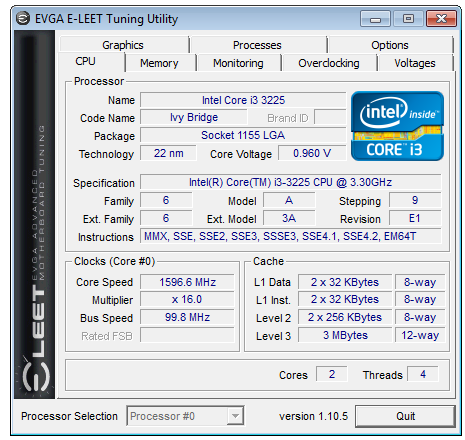
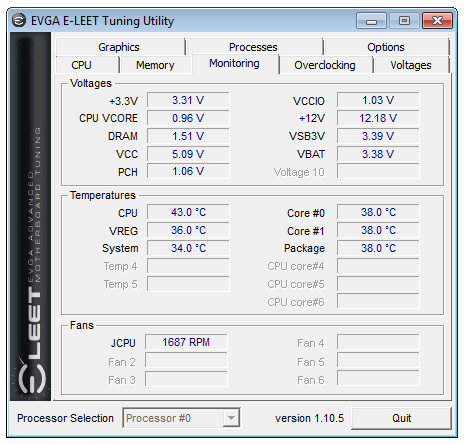
E-LEET gives the option of a few more tabs than CPU-Z does. These are specific to EVGA – we get a monitoring tab for voltages, temperatures and fan speeds:
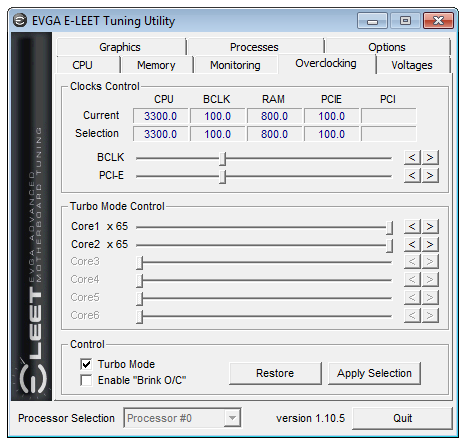
An overclocking tab which allows CPU Multiplier and BCLK adjustment on the fly:
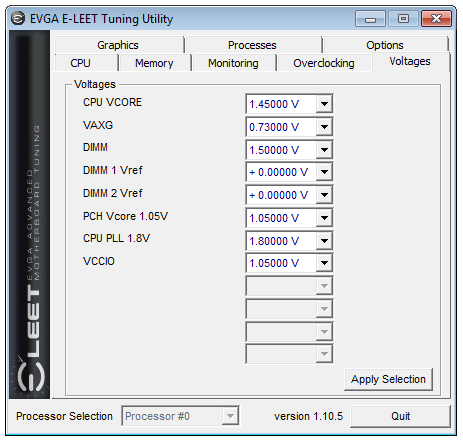
A tab to adjust voltages, also on the fly:
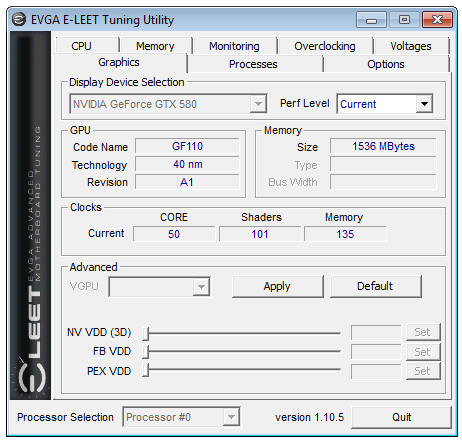
The graphics tab gets a revamp compared to CPU-Z, with options to overclock if you have a compatible graphics card:
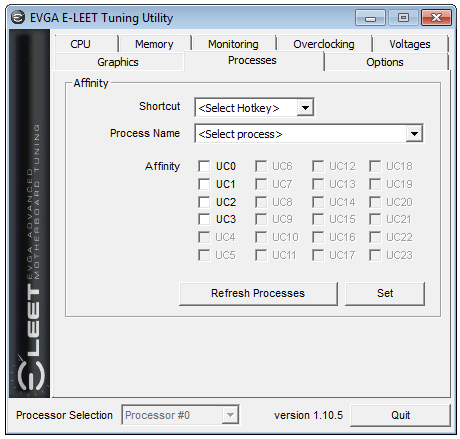
A tab for a user to adjust the affinity of certain programs based on a hot-key. This is sometimes useful for overclockers when a benchmark actually decreases in performance when there are too many threads on offer:
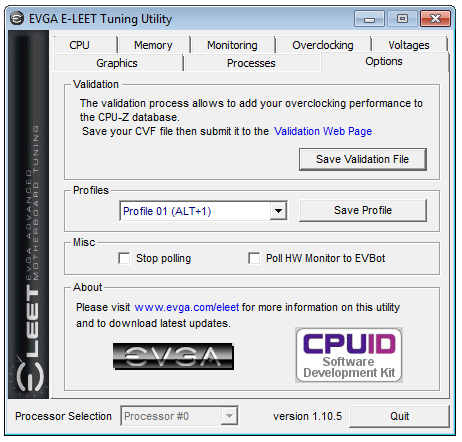
Finally the options menu which allows for a CPU-Z validation as well as saving particular overclocking profiles for various usage scenarios (e.g. downclocking after a benchmark has finished to keep the system stable):


Originally published at https://www.anandtech.com/show/6516/z77-mitx-roundup-five-of-the-best-msi-zotac-asrock-evga-and-asus (Wayback Machine).