
Corsair Carbide 200R Case Review: How Low Can You Go
- Posted in
- Cases/Cooling/PSUs
- Corsair
- mid-tower
Noise and Thermal Testing, Overclocked
The limited cooling capabilities of a budget case keep our expectations in check, but it's important to keep in mind that historically enthusiasts were about getting the most bang for their buck they could (essentially the purpose behind overclocking in the past). By that token, it's important to see if the Corsair Carbide 200R leaves your system any room to stretch its legs. Theoretically an end user should be able to take an inexpensive unlocked Vishera or Trinity CPU and motherboard, a solid budget cooler like one of Cooler Master's Hyper 212s, and get a healthy amount of performance for their dollar.
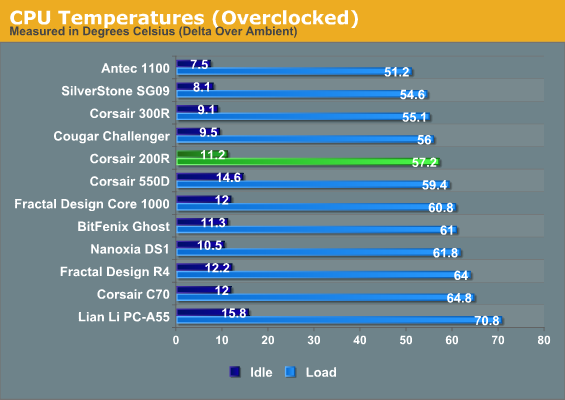
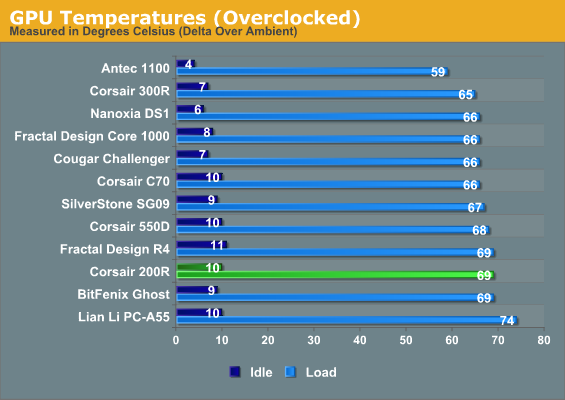
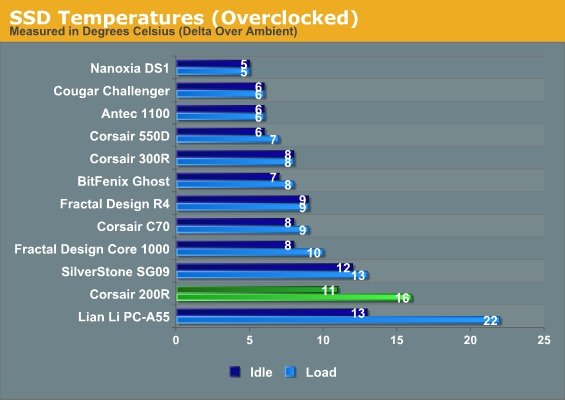
You're not liable to get much extra latitude out of your video card in the Carbide 200R, and SSD temperatures continue to be incredibly problematic, but you can definitely score some additional mileage out of your CPU. The Carbide 200R's CPU performance isn't stellar, but it's strong enough.
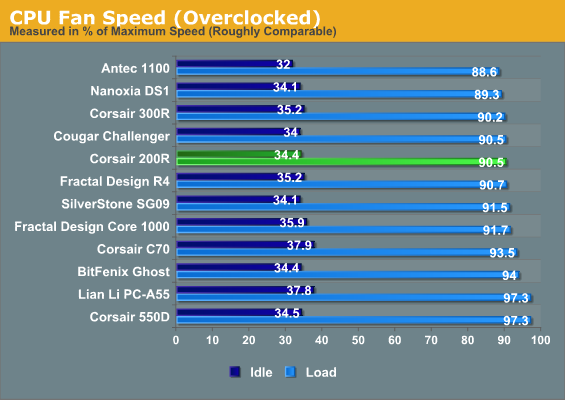
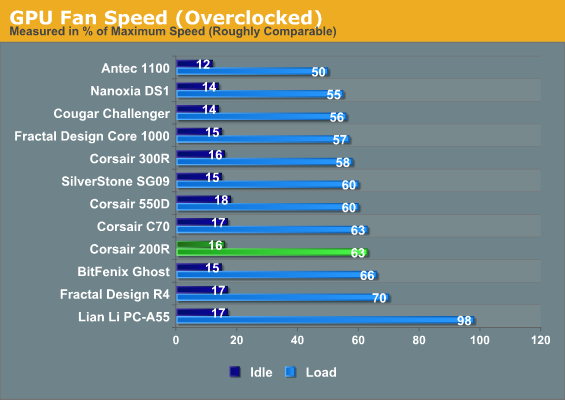
Fan speeds aren't ideal, but they're at least still on the lower end of competitive.
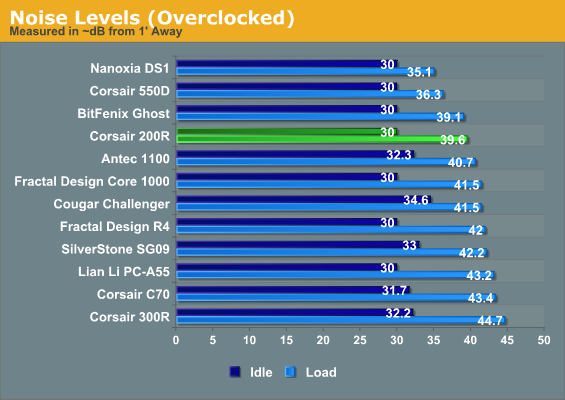
Noise levels also aren't particularly good, but they're not awful, either. Nobody's going to accuse the Carbide 200R of being a quiet enclosure. That's not what it's designed for, though, so we can let a little bit of noise slide.
Originally published at https://www.anandtech.com/show/6515/corsair-carbide-200r-case-review-how-low-can-you-go (Wayback Machine).