
LG 29EA93 Ultrawide Display - Rev. 1.09
LG 29EA93—Color Quality and Color Gamut
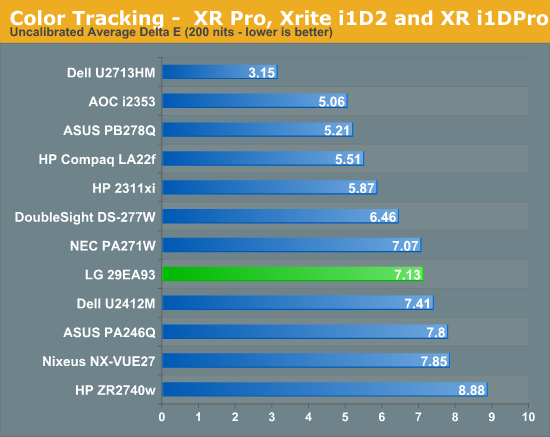
Out of the box, there is no sRGB mode for the LG 29EA93 to use, so I went with the Standard mode for the default testing. As always, I try to aim for a D65 white point, 2.2 gamma, and 200 nits of light output. All measurements are done using ColorEyes Display Pro, and using a NIST certified i1Pro spectrometer.
Just as expected, the 29EA93 is nothing to write home about straight out of the box. The dE average is just over 7, and the white error is very high as well. Without a pre-calibrated preset this is what I’d expect to see and so this isn’t really a surprise at all.

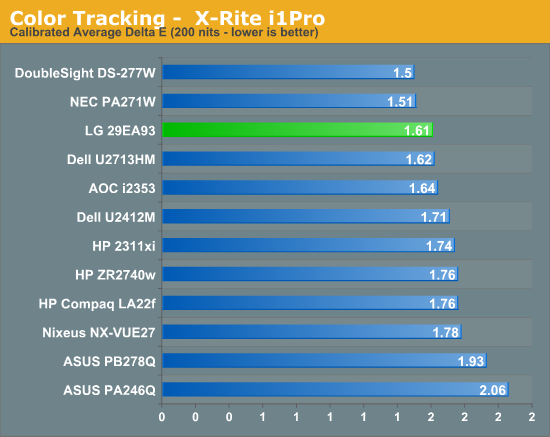
After a calibration, the LA 29EA93 fares much better. The average dE drops to a very respectable 1.61, and has a very low median dE of 1.33 as well. The main errors that are present are those that are hard for all displays to reproduce, such as certain blues, so this is a very nice calibrated result in the end for the LG.

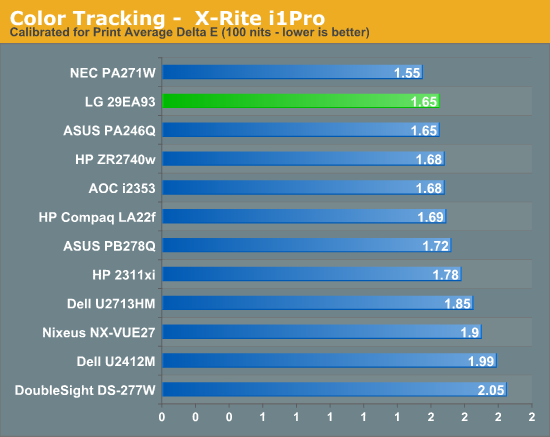
When set to 100 nits that is more likely to be used for print media applications, the 29EA93 continues to have very nice calibrated results. The grayscale is nice and neutral, the colors are mostly accurate, and the resulting image is very nice on screen. Once calibrated the, LG 29EA93 produces an image that can keep up with the other IPS monitors out there.

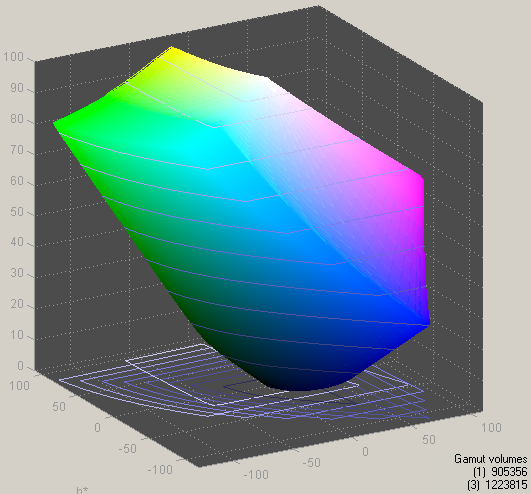
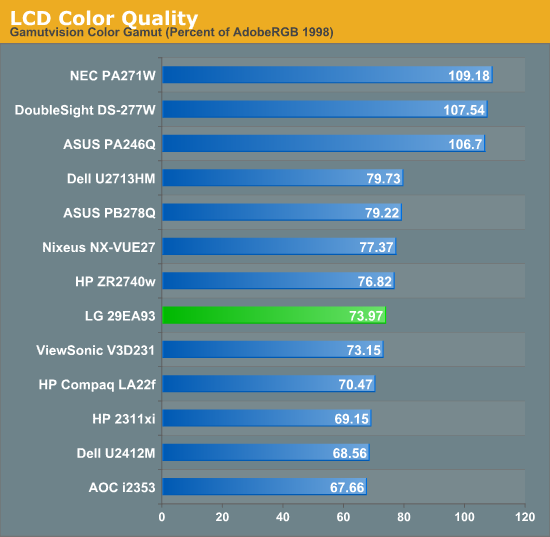
The one area that is does fall a bit short is in color gamut. It only covers 74% of the AdobeRGB gamut, which leaves it just a little short of the whole sRGB gamut. This little bit might not matter much in regular use, but it might matter more to those that are considering using it for color critical work.
Originally published at https://www.anandtech.com/show/6482/lg-29ea93-ultrawide-display-missing-its-target (Wayback Machine).