
Acer C7 Chromebook Review
Display
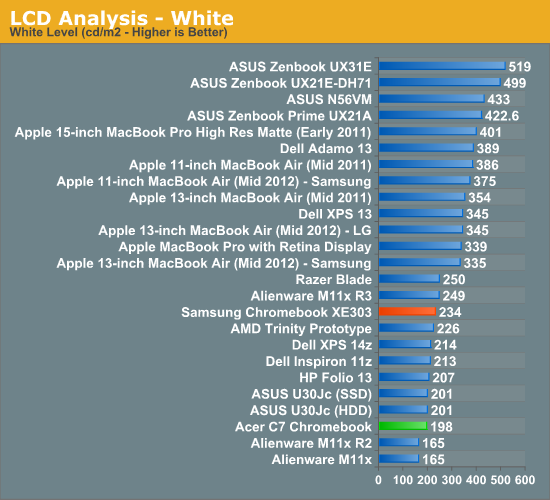
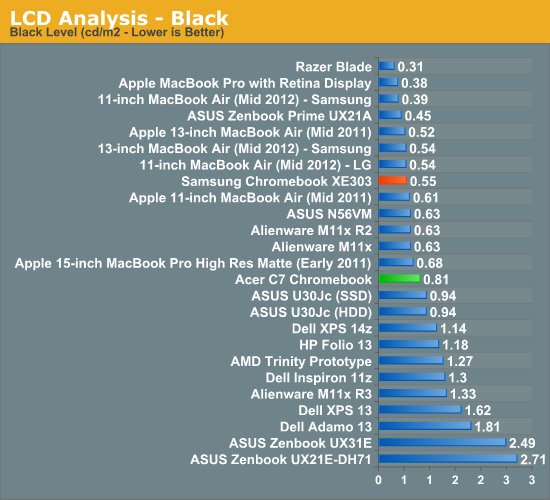
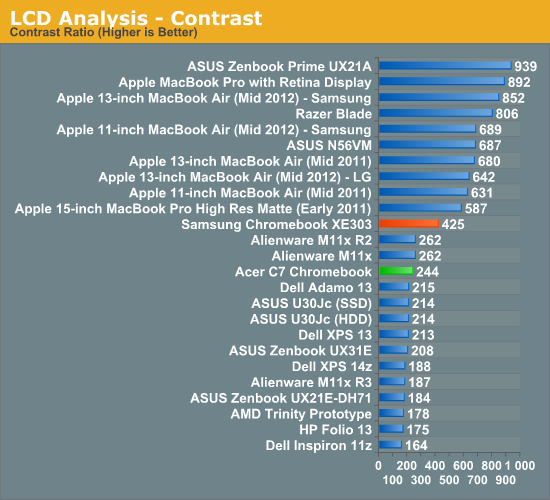
The display is typically bargain bin stuff, though certainly a step behind the Samsung's panel. The resolution is a ho-hum 1366x768, and the viewing angles are abysmal. My colorblindedness makes it hard to discern the light blue hue that is all the rage in modern operating systems for selected text, but here it is utterly impossible if the vertical viewing angle is off by more than a few degrees. Distortion appears within a few degrees of viewing the display from any horizontal angle, but this isn’t a big screen for showing off your favorite movie; so, we’ll cut it a modicum of slack. It’s a bad display. Unless all you’re going to do is sit right in front of it and type.
Usability
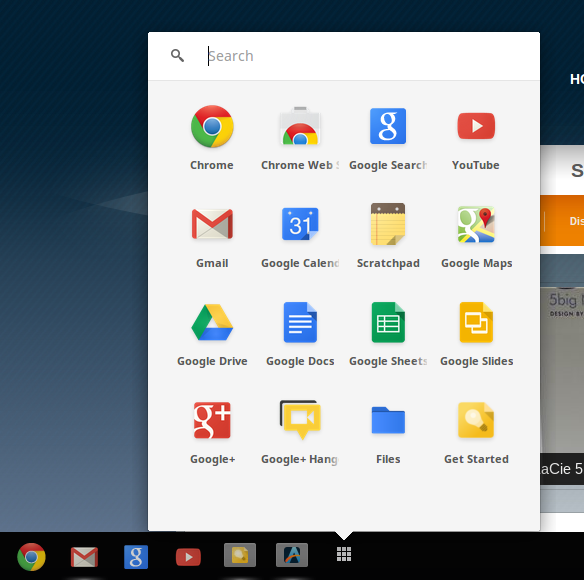
Anand covered the details of Chrome OS before, and I won’t go into any great length here. The limitations of the OS are easy to overlook for anyone that spends most of their time in a browser. Any number of web services can fulfill the role of many standalone pieces of software, both for entertainment and productivity purposes. That includes image manipulation, a must for web publishing, though handling RAW files wasn’t a pretty experience, even with the cloud to help me out. Not all music services have a web player, so there’s some limits there, but there are enough options to choose from.

Chrome OS: Tabs on tabs on tabs
So, there are limits to what this OS can do for you. But are there ways to get around the limits of the browser? You bet. Chrome Remote Desktop is like any other screen sharing software, it allows you to view and manipulate another PC. The big difference here is that it all happens within the browser window.

The quality of the network connection is the biggest factor in whether the screen sharing experience will be good or abysmal. Connecting the Acer C7 to my MacBook Pro on the same network was a good best case scenario and showed that inputs are received with minimal latency, and responses are snappy, so long as you’re not doing anything too drastic. The stream from the host PC is only updated based on changes, so while typing the inputs are received and shown on the client screen almost instantaneously. But switching between full screen apps on the MBP showed some lag and a rather low frame rate.
Originally published at https://www.anandtech.com/show/6476/acer-c7-chromebook-review (Wayback Machine).