
Cougar Challenger Case Review: Is Competitive Performance Enough?
- Posted in
- Cases/Cooling/PSUs
- Cougar
- ATX
Assembling the Cougar Challenger
While the Cougar Challenger may not be very exciting to look at, there's at least something comforting and familiar about assembling a build in a well established layout. The Challenger offered minimal hiccups in assembly and largely came through. Barring the oddly frustrating side panels, this is a fairly easy case to work with.
As I mentioned before, the motherboard tray includes a peg that makes lining up the motherboard a breeze, and if you're using a standard ATX board the extrusions in the tray should ensure that you won't have to install a single standoff. Our testbed board went in pretty easily, though it's worth mentioning that the Challenger's not one of the bigger enthusiast ATX cases. That means headroom over the motherboard is at a bit of a premium, and the AUX 12V line can be a little more difficult to connect.
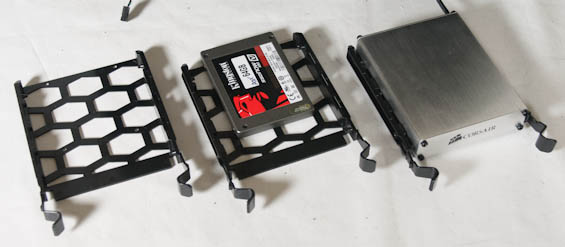
Drives also go in fairly easily. The drive trays have holes for mounting 2.5" drives, and plastic extrusions built into them for snapping into 3.5" drives. This is a common solution and it gets the job done. Meanwhile, to install a 5.25" drive you'll have to remove the front fascia, but it snaps on and off fairly easily and taking out the shields is a breeze. The toolless mechanism used to secure 5.25" drives is also a pretty stable one and I probably wouldn't fret too much over having to use it.
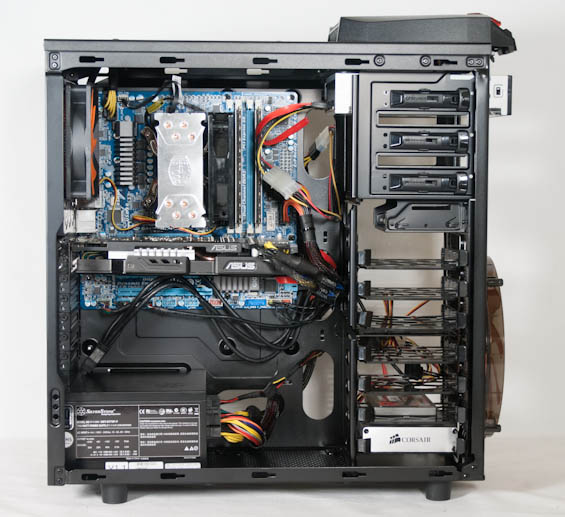
Surprisingly, Cougar doesn't use thumbscrews for the expansion slots. This doesn't bother me that much; typically the thumbscrews are secured so tightly I have to use a screwdriver anyhow, but it's still odd. Installing the video card and power supply went fairly swimmingly, though.
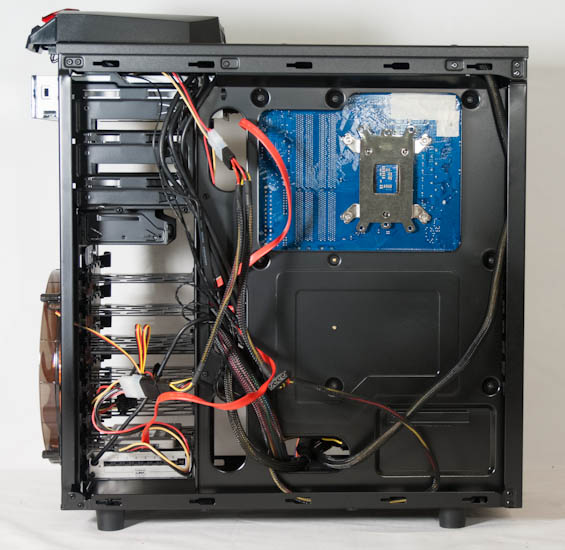
Cabling was also actually a bit easier with the Challenger. The gap for routing the AUX 12V line is tight, but the routing holes in the motherboard tray do their job. Cougar's designers also allowed for a very healthy amount of space behind the tray for routing and stashing cables. The front fan includes both a molex lead and a 3-pin lead, and the USB 3.0 header cable actually includes an alternate USB 2.0 header built into it, both convenient features.


The Challenger's interior may be Case Design 101, but sometimes that's okay. This is for the most part a very easy case to work in, and the first time builder that decides it's the case for him or her shouldn't be too overwhelmed by it (as opposed to advanced level cases like most of what SilverStone produces). Cougar didn't try to reinvent the wheel here, so there are no curveballs to be concerned with.
Originally published at https://www.anandtech.com/show/6414/cougar-challenger-case-review-is-competitive-performance-enough (Wayback Machine).