
AMD's Trinity : An HTPC Perspective
AMD provided us with an A10-5800K APU along with the Asus F2 A85-M Pro motherboard for our test drive. Purists might balk at the idea of an overclockable 100W TDP processor being used in tests intended to analyze the HTPC capabilities. However, the A10-5800K comes with the AMD Radeon HD 7660D, the highest end GPU in the Trinity lineup. Using this as the review platform gives readers an understanding of the maximum HTPC capabilities of the Trinity lineup.
The table below presents the hardware components of our Trinity HTPC testbed:
| Trinity HTPC Testbed Setup | |
| Processor | AMD A10-5800K - 3.80 GHz (Turbo to 4.2 GHz) |
| AMD Radeon HD 7660D - 800 MHz | |
| Motherboard | Asus F2A85-M Pro uATX |
| OS Drive | OCZ Vertex2 120 GB |
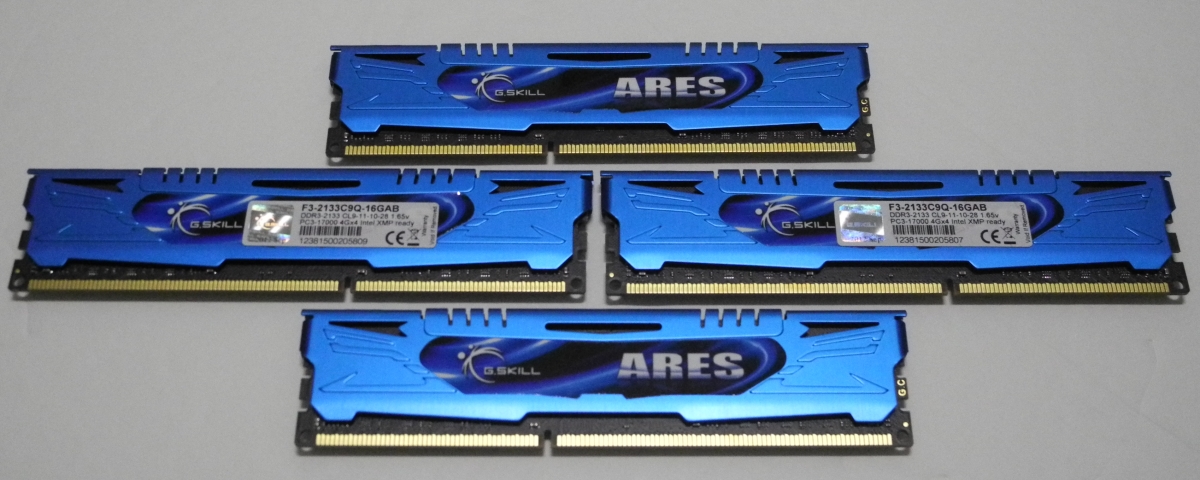
| Memory | G.SKILL Ares Series 8GB (2 x 4GB) SDRAM DDR3 2133 (PC3 17000) F3-2133C9Q-16GAB CAS 9-11 -10-28 2N |
| Optical Drives | ASUS 8X Blu-ray Drive Model BC-08B1ST |
| Case | Antec Skeleton ATX Open Air Case |
| Power Supply | Antec VP-450 450W ATX |
| Operating System | Windows 7 Ultimate x64 SP1 |
| Display / AVR | Acer H243H / Pioneer Elite VSX-32 + Sony Bravia KDL46EX720 |
| . | |
The Trinity platform officially supports DDR3-1866 modules. Towards this, we obtained a 16 GB DDR3-2133 Ares kit from G.Skill for our testbed. Using this kit made it possible to study HTPC behaviour from a memory bandwidth perspective.
The software setup for the Trinity HTPC testbed involved the following:
| Trinity HTPC Testbed Software Setup | |
| Blu-ray Playback Software | CyberLink PowerDVD 12 |
| Media Player | MPC-HC v1.6.3.5818 |
| Splitter / Decoder | LAV Filters 0.51.3 |
| Renderers | EVR / EVR-CP (integrated in MPC-HC v1.6.3.5818) |
| madVR v0.83.4 | |
The madVR renderer settings were fixed as below for testing purposes:
- Decoding features disabled
-
Deinterlacing set to:
- automatically activated when needed (activate when in doubt)
- automatic source type detection (i.e, disable automatic source type detection is left unchecked)
- only look at pixels in the frame center
- be performed in a separate thread
-
Scaling algorithms were set as below:
- Chroma upscaling set to SoftCubic with softness of 100
- Luma upscaling set to Lanczos with 4 taps
- Luma downscaling set to Lanczos with 4 taps
-
Rendering parameters were set as below:
- Start of playback (including post-seek) was delayed till the render queue filled up
- Automatic fullscreen exclusive mode was used
- A separate device was used presentation, and D3D11 was used
- CPU and GPU queue sizes were set to 32 and 24 respectively
- Under exclusive mode settings, the seek bar was enabled, switch to exclusive mode from windowed mode was delayed by 3 seconds and 16 frames were configured to be presented in advance. The GPU was set to fush after the intermediate render steps, copy to back buffer and after D3D peresentation. In addition, the GPU was set to wait (sleep) after the last render step.
Unlike our Ivy Bridge setup, we found the windowed mode to be generally bad in terms of performance compared to exclusive mode. Also, none of the options to trade quality for performance were checked.
Originally published at https://www.anandtech.com/show/6335/amds-trinity-an-htpc-perspective (Wayback Machine).