
Western Digital Red Review: Are NAS-optimized HDDs Worth the Premium?
- Posted in
- Storage
- NAS
- Western Digital
Stress Testing and Effects of Prolonged Usage
Readers of our other NAS reviews might be aware that we are in the process of building a NAS testbed capable of testing mult-client scenarios. While the details of the testbed will come in a separate piece next week, we will describe the relevant part of the system in this section. Since the Synology DS211+ performed the best amongst the three tested NAS systems and is also officially recommended by WD, we chose it for stress testing. The DS211+ was configured with 2 x 3TB WD Red drives in RAID-1 and connected to a Zyxel GS2200 switch. A dual Xeon workstation was set up to run 12 Windows 7 VMs (each with a dedicated physical disk and a dedicated GbE port connected to the switch). Scripts were set up to do a synchronized data copy from each VM to a Samba share on the DS211+. We paused the scripts after the NAS became 30%, 60% and 90% full to repeat our benchmarks from the previous section. Each 30% step took approximately 15 - 20 hours. A screenshot of the status of the Samba share after the process was completed (90% full) is shown below.
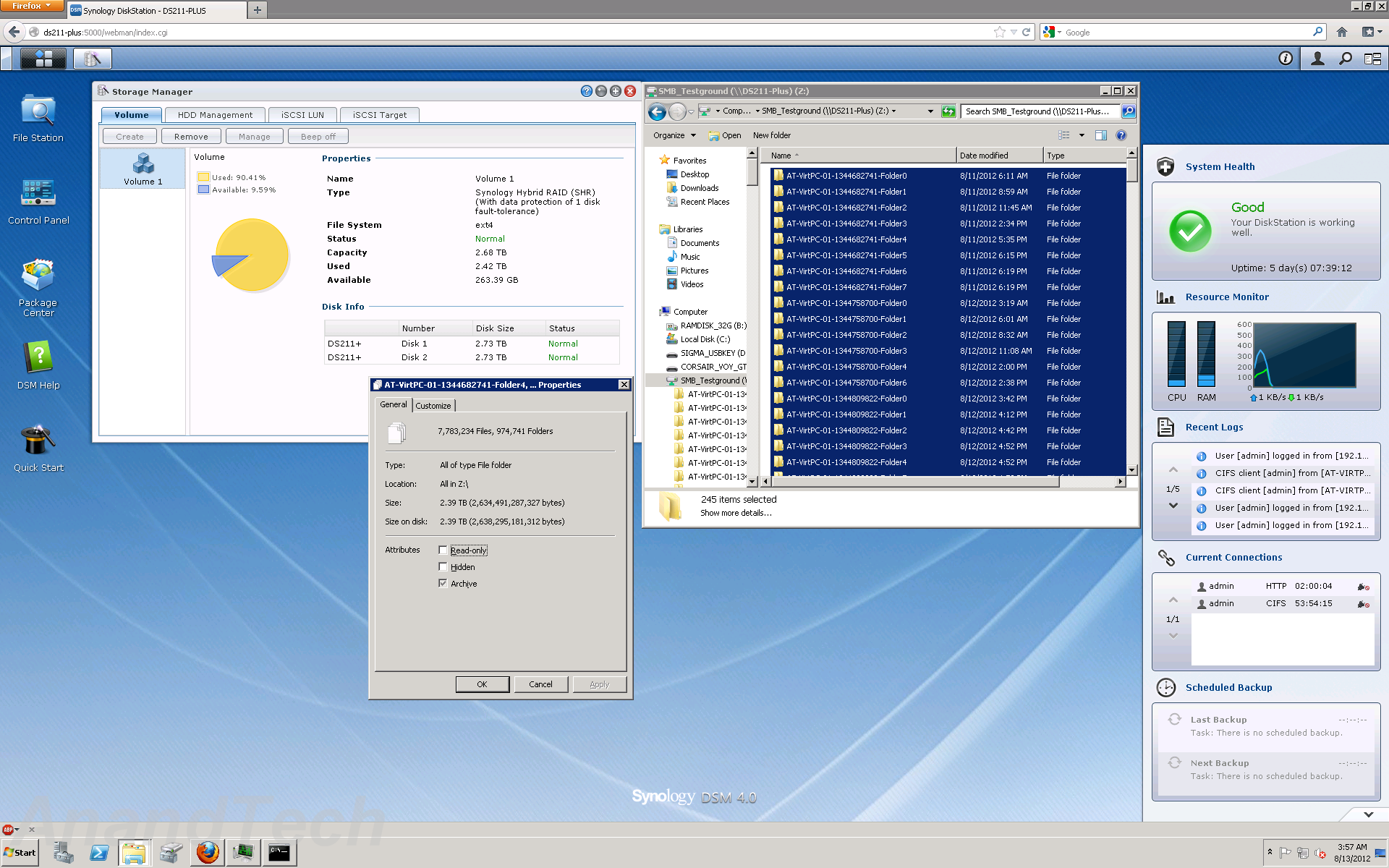
At 90% full, the NAS had more than 7 million files in almost a million folders. 95% of the files were between 0 and 512 KB in size. 1.8% were between 0.5 and 1 MB, 2.8% between 1 and 10 MB, 0.2% between 10 and 100 MB, 0.03% between 100 and 1024 MB, and 360 files were more than 1 GB in size.
The results of running the NASPT / robocopy benchmarks at each stage are provided in the graph below. Note that the NASPT tests were run from one of the VMs in the new testbed, and some of the results could be slightly different from what was obtained with our Summer 2012 NAS testbed.
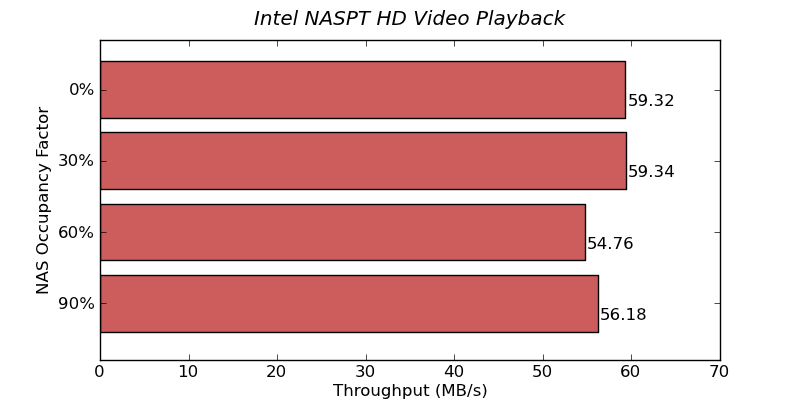

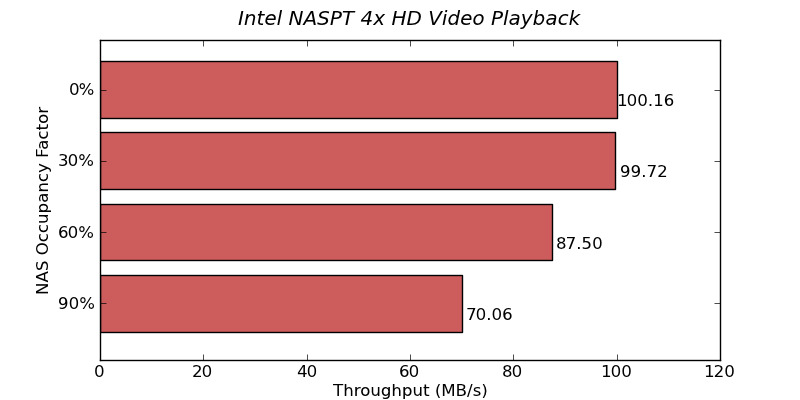
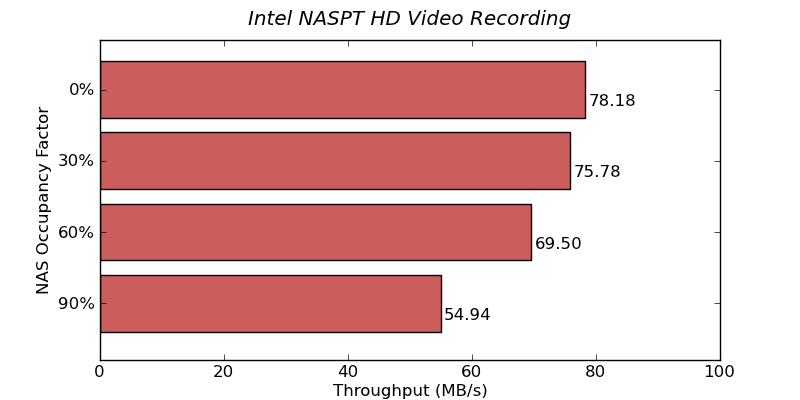
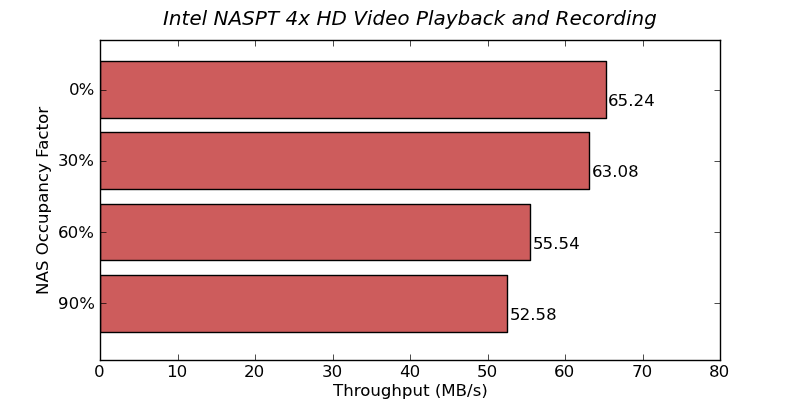
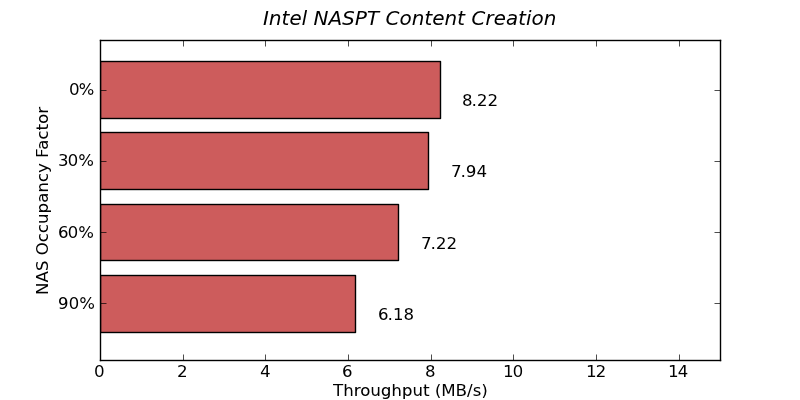
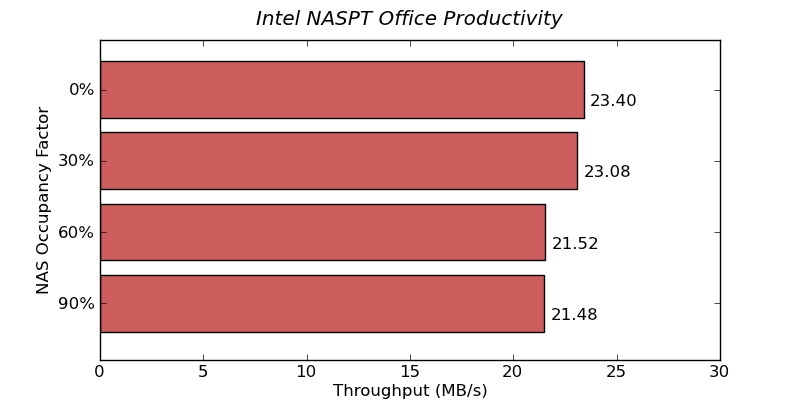

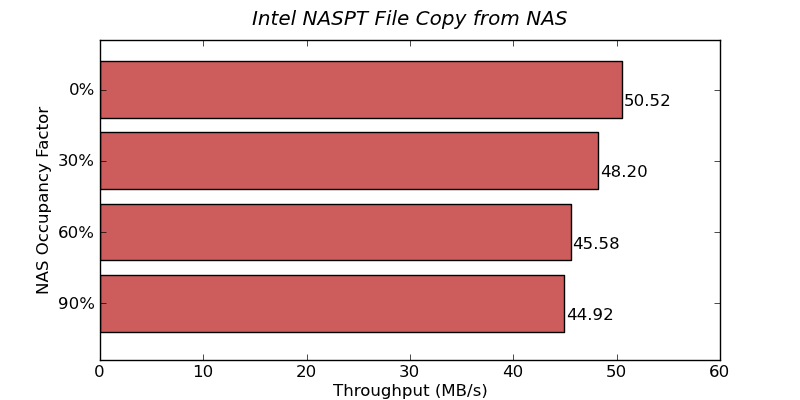
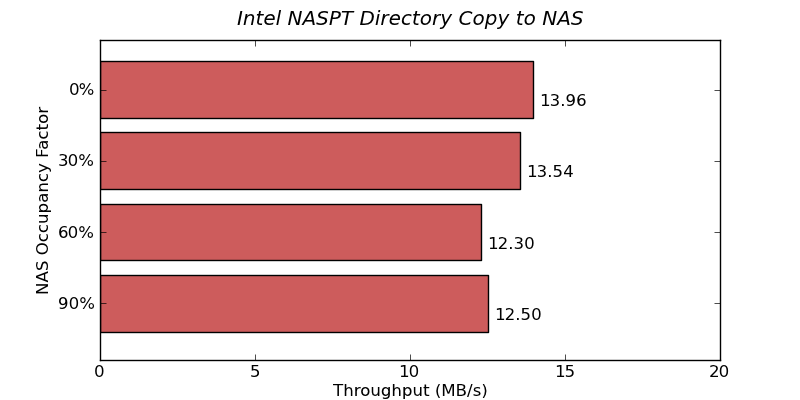

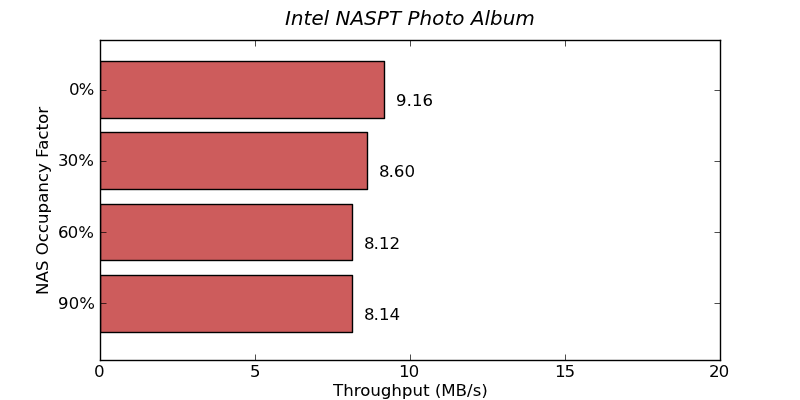
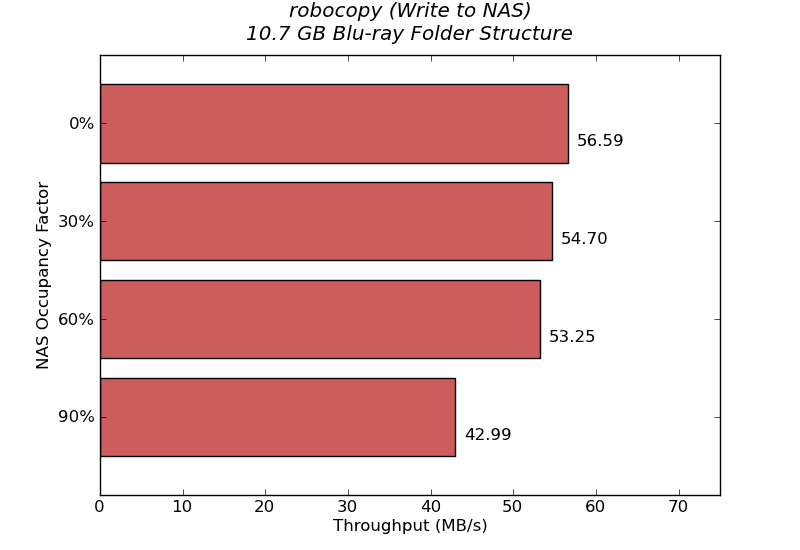
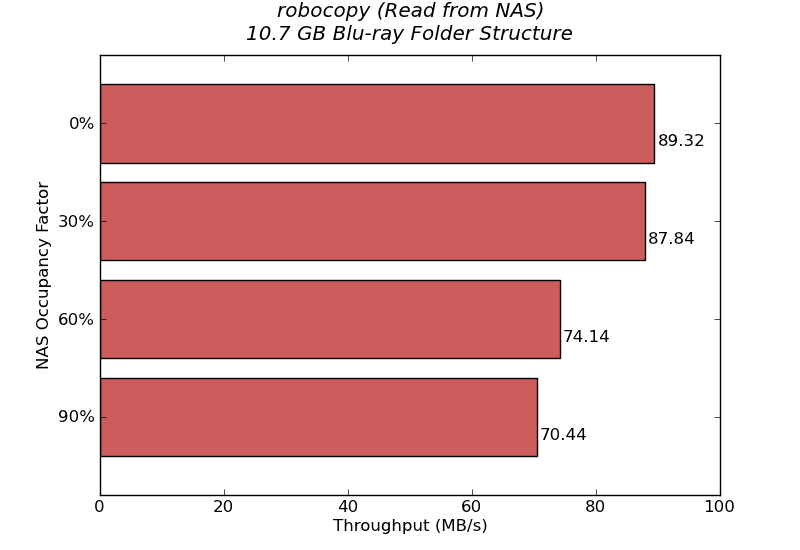
The above benchmarks show that the performance does degrade (particularly for write intensive benchmarks) as the NAS fills up. However, the big gap that we saw in the raw drive performance (in the HD Tune Pro benchmarks) doesn't seem to be as evident when the disk is being used inside a NAS. In any case, it is always advisable to run any NAS below 90% of the capacity.
Originally published at https://www.anandtech.com/show/6157/western-digital-red-review-are-nasoptimized-hdds-worth-the-premium (Wayback Machine).