
Samsung Series 7 NP700Z7C Review
Conclusion: Good for Mainstream but Not for Enthusiasts
For the second straight laptop review, what started out as a system with a lot of promise ends up falling short of my expectations. For many users, the Samsung Series 7 will work very well, but enthusiasts or other folks that tend to push their hardware to its limits may end up less impressed. Let’s start with the good though, as there are many areas where Samsung gets things right.
First off, the Samsung Series 7 is a nice looking notebook (IMO). It’s a neutral silver color with a relatively thin profile, and there’s no gaudiness or bling to be found. I can’t speak for everyone, obviously, but this is the type of laptop I’d feel perfectly comfortable using in public—something I can’t say for some of the other notebooks I’ve reviewed over the years. It’s unlikely to start conversations, but sometimes that’s exactly what you’re trying to avoid.
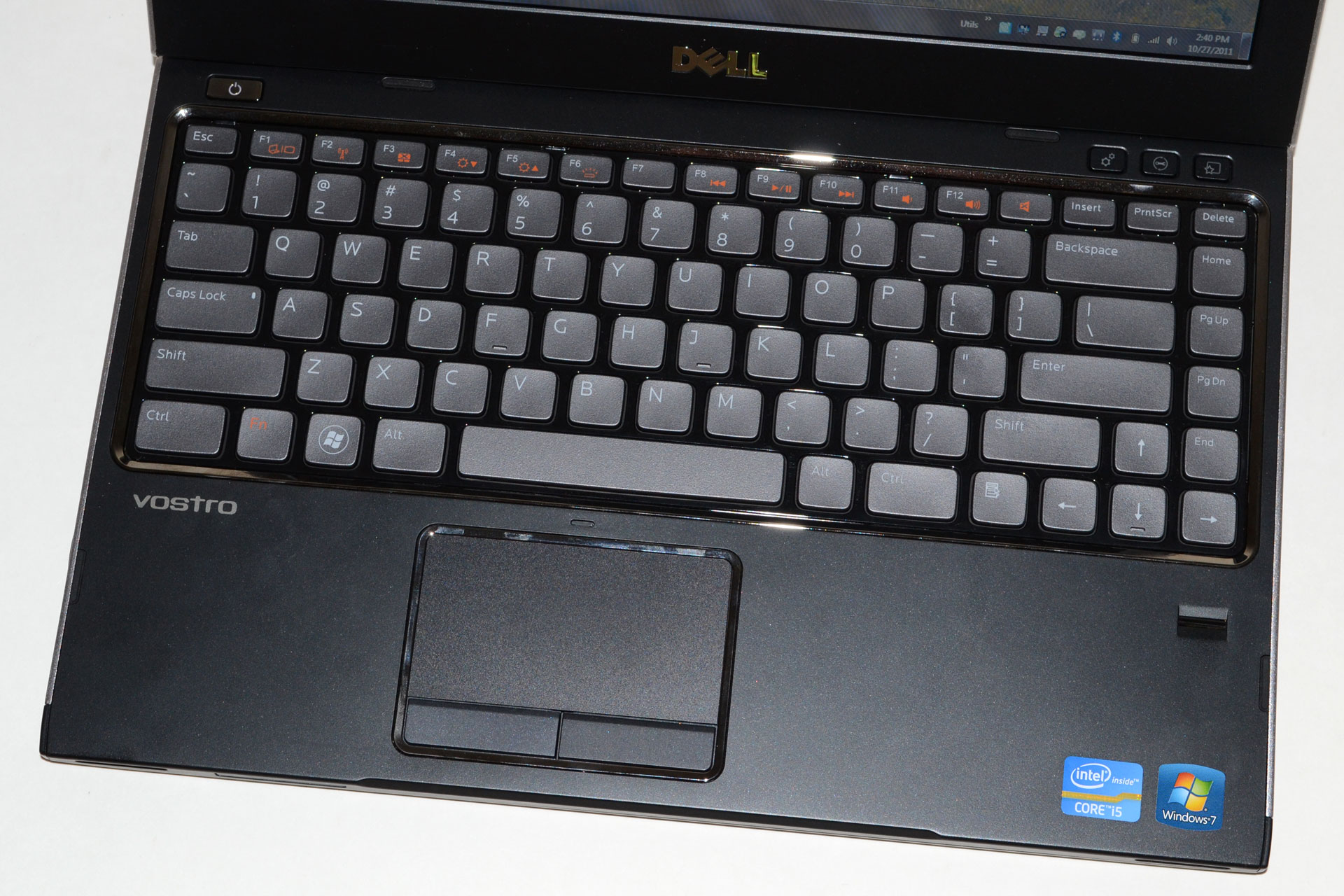
Another good element that’s near and dear to my heart is the keyboard layout. I type—a lot, as you may have noticed [Ed: 8000 words and counting…]—so having a comfortable keyboard is an absolute must in my book, and a proper keyboard layout is only slightly behind that requirement. If I were to pull out my own credit card to buy a laptop/notebook, there are basically two options (in terms of layout) that I’d be happy with. One of those is the Samsung Series 7 keyboard, while the other would be for a smaller 13.3” or 14” laptop and it would look like the Dell Vostro V131 keyboard. Note that I’m not talking about chiclet vs. other key styles here; I’m only talking about the layout—if we’re discussing keyboard styles, I think the older Dell Latitude and Lenovo ThinkPads were better, though they don’t look quite as catchy. So that’s another area that I really like on the Series 7: the keyboard layout (though I still miss the “context key”).


The final item I want to highlight is the display. I’ve seen less expensive Samsung laptops with pretty weak displays—just like pretty much every other brand. For this particular unit, the display is definitely one of the better options out there. You get the increasingly common 1080p FullHD resolution, but more importantly for me is that you get good contrast, good colors, and an anti-glare (matte) coating. The maximum white level is decent, and while I’d like to see closer to 400 nits in an ideal world, 300 nits is sufficient for use in well lit areas thanks to the matte surface. IPS displays with true 8-bit color are still better in my opinion, but this is about as good as you can get from TN panels. Too bad everything has gone 16:9, as I would prefer 16:10, but that’s probably beating a dead horse.
With all the good elements, there’s one major flaw that’s hard to overlook: thermals and potential throttling. Even if you live and work in an environment that never gets above 70F/21C, putting a maximum load on the CPU, GPU, or especially both simultaneously will quickly result in less than maximum performance. I’ve pounded on other notebooks with similar stress tests, with varying results. Dell’s XPS 15 fell flat on its face and has yet to get up, despite an updated BIOS; meanwhile ASUS’ N56V series laptop handles the load quite well, with no throttling evident, but with CPU temperatures that are rather alarming. Given that the Dell and Samsung notebooks are both quite a bit thinner and have exhaust vents behind the LCD hinge, there’s a relatively strong correlation between the designs and the results. Of course, the ASUS N56V that I have also sports a slower GT 630M DDR3 GPU (and a faster i7-3720QM), and that’s likely playing a role, not to mention that the CPU does hit a blistering 104C—but it never actually throttles in my experience and I haven’t had it crash yet [Ed: Knocks on wood].
Despite the fact that the Samsung Series 7 didn’t quite handle our stress testing as well as I would have liked, the limited throttling isn’t a complete deal breaker. In most games, the CPU will actually run at its rated 2.3GHz (or higher) speed without difficulty, and while temperatures are still higher than we’d like at least games run quite well without requiring the use of a tool like ThrottleStop. Incidentally, I did do some testing with ThrottleStop and was unable to improve on the initial results, which is why I didn’t have a lengthy section discussing performance while using the utility. The updated BIOS manages to hit a pretty consistent 2.3GHz on the CPU while keeping the GPU clocks at 725MHz, and the result is performance slightly better in some cases than what we’ve shown in our charts. It’s still possible that Samsung could further improve performance in worst-case scenarios with another BIOS update, but short of pathological workloads most people should be fine with the latest BIOS revision (though tweaking the fan speeds to run at a higher RPM might still be useful if it can be done).
If the appearance, keyboard, and LCD are good aspects and the thermal performance is a bad aspect, in the middle we have the overall performance and build quality. The Series 7 is definitely built better than budget laptops, with an aluminum palm rest and a reasonably sturdy chassis. However, it’s not as rigid (or heavy for the size) as a machined aluminum chassis would be, and likewise it’s not at the level of higher class business laptops. It’s built well enough that I wouldn’t complain about the quality, but it’s not so amazing that it warrants high praise. As for performance, the CPU is fast enough for all but the most demanding users; the GPU on the other hand is a step down, with good enough performance for moderate detail 1080p gaming but not enough to really tackle high detail 1080p gaming in many titles. I can live with both of those components, but the HDD + SSD cache configuration ends up being noticeably slower than I’d like. While a larger caching SSD with Intel’s SRT would be better, what Samsung and other vendors really need to do is to simply use a minimum 128GB SSD for the OS and primary applications. Given Samsung’s position as a quality SSD manufacturer, this should have been an easy upgrade that got lost in the pursuit of lower BoM costs and/or higher profits.
The result of the above is that Samsung straddles the fence and ends up with a device that has premium pricing and looks, but it doesn’t always feel or perform like a premium product. If you’re mostly interested in getting a good display with a nice keyboard and an attractive notebook, the Series 7 has a lot going for it. Obviously it’s not going to appeal to the thin and light crowd, but I know users that prefer larger LCDs on their notebooks; that’s exactly the type of user Samsung is targeting with the Series 7 NP700Z7C. On the other hand, if you’re after something that can function as a mobile workstation, or if your friends and family refer to you as a “gamer” or “technology addict”, there’s a good chance you’ll end up disappointed with the throttling/performance; we also have concerns about the long-term prospect for the notebook, as cooling tends to become more of a problem with age. For such users, we recommend looking at other alternatives, and my top bang-for-the-buck notebook right now continues to be the ASUS N56VZ. $1000 (plus shipping) will get you essentially the same level of performance as the Series 7 with another good LCD (better in some ways), for $400 less. You could then take that $400 and buy a roomy 512GB SSD, or go for something a little less extreme like a $200 256GB SSD and you’d still end up way ahead on performance and pricing.
Originally published at https://www.anandtech.com/show/6149/samsung-series-7-notebook-review (Wayback Machine).