
Corsair Carbide 300R Case Review: Corsair For the Masses
In and Around the Corsair Carbide 300R
If you've been keeping up with our reviews of Corsair cases, the Carbide 300R is going to be pretty familiar to you. It's missing a couple of the advances we see in more modern Corsair designs like the Obsidian 550D and the Vengeance C70, but keeps a surprising number of conveniences just the same. I get the feeling the 300R is about as trimmed down as Corsair is willing to go, but they may yet surprise us with a 200R down the road.
The front of the 300R is matte black plastic and steel and it gels together very well. There are three 5.25" drive bays but at this point I'd almost recommend going down to two and just using the extra space for increased ventilation, maybe even expanding the front intake fan a little bit more. On my own desktop I use four of the 5.25" bays, but I could give up two relatively easily. The power buttons and I/O are on the top front of the case, which is a fine compromise for users who keep their towers on the floor and users who keep their towers on their desks.
When you move to the top of the 300R, you'll see virtually the entire thing is ventilated except for a small tray-like area in the front, but what I'm particularly fond of is the alignment of the two 120mm mounts for 240mm radiators. This is a point that Antec missed on the P280 but SilverStone nailed on the TJ04-E: it's not so much a matter of vertical clearance for a radiator as it is lateral clearance; you want to avoid crowding the VRM cooling on the motherboard with the radiator. By shifting the mounts towards the side panel, Corsair provides enough room to either use two 140mm exhaust fans or a 240mm radiator (again, like the H100) without crowding the motherboard itself. It's a small but important touch.


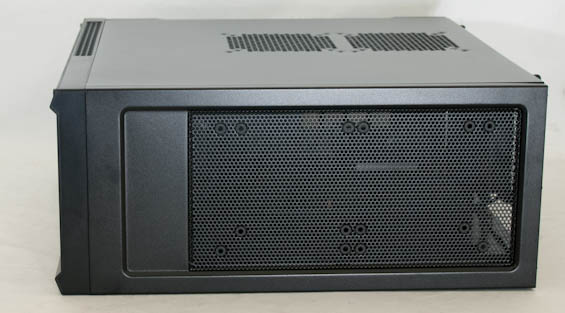
The left side panel of the 300R features two laterally arranged 120mm/140mm fan mounts to provide additional cooling for video cards. I've been bullish on having fan intakes on the side due largely to the stallare performance of Rosewill's Thor v2, but the Thor v2 also benefits from a massive 230mm side intake fan that tags pretty much the entire motherboard area short of the CPU cooler. When testing the Corsair Carbide 400R with optional side intake fans I was less impressed. The expansion space is appreciated but I'm not sure it's necessary at this point.
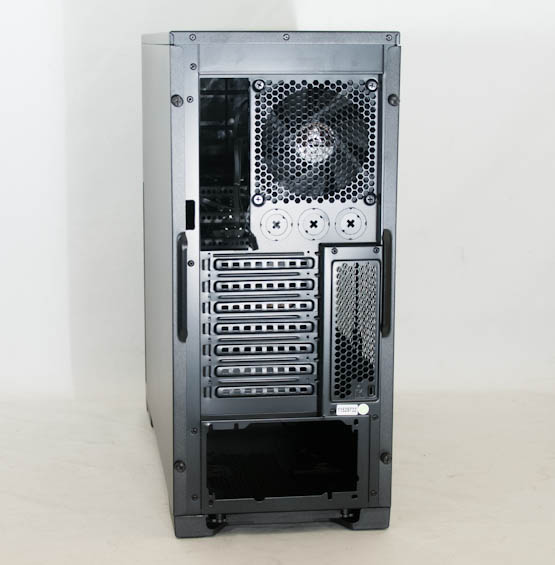
Meanwhile, the rear of the 300R is business as usual, with three cut-outs for external watercooling. What's funny is that it appears Corsair didn't really save any height on the case by eschewing an eighth expansion slot; there's space for one, they just didn't cut it out.
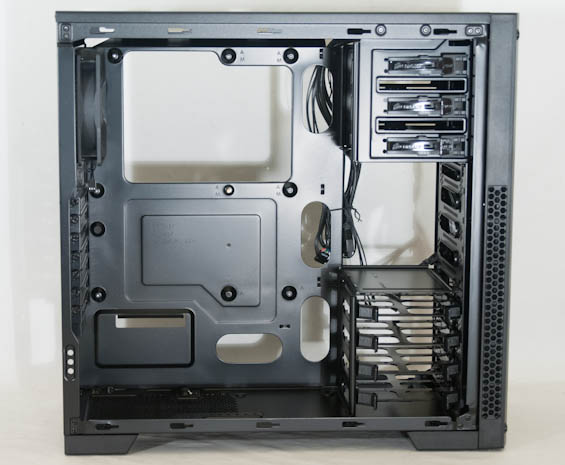
Four thumbscrews are all it takes to get the side panels off, and once we're inside the 300R it's business as usual. What's impressive is the amount of convenience that Corsair has managed to cram into an $80 case. The three 5.25" drive bays are all toolless (and in fact the bay shields snap in and out securely but also easily), the four laterally mounted drive sleds all snap 3.5" drives into place toollessly, and Corsair even includes a brass guide stud in the center of the motherboard tray to hold the motherboard in place while you screw it in. Expansion slots include covers held in place by thumbscrews, too, and there are extrusions in the tray to make for easily mounting the motherboard and for lining up the power supply. In fact the only convenience they really eschewed was lining the motherboard routing holes with rubber grommets. I'm sure we're all crying into our beer over that one.
On the nights when I need to get a review done, but maybe I have a headache, or my tummy hurts, or whatever, I know I can count on a Corsair case to make my life a little easier. Once again, that seems to be true. Thermal performance remains to be seen (though I'm optimistic about the unobstructed front intake fan and slightly positive pressure design), but at least assembly will be a breeze.
Originally published at https://www.anandtech.com/show/6055/corsair-carbide-300r-case-review-corsair-for-the-masses (Wayback Machine).