
Plextor M3 Pro (256GB) Review
Introducing Plextool, Plextor's SSD Toolbox
A toolbox is one of the things that separate the wheat from the chaff. Most SSD manufacturers do not offer one, even though SandForce provides a toolbox to every SandForce SSD OEM. Some SF OEMs have simply chosen not to distribute it, although it's possible that there is an associated cost. Intel's and Samsung's toolboxes are probably the most famous and that's for a reason—they really are great. If you want to provide as good an experience for the end-user as possible, a toolbox is more or less necessary. Plextor clearly understands this and thus they have made their own toolbox called Plextool.
Plextool is compatible with with Plextor's M2S, M2P, M3 and M3 Pro series SSDs. See the table below for the firmware version your drive needs in order to be compatible with Plextool:
| Series | M2S | M2P | M3 | M3 Pro |
| Firmware | 1.09 | 1.08 | 1.04 (1.03 for 64GB and 512GB) | 1.03 |
In case you don't know what firmware version your drive is running, you can find out using Device Manager in WIndows. In Device Manager, open Disk drives and right-click your SSD and select Properties. Go to the details tab and select 'Hardware Ids' from the dropdown menu. You should now have a window that looks like this:
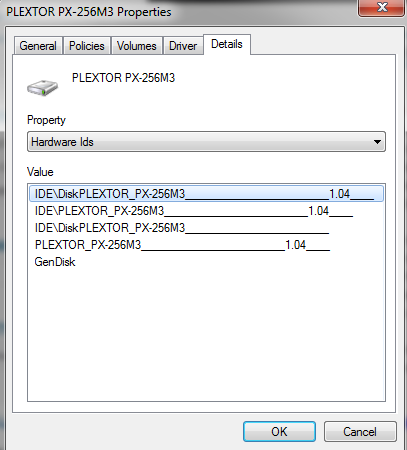
The 1.04 at the end represents the firmware version. And yes, it does change if you update the drive, so it does not stand for the firmware your drive shipped with. I'm using the regular M3 for this section as I've been using it as my boot drive for a few months now, and hence it should give us a better look into what Plextool offers.
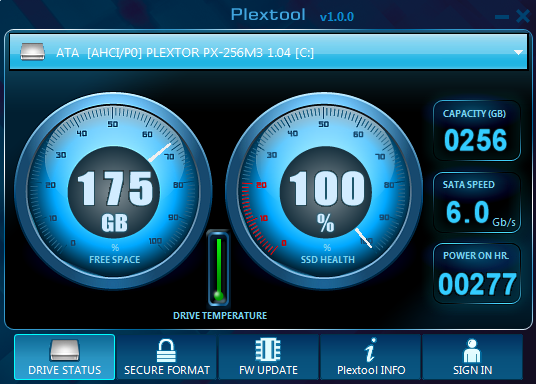
The user interface is very basic and easy to use. There is a dropdown menu of connected drives on the top where you must select your Plextor SSD to see the specifics of your drive. Plextool can read some data on other drives, such as capacity and free space, but other features are strictly for Plextor's SSDs.
Plextool can report the total capacity of your drive as well as the remaining space. These you can easily check in Windows but drive temperature, power on hours, and SSD health are harder to check without third party software. Plextool does not report the actual temperature, though; only whether the temperature is safe or not.
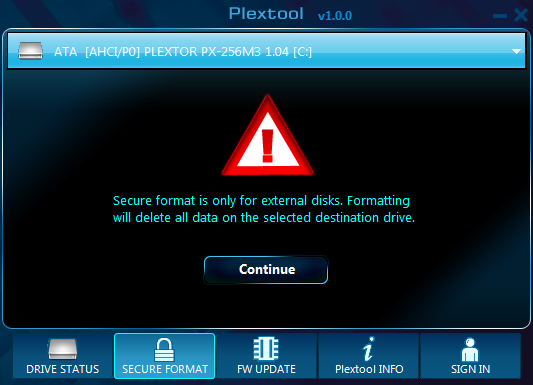
The second tab, 'secure format' allows you to secure erase the drive within Windows. Otherwise you're left with HDD Erase or Linux methods to trigger the drive's internal secure erase function, so secure erase is definitely a welcome addition. However, the only problem is that Plextool only supports secure erase of external drives. I can see Plextor's reasoning behind the decision as it's always risky if you can destroy hundreds of GBs worth of data with just one click. On the other hand, it does seem a bit futile feature now, especially from a reviewer's standpoint. I find it to be more hassle to put the drive inside an enclosure than to simply secure erase the drive with other methods.
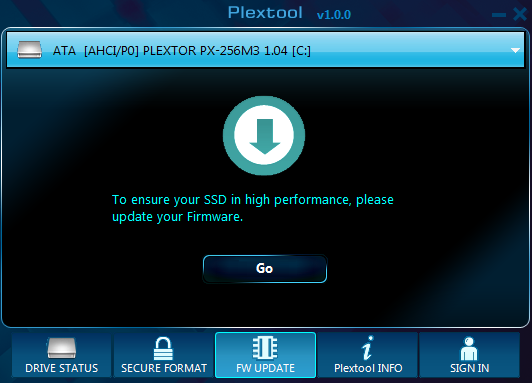
The third and final tab with features is the firmware update tab. Clicking the 'Go' link will open Plextor's firmware update page, so it's essentially just a link to their site.
The two remaining tabs don't hold any real tools. The 'Plextool INFO' tab is basically a help section that includes instructions for how to read the drive status tab. The last tab, 'SIGN IN' is a link to Plextor's VIP registration. However, at least right now the link is dead so we don't know if the VIP membership brings any real benefits.
All in all, I'm extremely happy that Plextor has taken the time and money to build Plextool. There aren't too many toolboxes out there, so offering your own is definitely a great way to differentiate yourself from the competition. It's evident that Plextool is at version 1.0.0, though. Currently it offers a very limited set of features, some of which are easily accessible under WIndows too. It would be useful to see things such as the SMART details that Intel toolbox shows. Making the over-provisioning user-configurable, like Samsung has done, would also be great, especially if the drive is to be put under heavy load. Secure erasing being limited to external drives is also a bit of a con. Hopefully future versions will at least bring some of these useful features.
Originally published at https://www.anandtech.com/show/5851/plextor-m3-pro-256gb-review (Wayback Machine).