
A First Look at Thunderbolt on Windows with MSI's Z77A-GD80
- Posted in
- Motherboards
- CPUs
- Intel
- MSI
- Thunderbolt
The Thunderbolt Display
The first test was hooking up Apple's Thunderbolt Display, the only Thunderbolt display device available on the market today. Although I shouldn't have been, I was a bit surprised when the display just worked. Intel's HD 4000 drove the 2560 x 1440 panel just fine and there weren't any funny issues displaying the lower res UEFI setup mode.
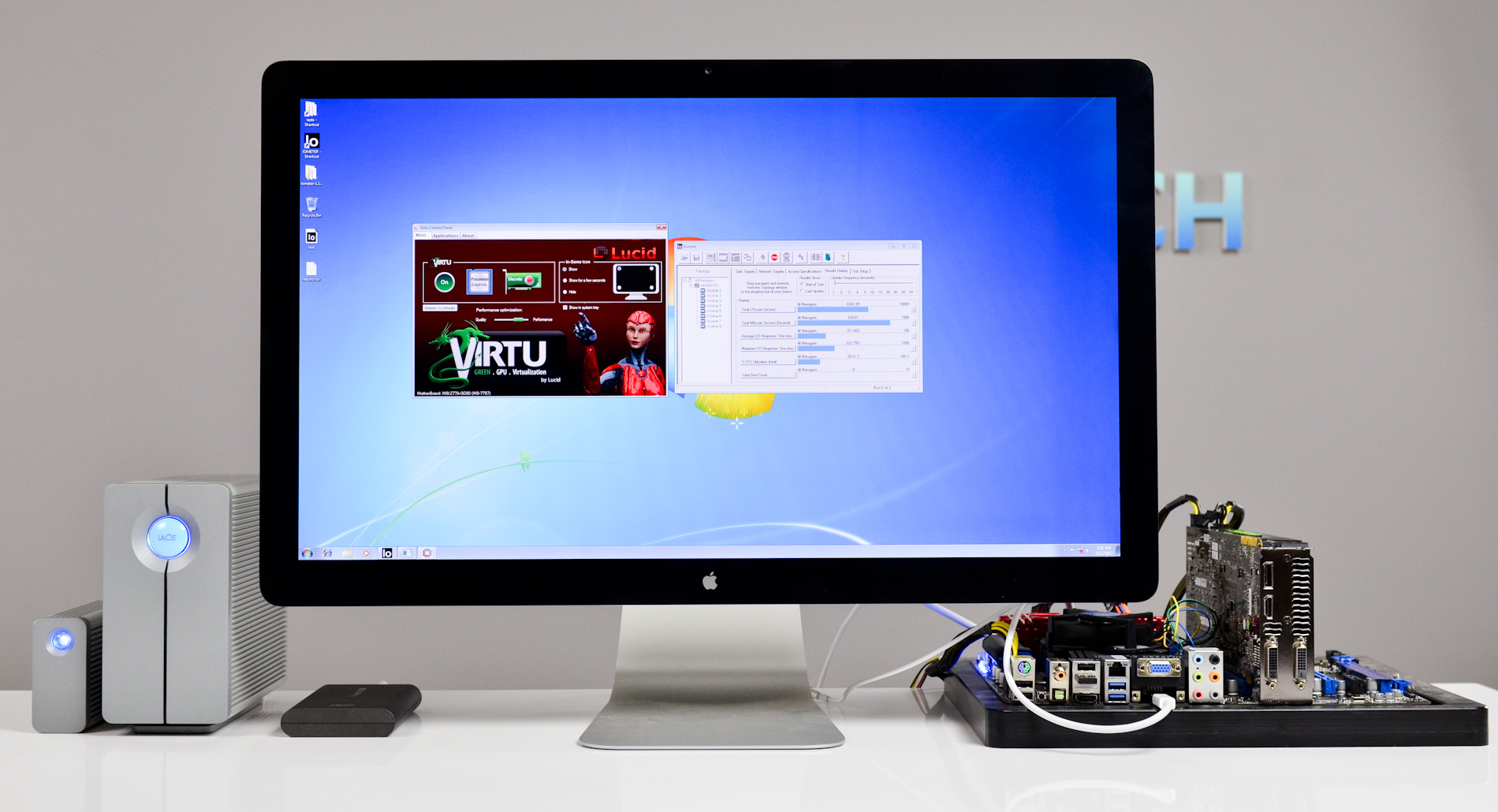
Despite Ivy Bridge being able to drive three independent displays, I was only able to simultaneously output to two connected displays on the GD80. All combinations of two worked however (TB + HDMI, TB + VGA, VGA + HDMI).
Once in Windows, the Thunderbolt Display's integrated GigE, Firewire and other controllers started popping up. Unfortunately Apple doesn't offer a direct download package for Thunderbolt Display drivers. You can either hunt down the controllers/drivers on their own, or you can build a Windows Support (driver) package using a Mac and the Boot Camp Assistant. I'd much rather Apple just offer an easy route for non-Mac Windows users to take advantage of the Thunderbolt Display as it's the only TB display on the market, but I can understand the lack of motivation there.
With the Boot Camp drivers installed, I got working GigE and Firewire 800. The Thunderbolt Display's integrated USB hub gave me issues however. Anything I plugged into it would either partially work (e.g. my mouse was detected but moving the cursor was far from smooth) or not work at all (e.g. my attached USB keyboard never worked). The other issue with the Thunderbolt Display is you get no brightness control, which can be a problem given how bright the panel gets. I've seen reports of people getting brightness control working via software tools but the solutions don't seem permanent.
Apple's Thunderbolt Display definitely works, but Windows users will likely want to wait for a Thunderbolt display that is built specifically with Windows in mind.
Virtu and Thunderbolt: It Works
From a software perspective, Thunderbolt is treated just like another display output driven by Intel's processor graphics. I installed a GeForce GTX 680 along with Lucid's Virtu GPU virtualization software to see if I could use the 680 for gaming but drive the display using Intel's processor graphics and the Thunderbolt port. The setup worked flawlessly.

Virtu recognized the configuration immediately once I had NVIDIA's drivers installed, and I was able to run the 680 headless - using only the Thunderbolt port to drive the external display. Intel's HD 4000 powered things in Windows, while the 680 kicked in for games.

Originally published at https://www.anandtech.com/show/5829/a-first-look-at-thunderbolt-on-windows-with-msis-z77agd80 (Wayback Machine).