
Sony VAIO SE: An IPS Laptop for Under a Grand
Sony VAIO SE Application Performance
Sony opted to ship us a higher spec variant of the VAIO SE, which of course helps out with their ranking in some of the benchmarks. Even so, the base model Core i5-2450M is hardly a slouch in performance. The i7-2640M we’re testing is clocked 12% higher and can Turbo Boost 13% higher, so unless you really need every bit of performance you can wring out of your CPU, we’d suggest sticking with the i5-2450M. A far better use of $210 (the cost to upgrade to the i7-2640M) would be to switch to an SSD, as that will add far more than 12% better performance to many mundane tasks, and SSDs aren’t prone to fragmentation and the horrible sluggishness that plagues PCs after a year or so of heavy use.
As usual, we’ve got several laptops with SSDs in the charts below, and those will rise to the top in tests like PCMark. Other tests will focus more on pure CPU or GPU performance. If you’re wondering how the base model VAIO SE might perform, look at the VAIO SB results—the HD 6470M and i5-2410M are close enough to what you’ll get from the SE that it should help set your expectations. We also have a couple higher-end laptops/notebooks in the charts, but the main reason we’re including the HP EliteBook 8760w is for the LCD comparison later on in the review.
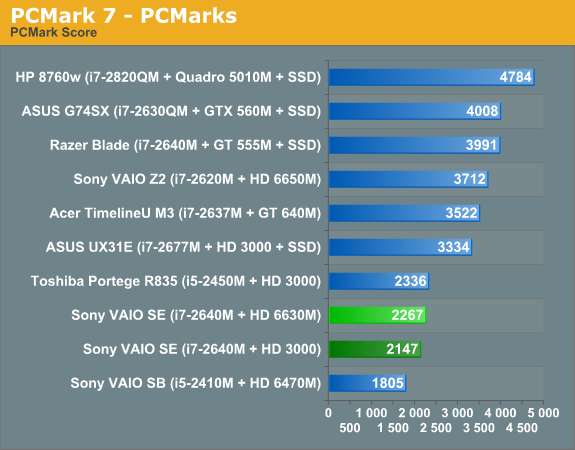
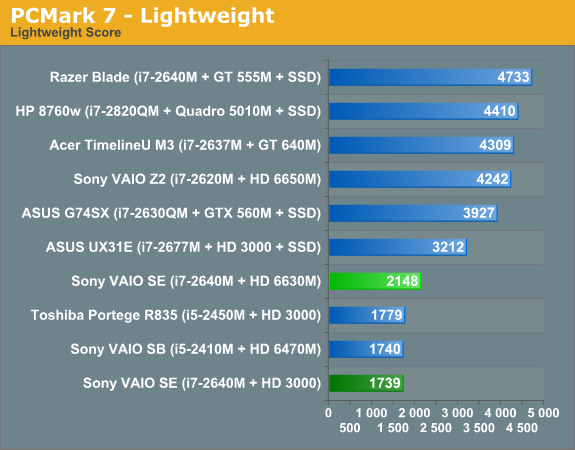
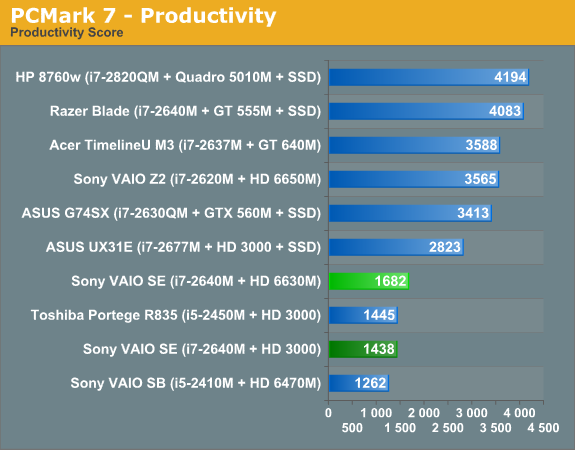
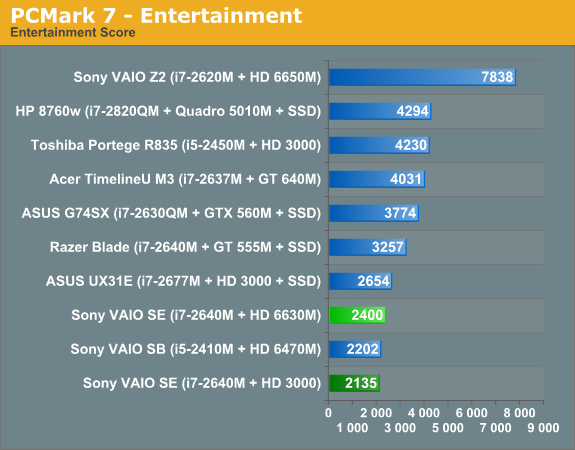
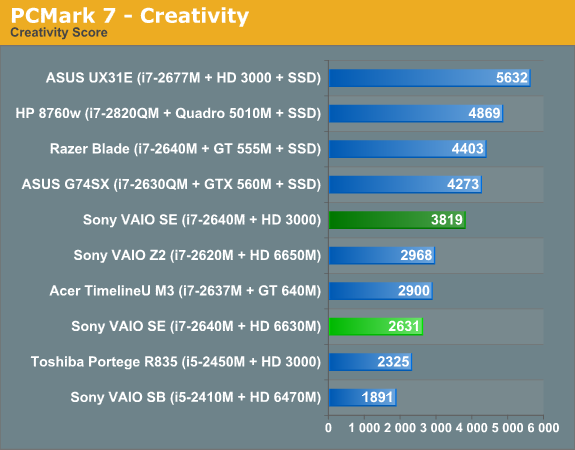
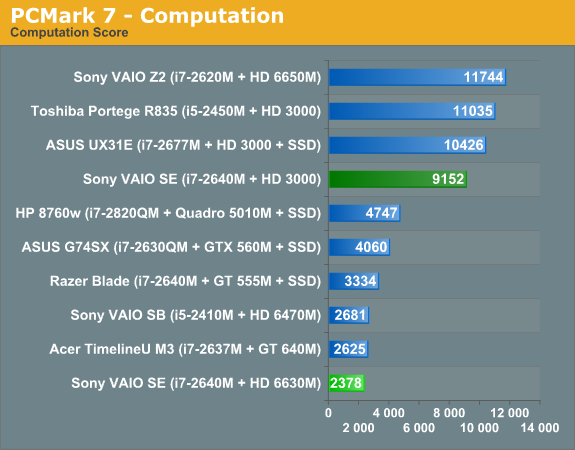
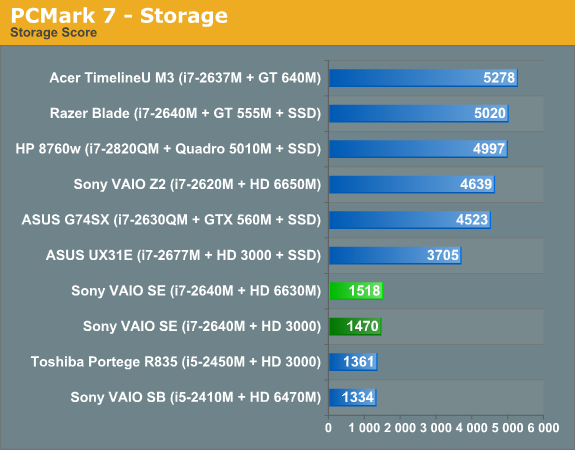
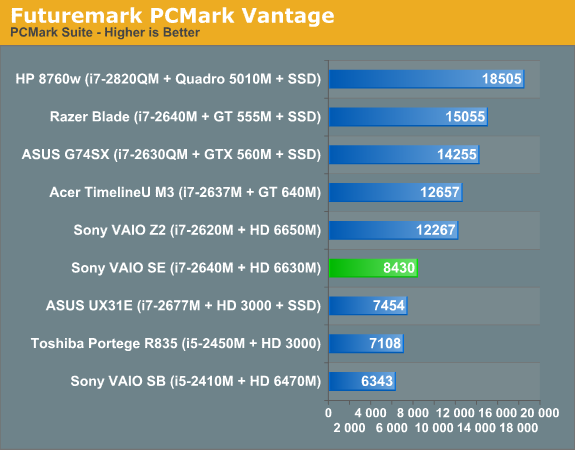
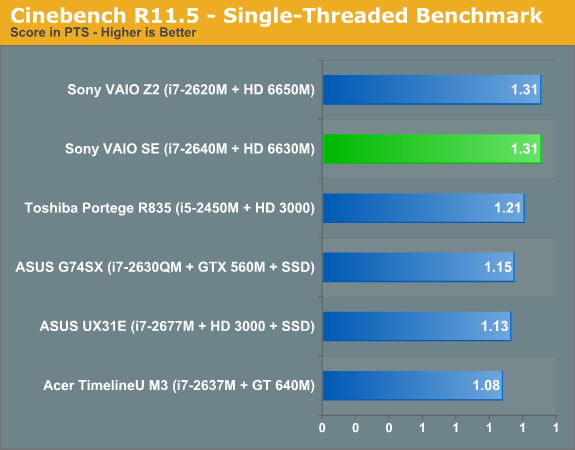
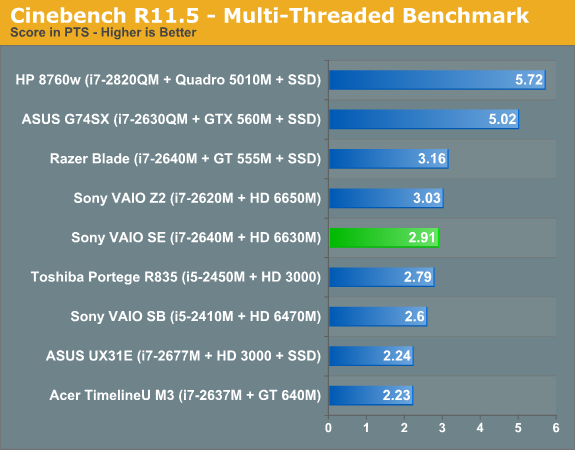
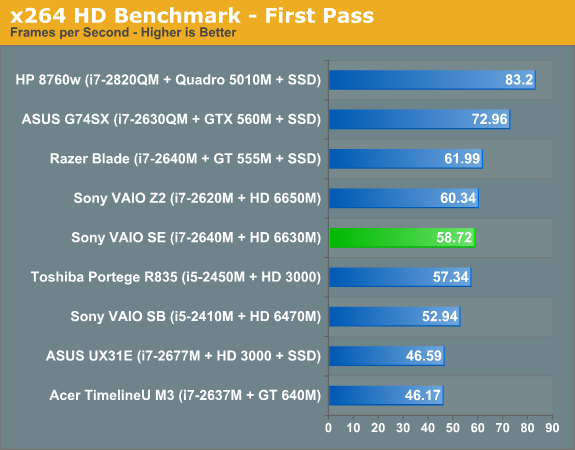
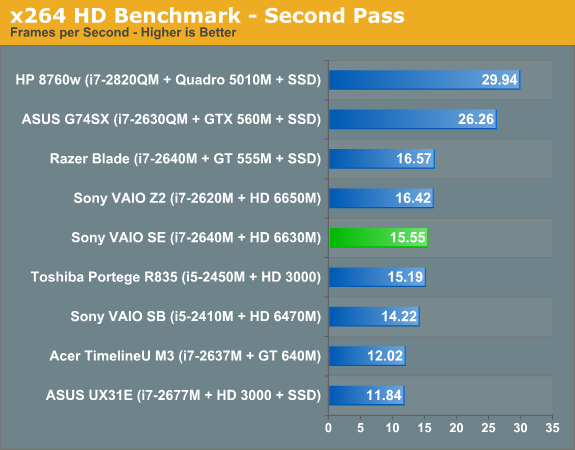
There’s not a whole lot to say about the performance. The VAIO SE falls right about where you’d expect given the configuration we’re testing. It’s interesting to point out that the Razer Blade uses the same CPU as the SE, with a GPU that’s certainly faster and a chassis that provides a bit more cooling potential. Optimus also allows you to dynamically switch between the IGP and dGPU, and we’ve used the dGPU results for PCMark 7 so certain tasks that can use Quick Sync (e.g. Computation and Creativity) take a hit. PCMark 7 and Vantage benefit quite a bit from the presence of an SSD; the closest the VAIO SE gets to the Razer Blade is the IGP Computation score, where the Blade still leads by 31%. Some of that most likely comes from drivers as well, but we can’t say for certain how much is drivers, how much is cooling, and how much is the SSD.
Something else to pay attention to in the CPU-centric benchmarks is how the various dual-core i7 laptops stack up. The VAIO SE and Razer Blade both use the newer i7-2640M while the VAIO Z2 we tested has an i7-2620M; that should result in the SE coming in ahead of the Z2, but Cinebench and x264 encoding both have the Z2 and Blade leading the SE by a small margin. This is likely a result of CPU thermals preventing the SE from hitting maximum Turbo Boost frequencies as often, which is quite surprising considering the Z2 is a 13.1” chassis while the SE is a 15.5” design.
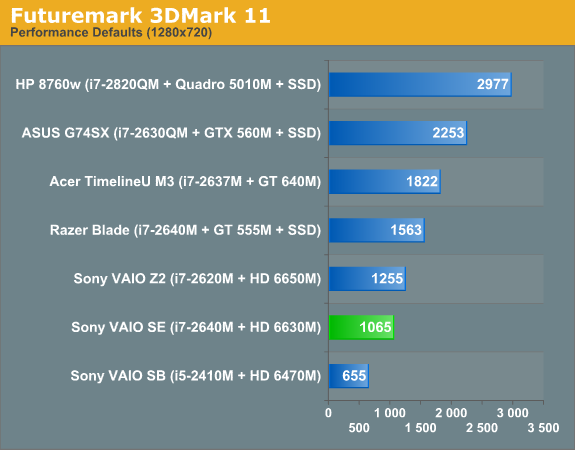
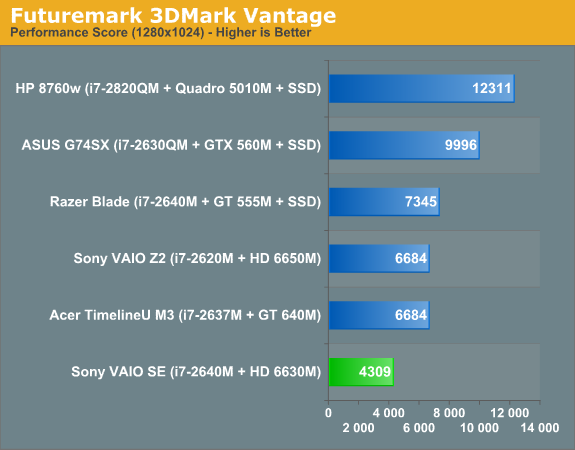
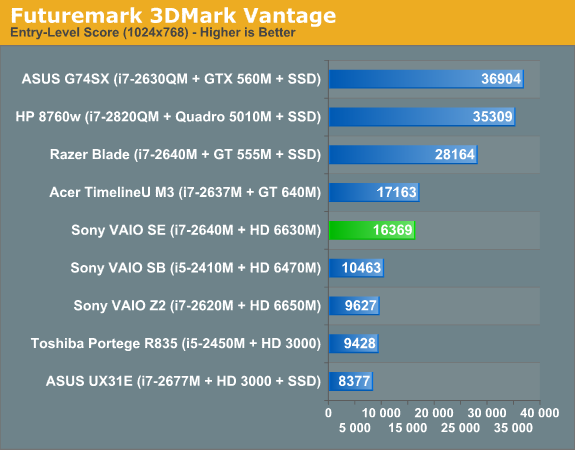
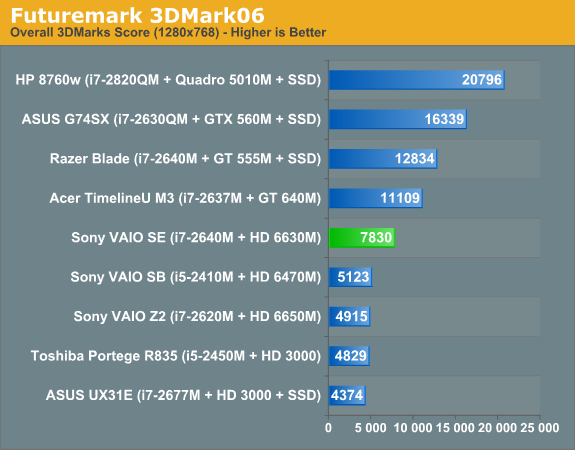
As for 3DMarks, again performance is about what you can expect from the HD 6630M. The VAIO SE clearly isn’t intended as a gaming laptop—particularly if you opt for the base model with HD 6470M graphics—but it can still handle most games at lower resolutions and medium detail. There are also a couple odd results where the 6630M in the SE comes out significantly ahead of the 6650M in the Z2. That could be partly a case of different drivers, but more likely is that the external GPU can’t reach maximum performance while piping content back to the integrated 1080p displays. As for what this means for playing games, let’s get to the actual gaming benchmarks and see what happens.
Originally published at https://www.anandtech.com/show/5722/sony-vaio-se-an-ips-laptop-for-under-a-grand (Wayback Machine).