
NVIDIA GeForce2 MX
- Posted in
- GPUs
It was only a matter of time before another company caught on to Matrox’s success with their DualHead technology. The GeForce2 MX’s second unique trait is that it supports a feature NVIDIA calls TwinView, basically their version of Matrox’s DualHead.
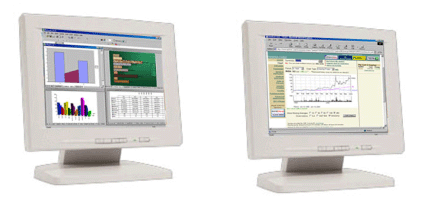
Like Matrox’s DualHead, the MX’s TwinView technology enables support for two displays with a single chip. The setup is a bit more flexible than DualHead because the GeForce2 MX supposedly has two integrated TMDS channels allowing for two digital flat panels to be driven off of a single GeForce2 MX chip. The rest of the configurations are as follows:
- Two CRT monitors with the use of a second external RAMDAC
- Two analog flat panels
- One digital flat panel and one analog flat panel
- One digital flat panel and one RGB monitor
- One digital flat panel and one TV
- One RGB monitor and one TV
- One RGB monitor and one analog flat panel (with second RAMDAC)
- One analog flat panel and one TV
Again, just like DualHead, TwinView allows for various “modes” of operation with two monitors. The standard mode allows for your desktop area to be spread across the two displays. Application exclusive mode lets a single application be assigned to a specific display, this includes DVD playback on a TV as your second display. Clone mode, as the name implies, duplicates what you see on your primary monitor on the second display. And finally, application zoom mode allows the second display to act as a zoomed in portion of something on the primary display.
Originally published at https://www.anandtech.com/show/570 (Wayback Machine).