
Sony Vaio Z2: Everything is Peripheral
Battery Life
The 45Wh battery that comes standard with the Sony VAIO Z2 could probably seem at least a little anemic, but we've seen there's a decent amount of latitude with Sandy Bridge when it comes to ekeing out running time. Sony's own VAIO SB produced a tremendous amount of running time off of its main battery, so much so that the value of the battery slice for that notebook seemed like a genuinely questionable value. So how well does the Z2 handle our battery tests?
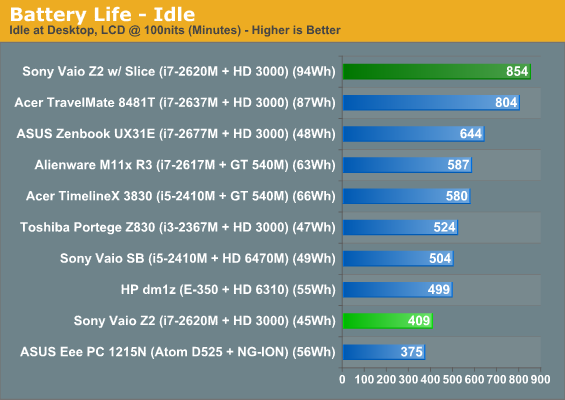
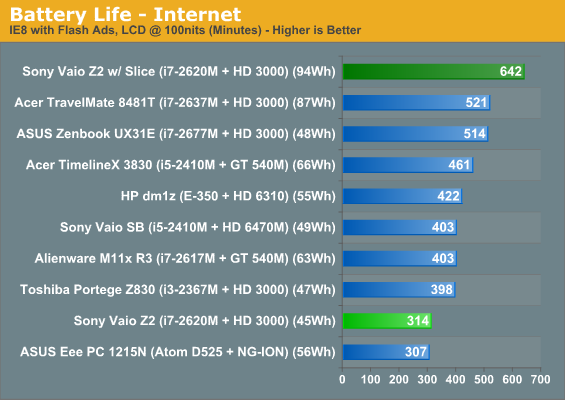
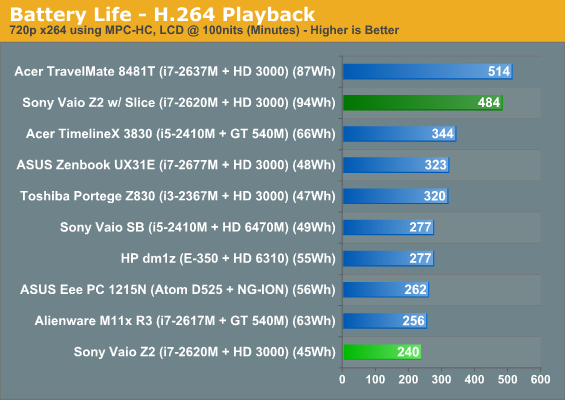
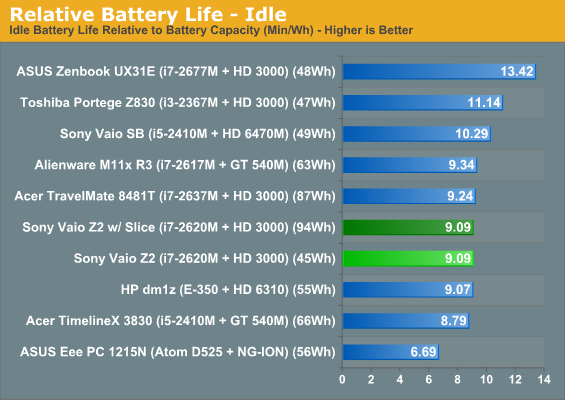
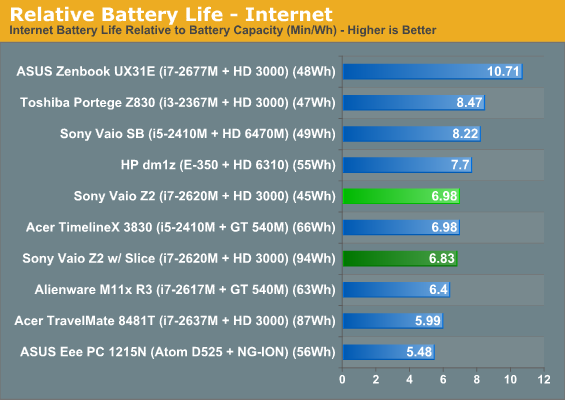
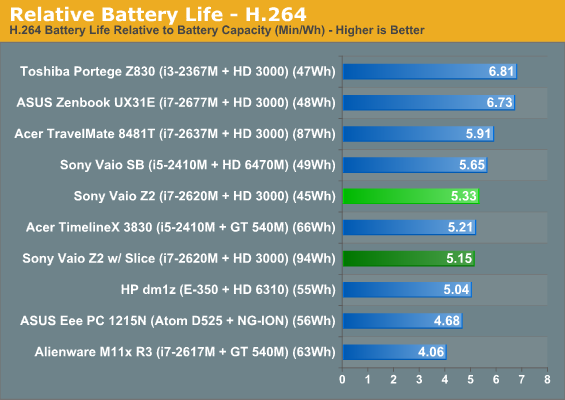
It may not be at the top of the charts, but the Z2 also features a 35W processor instead of the usual 17W low voltage chips found in ultrabooks and other ultraportables. With that taken into account, the Z2 suddenly looks a lot rosier. Add the battery slice to the equation and you're suddenly looking at the vaunted "all-day running time." If ten hours of productivity isn't enough for you, consider taking a break.
Noise and Heat
Where things start to fall apart again for the Sony VAIO Z2 is specifically in noise. Internal heat is a little higher than we like to see, but it's the fan noise that becomes troublesome. Sitting at a normal distance from the notebook, it produces about 43.3dB under load, though fan noise ramps up very gradually. That's not the real issue, though; the real issue is just how high pitched the fan noise gets when the system is under full load. During testing there were times when the fan from the Z2 actually hurt my ears. Thankfully, under load the external dock doesn't produce much in the way of fan noise and is easily drowned out by the Z2.
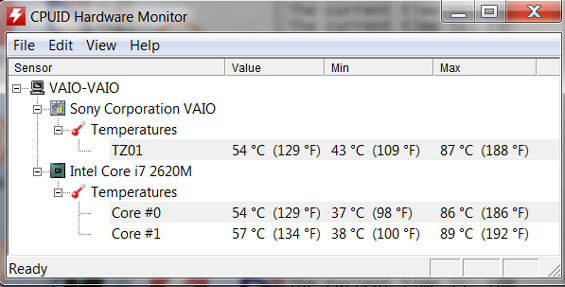
This is, of course, a good part of the reason why the fan noise is so nasty: even running at full tilt, the fan has a hard time keeping the i7-2620M's core temperatures under a blistering 90C. While the surfaces of the Z2 never feel too hot, Sony may well have been overreaching trying to put a 35W processor in this chassis.
Originally published at https://www.anandtech.com/show/5530/sony-vaio-z2-everything-is-peripheral (Wayback Machine).