
Samsung Galaxy Nexus & Ice Cream Sandwich Review
Settings
Android continues to offer configuration options within individual applications as well as centrally located system settings. Once again the lack of a dedicated, system-wide menu button forced Google to rely on a settings icon alone to get you to the system settings panel.
Although most of the configurable options remain unchanged from Gingerbread to Ice Cream Sandwich, Google completely reorganized the Android system settings page. What used to be a convoluted mess of items that weren't always placed logically has now turned into something far more sensible:
| Gingerbread vs. Ice Cream Sandwich | ||||
| Gingerbread | Ice Cream Sandwich | |||
| Settings |
 |
 |
||
Location settings are now separate from security and there's now a dedicated backup & erase section. Subtle changes like these seem to make a lot more sense than the organization in Gingerbread. I find myself spending far less time staring blankly at the ICS settings menus than I did in Gingerbread. Let's hope Google's partners don't go in and shift things around too much.

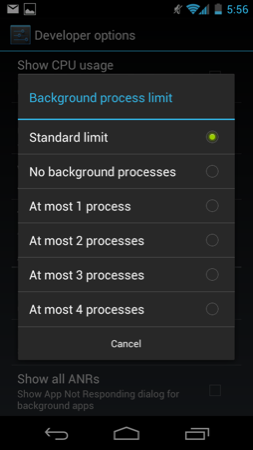
ICS includes a complete set of cool developer options, above and beyond the ability to enable USB debugging. You can force GPU accelerated drawing system-wide, even in apps that don't explicitly request it. You can overlay CPU usage data on the screen, cause any part of the screen that has been redrawn to flash wildly and even mark up the screen with your last touch events:


Most of this isn't useful to an end user but for a developer or just someone who's curious, it's fun stuff. More generally applicable however is the ability to turn on a little circle that follows your finger around the touch screen similar to what's always used in touchscreen demo videos.
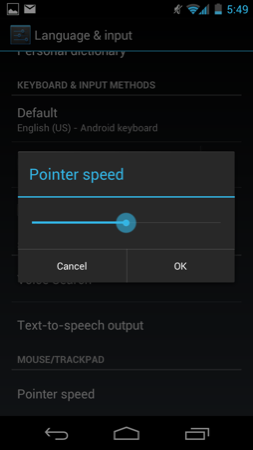
There's also official support for adjusting mouse pointer speed, an obvious inclusion for dockable tablets like the Transformer Prime.
Copying via MTP or PTP
With Honeycomb we saw Google treat tablets as Media Transfer Protocol (MTP) devices rather than traditional USB mass storage devices. For Windows users there was no difference as MTP is natively supported in Vista and 7. Mac users have to rely on third party support for MTP, which Google provided via its own free Android File Transfer application.
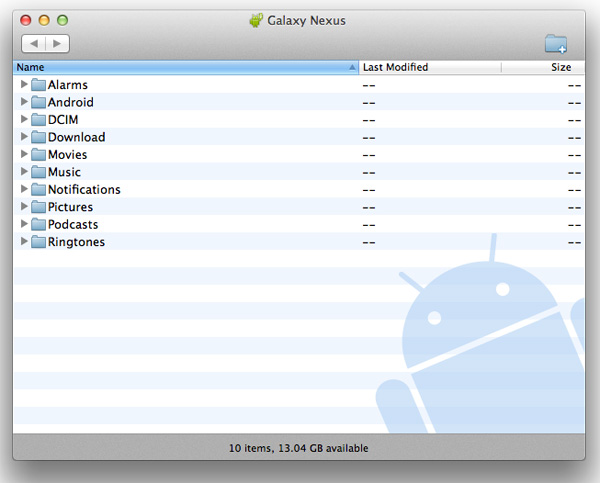
Given that Android exposes much of the file system to the end user, MTP is a safer bet for protecting against corruption from both Android and the connected Mac/PC modifying data on the NAND at the same time.
Business is as usual for Windows users as ICS based devices just appear as a drive letter thanks to native MTP support. If you want to access an ICS device as you would a camera (perhaps for a specific application), Google allows you to toggle between MTP and PTP (Picture Transfer Protocol).
Originally published at https://www.anandtech.com/show/5310/samsung-galaxy-nexus-ice-cream-sandwich-review (Wayback Machine).