
Amazon Kindle Fire Review
- Posted in
- Tablets
- Mobile
- Amazon
- Kindle Fire
- Kindle
Kindle Store
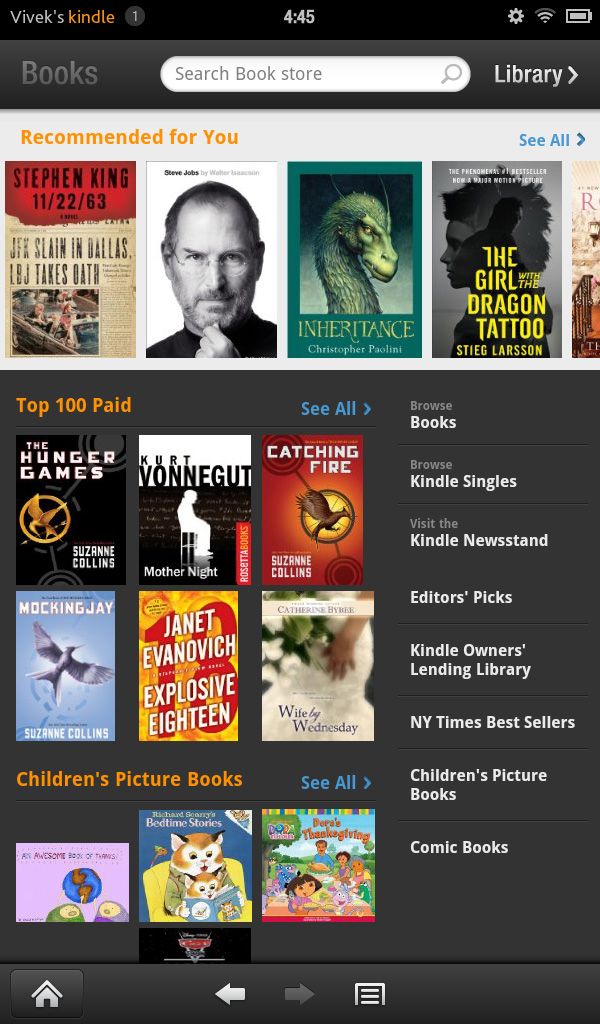
To this point, I've basically been ignoring the elephant in the room - content purchasing. The Kindle Fire is naturally tied to Amazon's Kindle Store for eBooks, newspapers, magazines, and singles (essays, articles, and short stories).
Displayed prominently on the Newsstand and Books libraries is an innocent looking link to the Kindle store. The Newsstand store is pretty similar to Apple's Newsstand store, while the Book store basically looks like iTunes for eBooks.

The standard array of newspapers and magazines are available, with a couple of notable exceptions (like the Wall Street Journal). Most magazines go for between $1 and 3 a month and around $3-5 if you're buying a single issue. Newspapers tend to be in the $10-12 range per month and $0.75-0.99 per day, though The New York Times asks for $20 for a monthly subscription.
Some magazines (TIME Magazine and Conde-Nast publications among them) have tablet-specific apps from which you can purchase and download issues. Because they're designed specifically for the tablet form factor, the reading experience is first-rate, with clearer text and fewer slowdowns than the standard magazines, in addition to videos and other interactive content. One major annoyance though: if you leave the application while an issue is being downloaded, the download will be cancelled. Considering that the interactive, rich-format apps are 250-300MB in size, it gets a bit tiring to wait through the downloads.
The Kindle eBook store is basically the biggest name in digital book purchasing and delivery, so it's about as comprehensive as you can get. Recent books and big name titles go in the $10-15 range (top sellers in order are $15, 15, 14, 10, and 13), whereas classics can be had for as little as $0.99. Singles and short stories also go in the $1-3 range. I think most digital books are overpriced considering that you don't actually get a physical book with them, but people are still buying them in droves, so what do I know?
The experience is pretty seamless - select the title you want and you're given two options - "Buy" and "Try a Sample". Pick one and it'll download. Samples are actually pretty nice, they send the first few chapters, just enough to get you interested, and then you see a nice message that says "End of this sample Kindle book. Enjoyed it? Buy now."

There's actually a third option, if you're a Prime member. You can go to the Kindle Owners' Lending Library. You can basically pick a book from their list, and every calendar month, you can borrow one to read for free. No due dates, no strings, just one free book a month that you can borrow. And it's some pretty major titles too, former New York Times bestsellers and the like. Currently, the most popular books on the Lending Library are the Hunger Games trilogy. The Lending Library is the first of two Prime services on display here, the other being Instant Video.
Prime Instant Video & Movies
Prime is the second major money maker here after the Kindle store. Amazon even throws in a one month free trial to Prime with the purchase of a Kindle Fire, just to make sure you know what you're missing if you decide to not get it. The biggest content pushed by Prime is Instant Video, basically Amazon's equivalent to Netflix. You can stream any of 10,000+ movies or TV shows instantly through Prime, or rent/purchase them for a cost. The streaming option is definitely nice, because you don't have to deal with downloading and storing the movies and running into issues with the limited amount of onboard NAND.
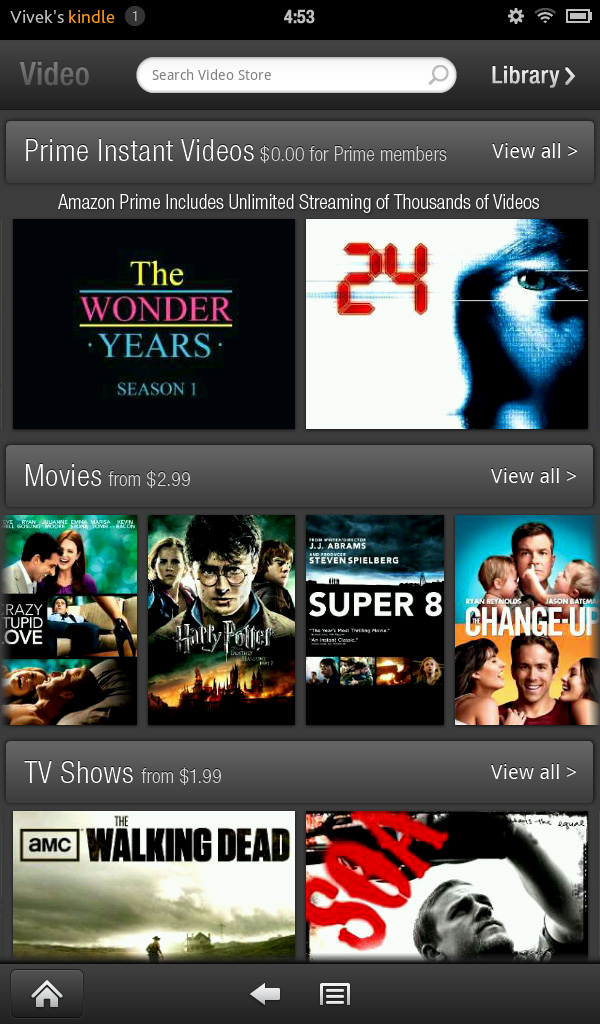
As such, the video library takes you directly to the storefront. At the top are the featured Prime Instant Videos; underneath that are the featured movies and TV shows available for purchase. The Prime Instant selection is good enough that you can get away without paying to download movies. You can save videos from Prime or the Video Store to the favorites list. The video playback controls are very simple, just play/pause, a time bar, a rewind by 10s button, and volume control.


Music and video content can be preloaded onto the device, so long as the videos have a filesize of less than 2GB. High Profile H.264 content plays without an issue. The Kindle Fire had no problems with HP streams at up to 30Mbps. In fact, you're more limited by the 2GB file size limitation than you are bitrate on the Kindle Fire. We have TI's excellent video decoder to thank for this.

In addition, music can be purchased from the Amazon MP3 store and streamed from Amazon's Cloud Drive web storage app. The music player itself is pretty standard and relatively similar to the original Gingerbread one. When music is playing, the song shows up in the drop down notifications menu for easy access to the player. I'd like to have seen some form of control in the notifications menu or on the lockscreen, but no such luck.
Originally published at https://www.anandtech.com/show/5128/amazon-kindle-fire-review (Wayback Machine).