
Apple iOS 5 Review
iTunes Wi-Fi Sync

Another much requested feature that finally makes its debut in iOS 5 is wireless syncing. Apple calls it iTunes Wi-Fi Sync and its introduced under the PC Free initiative that ironically has a USB cable and a pair of scissors as its marketing icon. Unfortunately, iTunes Wi-Fi Sync asks that your phone be connected to a power source for the feature to work. This shouldn’t be too hard to grasp considering the massive power drain issues people would have inevitably faced had it not been otherwise.

As long as your Mac/PC and your iOS device are on the same network, iTunes Wi-Fi Sync automatically kicks in and syncs your device. A new iTunes Wi-Fi Sync option under General Settings lets users follow the syncing process as it goes along and a new sync icon in the status bar notifies users when their device is syncing from anywhere in the OS. iTunes Wi-Fi sync also enables one device to be synced to more than one PC or Mac. Users have granular control over what gets synced with each machine; for example, if you have a machine at work and one at home, you could have your music synced only on the home machine as long as both computers are authorized with your Apple ID.
Documents in the Cloud
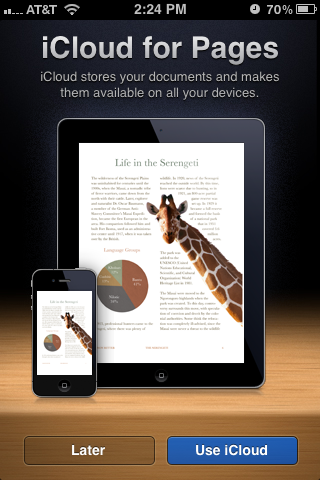
As a supplement to some of iCloud features, Apple has released a new set of APIs that let developers build in iCloud functionality into their apps. So for example, if you create documents or spreadsheets using programs other than iWork for iOS, then developers can leverage these new APIs and allow their apps to backup documents to iCloud, which are then pushed to all your other devices automatically. You can read more about this feature and its integration into the iCloud.com site in our companion piece about iCloud on the desktop.
Photo Stream
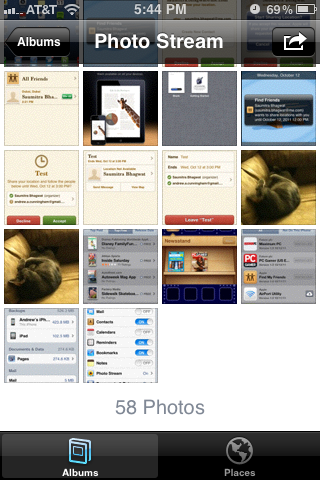
Photo Stream essentially allows users to backup and store up to 1,000 recent photos imported or taken on their iOS devices and have them pushed down to their Mac and other iOS devices. A new version of iPhoto (9.2) with Photo Stream makes sure the latest photos from your iOS devices can be viewed and saved on your Mac. iCloud saves your photos uploaded via Photo Stream for 30 days before discarding them - otherwise, you can delete all of your Photo Stream photos in the Advanced settings on iCloud.com, or you can wait for them to disappear. There's no way to delete individual photos from the stream in a way that will propagate across all of your devices, which seems like a pretty serious oversight - any photo taken, no matter how embarrassing or compromising, is automatically sent to every other Photo Stream enabled device you've got. In this case, the feature works a little too well. Photo Stream also works with the newest Apple TV update and makes the stream visible there as well.
Photo Stream at this point only syncs photos when you're connected to WiFi, so you have a bit of of time to delete things before they're synced. For users with no WiFi, this restriction does diminish the functionality of Photo Stream, and at present unfortunately there's no way to force photos to sync over cellular data for users with unlimited data plans. At least not without a jailbreak, yet.
Originally published at https://www.anandtech.com/show/4956/apple-ios-5-review (Wayback Machine).