
WD My Book Live Network Attached Hard Disk Review
- Posted in
- NAS
- Western Digital
- My Book Live
Western Digital has started following a distinctive red and blue packaging for all their product lines. The package makes the capabilities of the product very clear. A quick glance around the package by any customer would reveal that this is not a DAS unit and that the only available port is a GbE network connection. The contents of the package are as below:
- My Book Live main unit
- 3 ft. Cat 5E Ethernet cable
- 18 W power adapter
- Warranty and setup guide
- Software CD
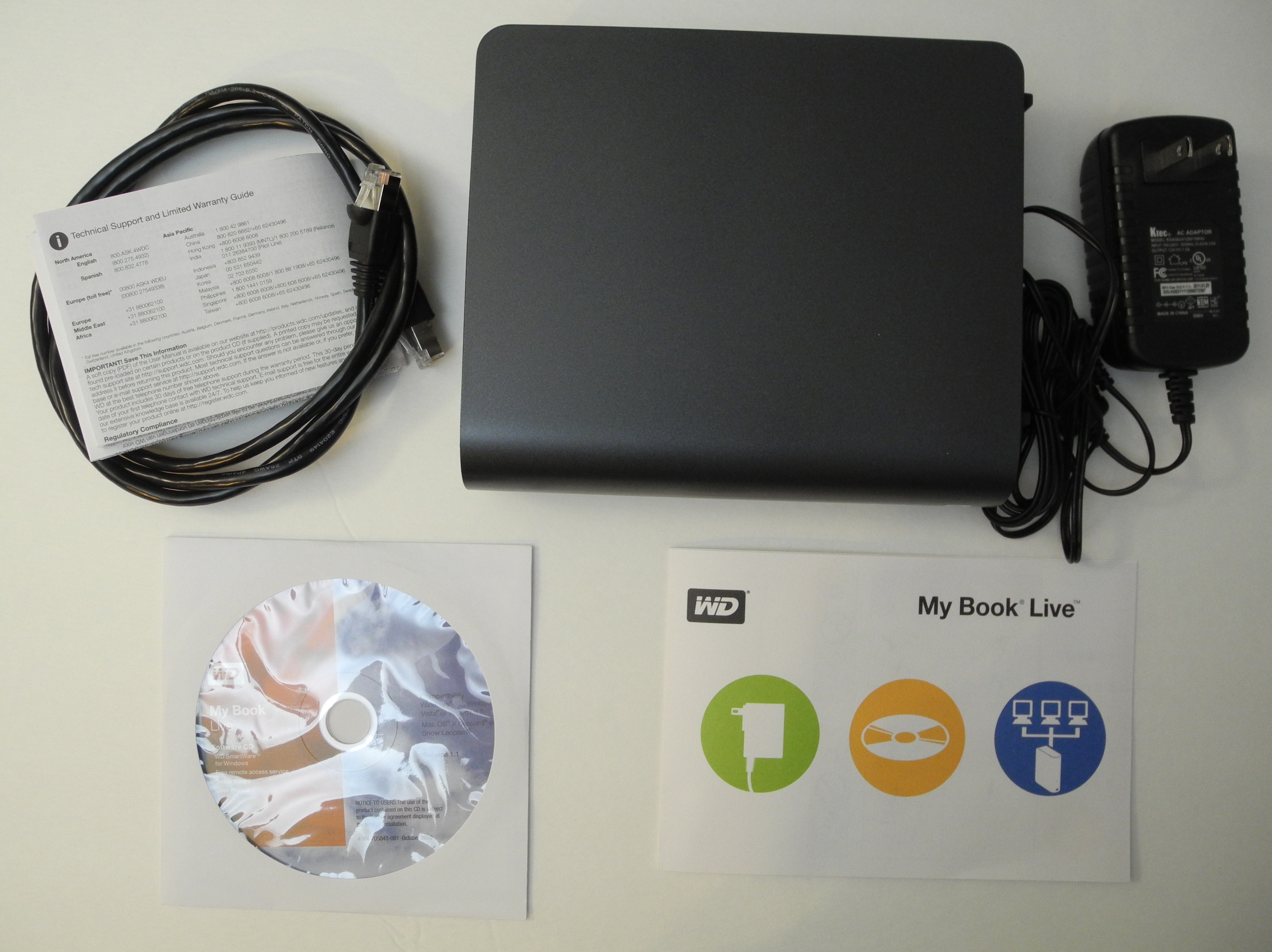
For the purpose of benchmarking, the unit was directly connected to our NAS testbed. Once we were done with the benchmarking, the unit was loaded up with media files (and a few documents) and connected to the router to enable the unit to access the Internet.
Like all the other NAS units we have evaluated, it is quite straightforward to get up and running even without the use of the accompanying software CD. As the gallery below shows, the user just needs to navigate to the IP of the unit in a browser to get started with the setup.


It is possible to incorporate a owner password so that the unit's settings are secured. E-mail alert notifications can also be set up. Idle time to enter sleep mode can also be configured (from 10 min. to 1 hr.). The LAN configuration network mode is set to DHCP by default, though a static option is also available. The Windows workgroup name can also be configured. FTP service is also available.
Full-fledged NAS units provide S.M.A.R.T testing capabilities. While the My Book Live doesn't offer that explicitly, it does provide short and full diagnostic tests to check for bad sectors and other hard disk issues. There are two remote access options available, which we will deal with in a later section. Since the unit is geared towards home use, we have the Twonky Media Server and iTunes server to round up the multimedia capabilities.
It is also possible to set up multiple users and shares on the unit. New users can have private shares and also be allowed access to existing shares, if necessary. Shares can also be set up for media serving (of different types, if necessary).
The My Book Live unit can also be used as a target for backups (Time Machine in the Apple ecosystem and a WD SmartWare based solution for Windows machines). The unit's web interface also has helpful links to customer support and the WD forums for the device.
One of the best aspects of the My Book Live lineup is the fact that the units run a build of Debian Linux. WD also provides a way to enable SSH to the machine through a 'secret' URL [ http://MYBOOKLIVEIP/UI/SSH ]. Logging into SSH reveals many aspects of the unit which would otherwise be revealed only via a teardown. We already noted the Applied Micro platform and the 256 MB of DRAM in the previous section. The Linux shell also provides information about the hard disk in the unit. The dmesg command also revealed the presence of a BCM 54610 GbE PHY in the system.

The WD30EZRS is the 5400rpm 3.5" Western Digital Caviar Green 3TB model with a 64MB cache and a 6 Gbps SATA interface. Currently, 3TB drives are sold between $120 and $170. The 3 TB version of My Book Live can be purchased right now for less than $180. As such, the price difference is unbeatable for a GbE equipped 1-bay NAS enclosure.
The various operations triggered from the web interface are actually implemented with the standard Linux commands underneath. For example, setting up a safepoint (backing up the My Book Live to a network location) triggers the rsync command.

Since the underlying platform is based on Debian Linux, it is quite easy to hack into the unit. Adventurous users can use this guide for that purpose.
Originally published at https://www.anandtech.com/show/4952/wd-my-book-live-network-attached-hard-disk-review (Wayback Machine).