
The Apple Thunderbolt Display Review
Brightness and Contrast
For brightness, black level, and contrast points, we use the same colorimeter setup described earlier. Specifically, we use an Xrite i1D2 with ColorEyes Display Pro, and take measurements at maximum and minimum brightness of white and black targets. Dynamic contrast is turned off. We also let the panels settle in for a half hour at the respective settings before taking any measurements.
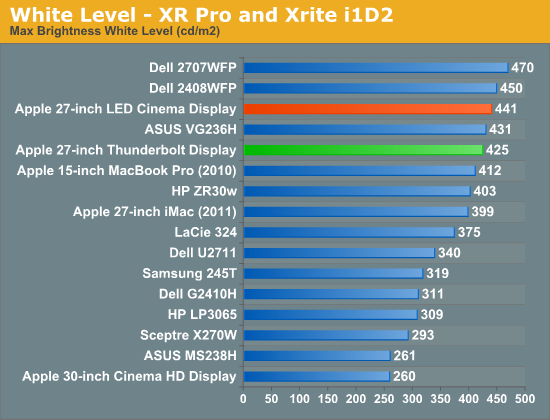
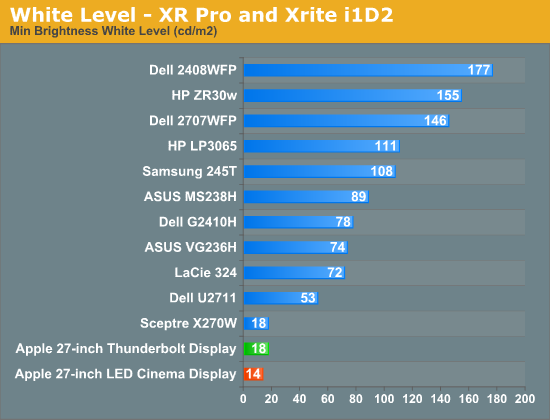
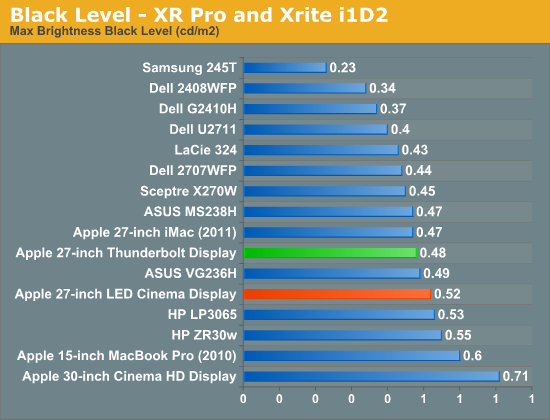
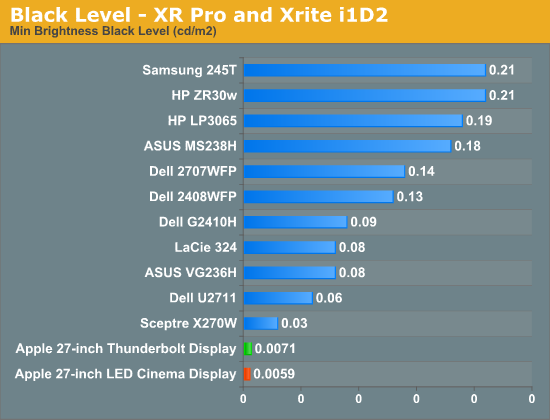
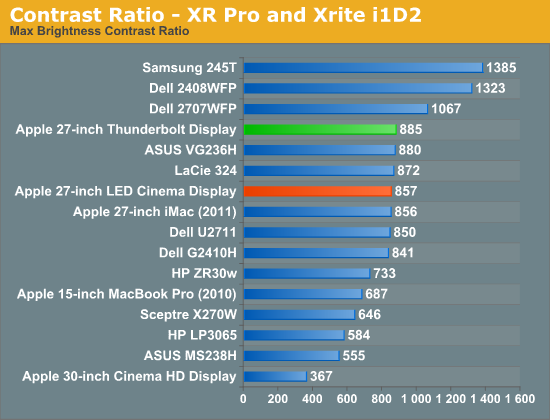
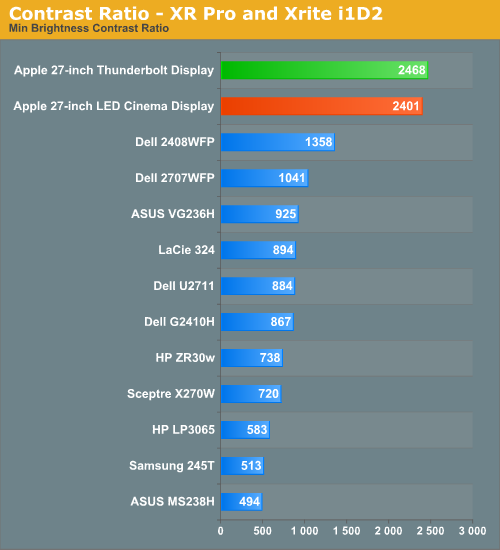
If you were expecting an change in panel quality you won't find it here. The Thunderbolt Display is almost exactly the same as last year's panel but with a bunch of new features.
Brightness Uniformity
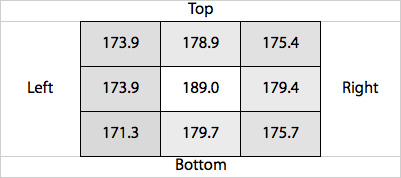
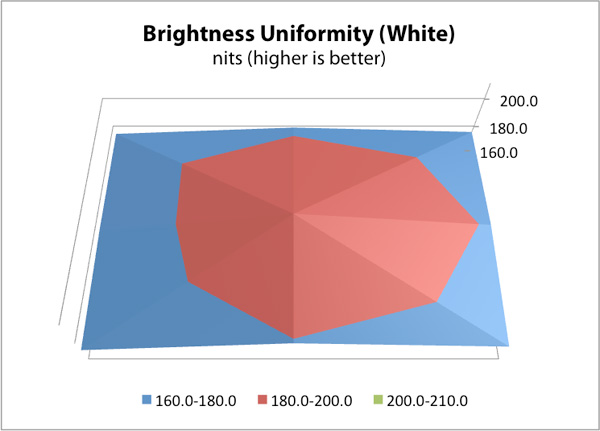
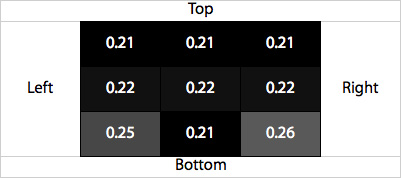
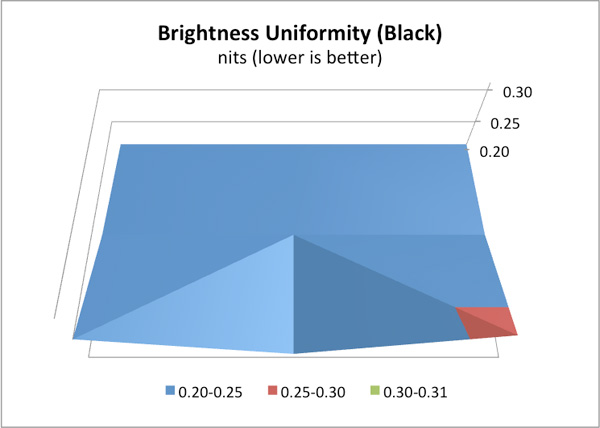
In addition to the performance at center, we’ve also added 9-point testing for brightness, both white and black. This is done the same way we measure color uniformity, except we only care about measured intensity. We set the monitor to near 200 nits, and then measure those 9 points.
The Thunderbolt Display performed very well in these tests. The display was very consistent everywhere. Although the center of the panel measured about 8% brighter than the surroundings, it wasn't noticeable in actual use. Brightness uniformity was remarkably consistent through the majority of our measurements, even better than the original 27 we reviewed last year.
White Level Uniformity
Black Level Uniformity
Viewing Angles
The Thunderbolt Display uses an IPS panel which guarantees good horizontal and vertical viewing angles. It doesn't matter how you tilt the display or from what angle you're looking at it (within reason), you'll get a fairly consistent image.


Originally published at https://www.anandtech.com/show/4832/the-apple-thunderbolt-display-review (Wayback Machine).