
The HP TouchPad Review: webOS on the Big Screen
Reading Documents: Quickoffice for webOS & Adobe Reader
The email and browser apps don't have any built in document readers, instead if you encounter a Word/Excel/Powerpoint document or PDF in an email or on a website webOS will fire up one of two third party apps to help you out.
The webOS port of Quickoffice currently only supports viewing, not editing or creating documents - so you're limited right off the bat with what you can do. For the most part tablets aren't great content creation devices so this isn't a huge loss but it's still an annoying limit. Word, Excel and PowerPoint docs are supported.

The big feature here is that Quickoffice can access both locally stored documents as well as documents stored in the cloud via Box.net, Dropbox, Google Docs or even MobileMe (not sure how the latter is going to fare once iCloud takes over).
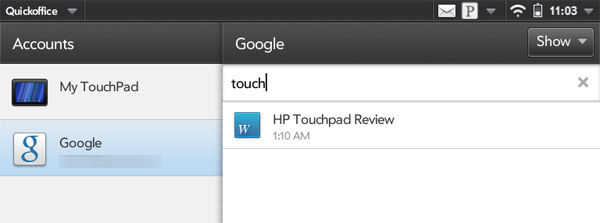
While I encountered rendering errors with really old documents I had stored in my Google account, newer documents appeared just fine.
Performance was my biggest complaint here once again. Sometimes viewing a doc would be perfect but occasionally I'd get a ton of slowdown when trying to scroll around an Excel sheet. A more consistent performance experience here would be nice.
Quickoffice doesn't support PDFs however - for that HP bundles a webOS port of Adobe Reader. Adobe Reader for the TouchPad has a very similar UI to Quickoffice, but obviously only supporting PDFs. Like Quickoffice however you can access PDFs stored locally or on any of the aforementioned cloud services.

While you can bring up a page navigation tool, there's no support for searching within PDFs in Adobe Reader.
There's not much to say here other than the Facebook app for the TouchPad is extremely well done. The app makes good use of the TouchPad's larger display and it's relatively quick (although it does suffer the same UI frame rate issues as the rest of webOS 3.0).

The app feels like it's a standard part of the webOS install, which makes sense since it was developed by HP (with Facebook's blessing). All that's really missing now is a Google+ app.
Originally published at https://www.anandtech.com/show/4508/hp-touchpad-review (Wayback Machine).