
HTC Droid Incredible 2 Review
Software - Android 2.2.1 & Sense 2.0
Sense 3.0 appears to be limited to HTC devices that ship with Gingerbread at this point. It's unclear whether or not we'll see an update to the Incredible 2's Sense UI alongside Gingerbread.
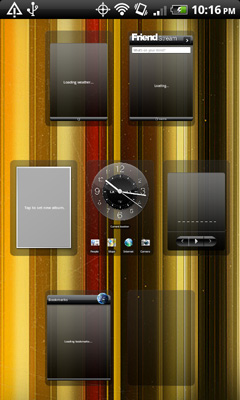
The software supports seven home screens, each can be home to a single large widget or multiple smaller ones. HTC offers preconfigured groups of home screens called Scenes for quickly switching between usage models. If nothing HTC supplies suits your fancy you are free to customize all of the home screens to your liking and save the configuration as a custom scene. In my opinion one of the biggest advantages of HTC's scenes is the ability to quickly switch the layout of your widgets when you travel. I find that when I travel I typically use a different set of apps than I do when I'm at home. I can definitely see the usefulness in being able to quickly change the configuration of shortcuts and widgets. HTC does make switching between scenes pretty easy. There's a permanent link to Personalize at the bottom of every home screen (along with all apps and the dialer).

The notification shade does feature a scrollable list of recently used apps, however there is no quick settings tab as there is in Sense 3.0.
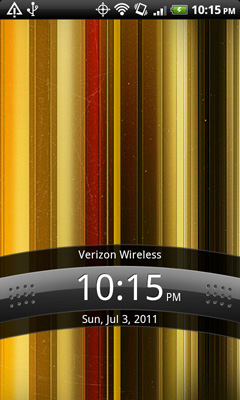
The thing I miss the most about not having Sense 3.0 is the lock screen shortcuts that let you fire up apps and unlock the phone with a single gesture. It's honestly one of only a handful of OEM features that I do believe actually improves productivity.
 |
 |
The other Sense customizations are pretty standard. There's widespread integration of Facebook if you provide the Incredible 2 with your login information. The level of integration ranges from cool (automatically populating your address book with Facebook contacts) to frustrating (not delivering as good of a News Feed browsing experience as the dedicated Facebook app).
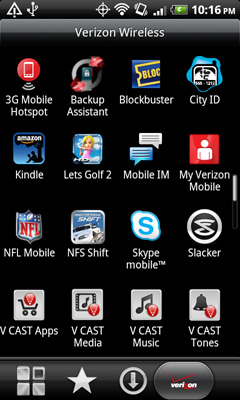
The UI in general is snappy and maintains a relatively high, but sub-60 fps frame rate. The apps launcher is split up into four screens: all apps, an automatically populated (and very useful) grid of frequent apps, downloaded apps and finally the Verizon preloaded apps.
Verizon puts a ton of preloaded apps on the Incredible 2, unfortunately you can't move them to the SD card or remove them entirely.
 |
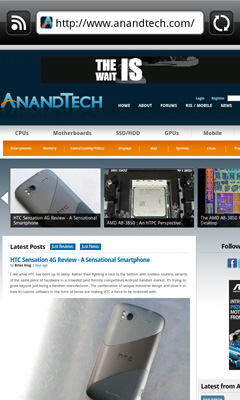 |
HTC's web browser is pretty quick and provides relatively smooth scrolling - it's definitely not perfect but not frustrating either. Flash is supported and surprisingly enough it doesn't bog down the browsing experience all that much. Pages are loaded first, followed by flash elements. My biggest complaint about the browser is that tapping on the search/URL bar defaults to URL entry (as in you get a prefilled http://www.). I'm used to Chrome on the desktop which defaults to search instead.
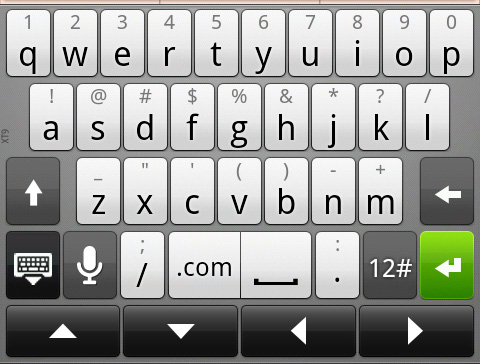
The last thing I'd like to comment on is HTC's Sense keyboard. I was pleased with it in the original Incredible and am still generally happy with it. It's still a bit busier than I'd like but it's functional, the keys are well spaced and I can type quickly on it.
Originally published at https://www.anandtech.com/show/4484/htc-droid-incredible-2-review (Wayback Machine).